EasyManua.ls Logo

Eastron DCM230 - User Manual

Eastron DCM230
27 pages
Print Icon
To Next Page IconTo Next Page
Loading...
Eastron DCM230 User Manual
B+G e-tech GmbH (EASTRON Germany) Fr.-Mehring St. 36 DE 01979 Lauchhammer
Fax: +49 3574 4675519 Web: www.eastron-germany.de
- 1 -
Measures kWh, W, V, A etc.
Bi-directional measurement IMP & EXP
Pulse output
RS485 Modbus
Din rail mounting 35mm
DC shunt connection
Class 1
DCM230 DC Energy Meter
User Manual V1.5
2021
Question and Answer IconNeed help?

Do you have a question about the Eastron DCM230 and is the answer not in the manual?

Summary

DCM230 DC Energy Meter Overview

Introduction to DCM230 Meters

Overview of the DCM230 series DC energy meters and their capabilities in DC systems.

Key Specification Categories

Covers model variants, general specs, communication, pulse output, and environmental/mechanical properties.

PART 1 Specification Details

Model Numbering Scheme

Details the DCM230 model convention for power supply, voltage, shunt, and tariff configurations.

General Technical Specifications

Input voltage, current range, power consumption, accuracy class, and other technical parameters.

Current Sensing and Communication Setup

Shunt primary current settings and Modbus RTU communication parameters like baud rate and parity.

Pulse Output Configuration Options

Settings for pulse output constant, pulse width, and their relation to CT1 for energy measurement.

Environmental and Mechanical Properties

Operating environment, installation category, EMC, and physical dimensions of the DCM230 meter.

PART 2 Operation and Setup

Meter Initialization and Display Modes

Describes power-on sequence, full screen display, software version, and Modbus address display.

Front Panel Button Functions

Functionality of buttons for data scrolling, set-up mode entry, option selection, and confirmation.

Measured Value Display

Details on displaying total active energy, resettable active energy, and multi-tariff information.

Step-by-Step Set-up Mode Guide

How to configure password, Modbus address, baud rate, pulse output, pulse width, DIT, and backlit time.

Wiring Diagrams and Dimensions

Terminal connection diagrams for AC/DC power and shunt, plus physical dimensions of the meter.

PART 3 Modbus Protocol Information

Input Register Mapping for Measurements

Table of Modbus input registers for voltage, current, power, and energy with their respective addresses.

Holding Registers for Configuration Settings

Holding registers for setting demand period, slide time, pulse constant, password, and network parameters.

PART 4 Shunt Compatibility

ESFL-2 A Series Shunt Specifications

Technical data for ESFL-2A shunts, including primary input ranges, voltage output, accuracy, and dimensions.

Summary

DCM230 DC Energy Meter Overview

Introduction to DCM230 Meters

Overview of the DCM230 series DC energy meters and their capabilities in DC systems.

Key Specification Categories

Covers model variants, general specs, communication, pulse output, and environmental/mechanical properties.

PART 1 Specification Details

Model Numbering Scheme

Details the DCM230 model convention for power supply, voltage, shunt, and tariff configurations.

General Technical Specifications

Input voltage, current range, power consumption, accuracy class, and other technical parameters.

Current Sensing and Communication Setup

Shunt primary current settings and Modbus RTU communication parameters like baud rate and parity.

Pulse Output Configuration Options

Settings for pulse output constant, pulse width, and their relation to CT1 for energy measurement.

Environmental and Mechanical Properties

Operating environment, installation category, EMC, and physical dimensions of the DCM230 meter.

PART 2 Operation and Setup

Meter Initialization and Display Modes

Describes power-on sequence, full screen display, software version, and Modbus address display.

Front Panel Button Functions

Functionality of buttons for data scrolling, set-up mode entry, option selection, and confirmation.

Measured Value Display

Details on displaying total active energy, resettable active energy, and multi-tariff information.

Step-by-Step Set-up Mode Guide

How to configure password, Modbus address, baud rate, pulse output, pulse width, DIT, and backlit time.

Wiring Diagrams and Dimensions

Terminal connection diagrams for AC/DC power and shunt, plus physical dimensions of the meter.

PART 3 Modbus Protocol Information

Input Register Mapping for Measurements

Table of Modbus input registers for voltage, current, power, and energy with their respective addresses.

Holding Registers for Configuration Settings

Holding registers for setting demand period, slide time, pulse constant, password, and network parameters.

PART 4 Shunt Compatibility

ESFL-2 A Series Shunt Specifications

Technical data for ESFL-2A shunts, including primary input ranges, voltage output, accuracy, and dimensions.

Overview

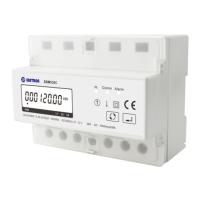
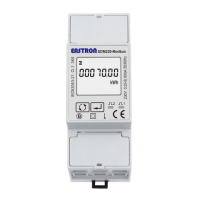
The Eastron DCM230 is a DIN rail DC energy meter designed for measuring and monitoring in DC systems. It can measure important DC parameters such as voltage, current, power, and energy. The meter supports bi-directional measurement with pulse output and all data is accessible via RS485 using Modbus RTU. The DCM230 is available in two versions, working with either AC or DC power supply. It offers a wide input voltage range up to 300V, 600V, or 1000V DC, and flexible current inputs with DC shunt and current sensors. A multi-tariff version is available, equipped with a Real-Time Clock (RTC) to provide multi-tariff information and monthly records.

Function Description:

The DCM230 measures and displays various DC parameters including voltage, currents, power, and active energy (imported and exported). It provides a pulse output to indicate real-time energy measurement. The RS485 output enables remote monitoring via another display or a computer. An over-current alarm feature is included, which activates an LED and updates a register value when the current exceeds the set CT1 value, allowing users to detect overcurrent conditions through communication. The pulse output is a passive type, compliant with IEC62053-31 Class A.

Important Technical Specifications:

  • Voltage DC Input: 5~300V DC, 5~600V DC, 5~1000V DC
  • Auxiliary Supply: 85~300V AC (DCM230-1) or 9-60V DC (DCM230-2)
  • DC Shunt Input: 75mV (default), 60mV, 45mV (optional)
  • Current Range: 0~2000A
  • Power Consumption: ≤ 2W / 5VA
  • AC Voltage Withstand: 4400V / 1min
  • Impulse Voltage: 6.4kV - 1.2/50µS waveform
  • Pulse Output: 1, 10, 100, 1000 imp/kWh (default)
  • Pulse Duration: 60, 100 (default), 200ms
  • Pulse Output Indication: Total kWh / import kWh / export kWh
  • Display: LCD with backlight
  • Max. Reading: 999999.9 kWh
  • Weight: 220g
  • Standard: GB/T 33708-2017
  • Accuracy Class: 1 (max. 1% measurement deviation)
  • Operating Temperature: -25°C to +70°C
  • Reference Temperature: 23°C ±2°C
  • Relative Humidity: 0 to 90%, non-condensing
  • Altitude: up to 2000m
  • Installation Category: CAT II
  • Mechanical Environment: M1
  • Electromagnetic Environment: E2
  • Degree of Pollution: 2
  • Din Rail Dimensions: 36x99x63 (WxHxD) DIN 43880
  • Mounting: DIN rail 35mm
  • Sealing: IP51 (indoor)
  • Material: Self-extinguishing UL94V-0

Modbus RTU Communication Parameters:

  • Baud Rate: 1200, 2400, 4800, 9600, 19200 bps (configurable)
  • Parity: None (default) / Odd / Even (configurable)
  • Stop Bits: 1 or 2 (configurable)
  • RS485 Network Address: 001 to 247 (configurable)
  • Modbus Word Order: Hi/Lo byte order set automatically (not configurable)

Shunt Primary Current Configuration:

The unit can be configured for primary current from 0-2000A with a secondary input of 75mV (default), 45mV, or 60mV (optional).

Usage Features:

The DCM230 features a user-friendly interface with two buttons on the front panel for navigation and configuration.

  • Initialization Display: Upon power-on, the meter performs a self-check, displaying a full screen, software version, and current Modbus address for 2 seconds each, followed by the current baud rate and total active energy.
  • Scroll Display: After initialization, the meter defaults to displaying total kWh. Users can press the scroll button to view other measured values such as partial resettable active energy, T1-T4 total kWh (for multi-tariff versions), voltage, current, power, pulse constant, CT1 primary current, meter address, baud rate, parity, date, time, and software version.
  • Set-up Mode: To enter Set-up Mode, the "Enter" button must be pressed for 3 seconds. A password (default: 1000) is required for access.
    • Password Setting: Users can set a new password (range 0001 to 9999, default 1000).
    • Modbus Address Setting: The Modbus address can be configured from 1 to 247.
    • Baud Rate Setting: Baud rates of 1.2k, 2.4k, 4.8k, 9.6k (default), and 19.2k can be selected.
    • Parity Setting: Options include EVEN, ODD, and NONE (default).
    • Pulse Output Type: Configurable to total kWh, IMP kWh, or EXP kWh.
    • Pulse Constant Setting: Options include 1000, 100, 10, and 1 imp/kWh. The default pulse constant is related to the CT1 setting.
    • Pulse Width Setting: Options are 60, 100 (default), and 200ms.
    • CT1 Primary Current Setting: The CT1 value can be set from 0001 to 2000. For example, a 100A/75mV current transformer requires setting CT1 to 0100.
    • Demand Integration Time (DIT) Setting: Options include 0, 5, 8, 10, 15, 20, 30, 60 (default) minutes.
    • Scroll Display Time Setting: Configurable from 0 to 60 seconds (0s means no scroll display).
    • Backlight Time Setting: Configurable from 0 to 60 minutes (0 means backlight is always on, default 60 minutes).
    • Shunt Wiring Setting: Options for shunt connection are Negative type (N, default) and Positive type (P).
    • Date and Time Setting: For multi-tariff versions, date and time can be set.
    • Tariff Information: For multi-tariff versions, tariff numbers (T1-T4), serial numbers (01-08), and starting times can be viewed.
  • Exiting Set-up Mode: Pressing the "Enter" button exits the set-up mode.

Maintenance Features:

  • Modbus Protocol: The Modbus Protocol allows for remote viewing and changing of instrument configuration settings. Input registers (3X) are used to read measured and calculated electrical quantities, while holding registers (4X) are used to store and display configuration settings.
  • Reset Functions: Holding register 461457 allows for resetting Maximum Demand (00 00) and Partial Energy (00 03).
  • Current Overload Alarm: Register 316403 provides an alarm status for current overload (00 00 for no alarm, 00 01 for alarm).

Eastron DCM230 Specifications

General IconGeneral
BrandEastron
ModelDCM230
CategoryMeasuring Instruments
LanguageEnglish

Related product manuals