FG 32 DDC – pre release user guide – V1.4
14
Changing IP address
By default the controller IP address is at 192.168.10.11.
Changing the IP address can only be done via sedona workbench at the moment.
Step 1
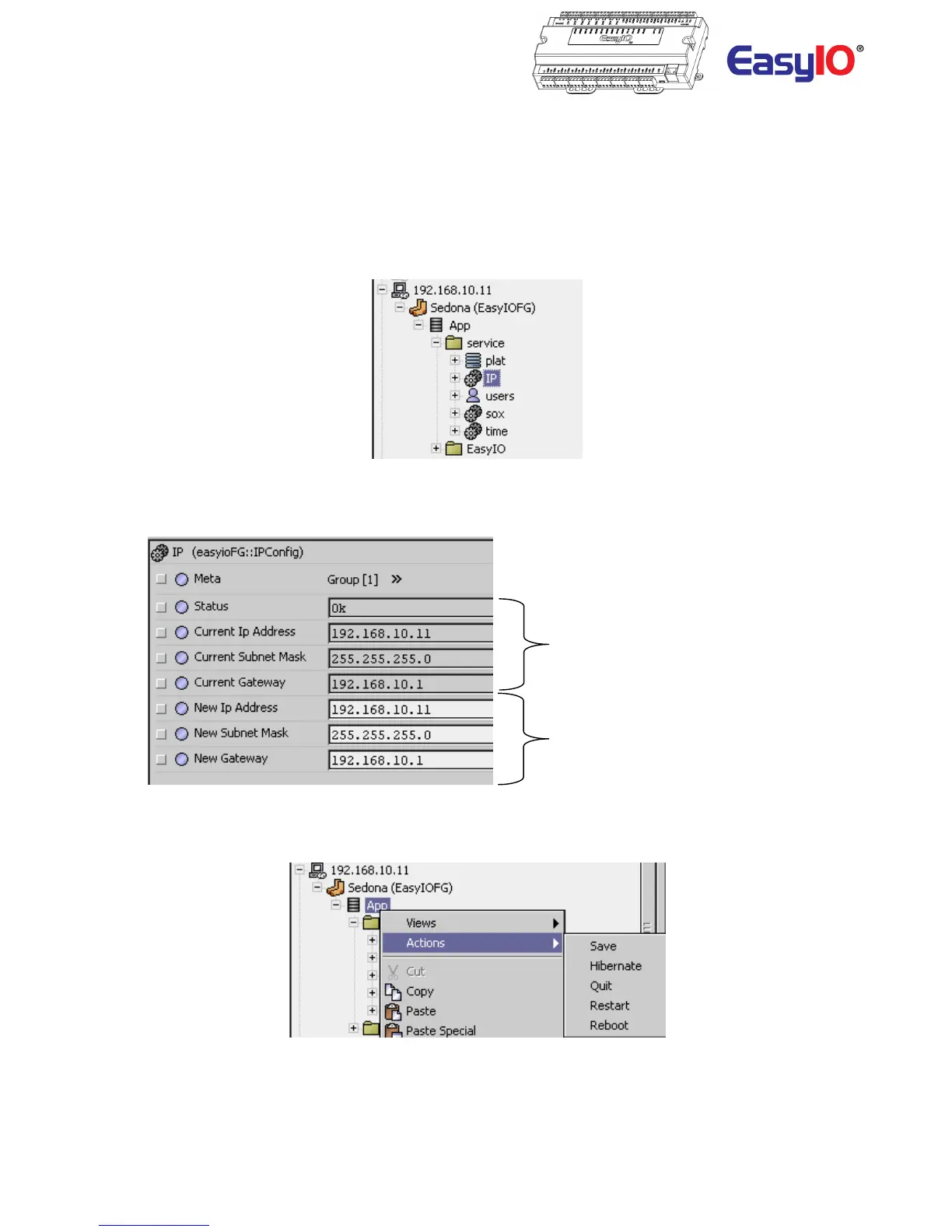
Login to the FG32 via sedona workbench. Locate the object “IP” under the sedona service folder.
Step 2
Go into the property sheet of the “IP” object.
Current IP address that is assign to
the controller
New IP address field. Keyin the
requires IP address in these fields.
Make sure the IP address and
subnet is correct before saving.
Step 3
Save the sedona apps and cycle power.
Step 4
Reconnect to the sedona via Sedona workbench with the new assigned IP address.



 To Next Page