SETUP
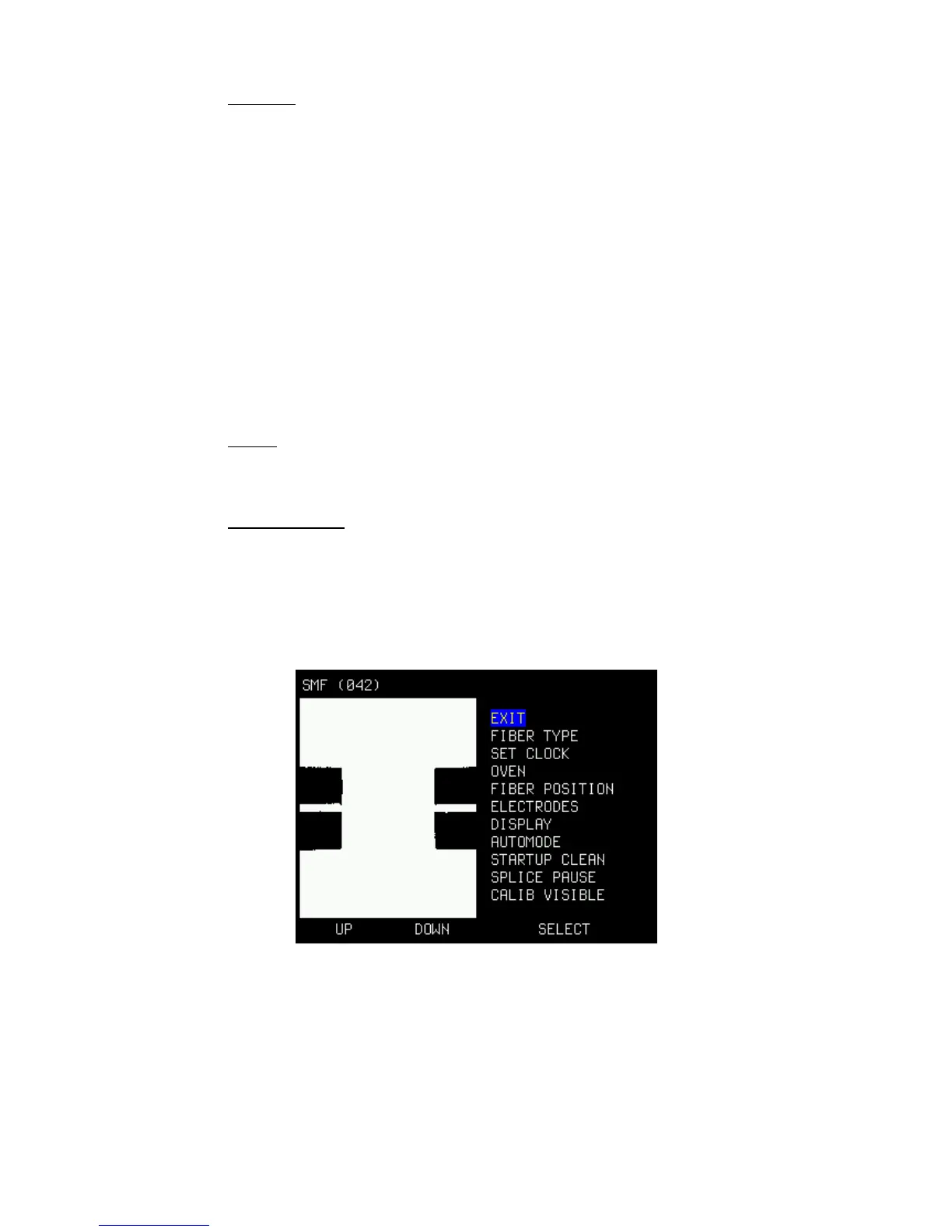
Takes You to the next sub-level where the following functions can be
adjusted (see section below):
* FIBERTYPE
* SET CLOCK
* OVEN
* LANGUAGE
* FIBER POSITION
* ELECTRODES
* DISPLAY
* AUTO MODE
* STARTUP CLEAN
* SPLICE PAUSE
* CALIB VISIBLE/CALIB NOT VISIBLE
INFO
Shows miscellaneous information of the splicer, like firmware version and
number of total splices.
LANGUAGE
Set the language by stepping up/down with the small buttons.
Press the large button (SELECT) for choosing a new language (or go to the
top and select EXIT).
SETUP MENU.
EXIT
Exit menu.
FIBER TYPE
Select the correct fiber-type You are about to splice:
• SINGLEMODE
• MULTIMODE
• OM1
9


 To Next Page