EasyManua.ls Logo

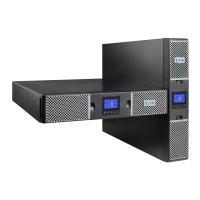
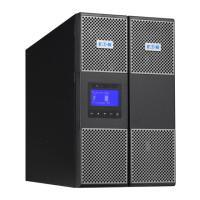
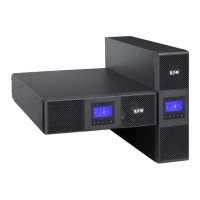
Eaton 9PX10KSP - User Manual

Eaton 9PX10KSP
48 pages
Print Icon
To Next Page IconTo Next Page
Loading...
ENGLISH
9PX8KSP
9PX10KSP
9PXEBM360SP
Installation
and user manual
Copyright © 2014 EATON
All rights reserved.
Service and support:
Call your local service representative
614-00205-01_EN

Questions and Answers

  • A
    Andrew MatthewsSep 4, 2025
    What to do if the input/output bad wiring LED is on and the Eaton UPS is beeping continuously?
    • D
      David BergSep 4, 2025
      The input/output cables are not connected to the correct terminal blocks. Connect the input/output cables correctly.
  • J
    Jared ArmstrongSep 18, 2025
    What to do when the Input/Output Bad Wiring LED is on and Eaton Power Supply beeps continuously?
    • L
      Leah PriceSep 18, 2025
      If the Input/Output Bad Wiring LED is on and the Eaton Power Supply beeps continuously, it indicates that the Input/Output cables are not connected to the correct terminal blocks. Connect the Input/Output cables correctly.
  • F
    fryvanessaSep 16, 2025
    Why is the No Battery LED on and Eaton Power Supply beeping continuously?
    • C
      Crystal BlackSep 16, 2025
      If the No Battery LED is on and the Eaton Power Supply is beeping continuously, the batteries are disconnected. Verify that all batteries are properly connected. If the condition persists, contact your service representative.
  • S
    Stacey RamirezSep 14, 2025
    What does it mean when the Battery Fault LED is on and Eaton Power Supply beeps continuously?
    • N
      Nicholas HansenSep 14, 2025
      If the Battery Fault LED is on and the Eaton Power Supply beeps continuously, the battery test has failed due to bad or disconnected batteries, or the battery minimum voltage is reached in ABM cycling mode. Verify that all batteries are properly connected. Start a new battery test; if the condition persists, contact your service representative.
  • M
    Melissa HansenSep 12, 2025
    Why won't my Eaton Power Supply start?
    • L
      Linda HarveySep 12, 2025
      The Eaton Power Supply might not start because the input source is not connected correctly. Check the input connections. Alternatively, the Remote Power Off (RPO) switch may be active or the RPO connector is missing. If the UPS Status menu displays the 'Remote Power Off' notice, inactivate the RPO input.
  • S
    Shawn RyanSep 12, 2025
    How to fix an Eaton Power Supply with the Overtemperature LED on and beeping every 3 seconds?
    • C
      carterevanSep 12, 2025
      If the UPS Overtemperature LED is on and it beeps every 3 seconds, the UPS internal temperature is too high or a fan has failed. If the UPS transferred to Bypass mode, it will return to normal operation when the temperature drops 5°C below the warning level. If the condition persists, shut down the UPS. Clear vents and remove any heat sources, ensure airflow is not restricted, allow the UPS to cool, and then restart it. If the condition continues to persist, contact your service representative.
  • A
    aspenceSep 9, 2025
    Why doesn't my Eaton Power Supply provide the expected backup time?
    • K
      Kevin OlsonSep 9, 2025
      If the Eaton Power Supply isn't providing the expected backup time, the batteries may need charging or servicing. Apply utility power for 48 hours to charge the batteries. If the issue continues, contact your service representative.
  • K
    Kelsey WallaceSep 7, 2025
    Why is the Bypass Mode LED on for my Eaton Power Supply?
    • W
      wsinghSep 7, 2025
      The Bypass Mode LED is on because an overload or fault has occurred, or a command has been received, and the Eaton Power Supply is in Bypass mode. This means your equipment is powered but not protected by the UPS. Check for alarms indicating overtemperature, overload, or UPS failure.
  • C
    Connie PittsSep 5, 2025
    What to do if the Battery Mode LED is on and Eaton Power Supply beeps every 10 seconds?
    • P
      patricia37Sep 5, 2025
      If the Battery Mode LED is illuminated and the Eaton Power Supply beeps every 10 seconds, it means a utility failure has occurred, and the UPS is operating in Battery mode. You should prepare your equipment for shutdown, as the UPS is currently powering it with battery power.
  • K
    Kelly FinleyAug 21, 2025
    What to do if the power overload LED is on and the Eaton UPS beeps continuously?
    • S
      Susan ChurchAug 21, 2025
      If the power requirements exceed the UPS capacity, remove some equipment from the Eaton UPS. The UPS will continue to operate, but may switch to Bypass mode or shut down if the load increases. The alarm resets when the condition becomes inactive.

Eaton 9PX10KSP Specifications

General IconGeneral
BrandEaton
Model9PX10KSP
CategoryUPS
LanguageEnglish

Related product manuals