18 Amended: Jan 2014
Set Date/Time
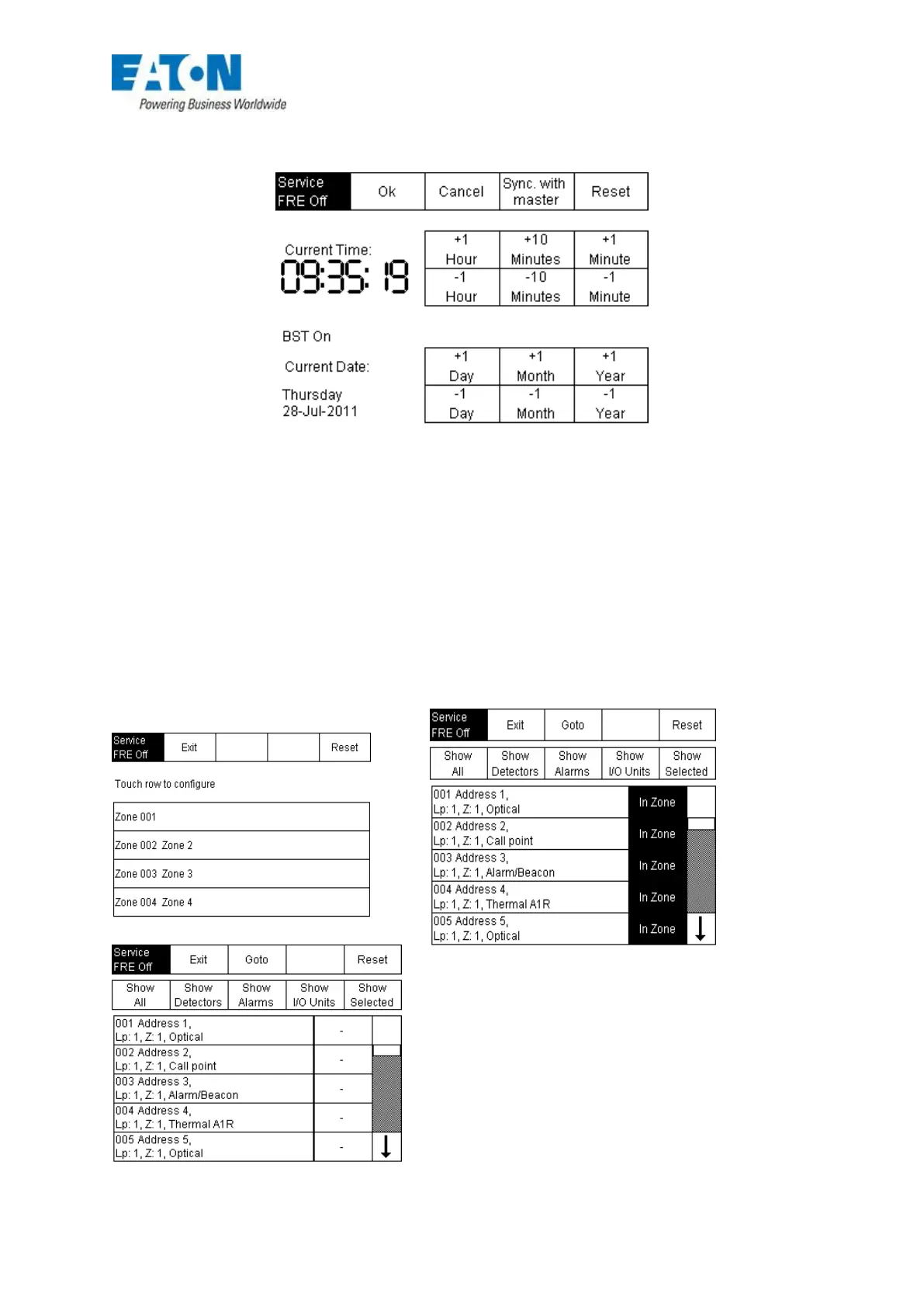
FIG 10
The ‘Set Date/Time feature is a relatively simple and self explanatory method of setting the date and
time.
However, if the panel is part of a multi-panel network, all of the clocks would need to be synchronised.
An extra button ‘Synch with master’ has been added to automatically synchronise the time with the
master panel, which in this case is always panel number 1.
Configure Zones
Following an Autolearn all devices are by default placed into Zone 1, if the Site Installer is available
then extra zones can be added and devices can be moved into the correct zone. If minor changes are
required then this can also be carried out directly at the panel using the configure zones menu.
Fig 11






 To Next Page