29 Amended: Jan 2014
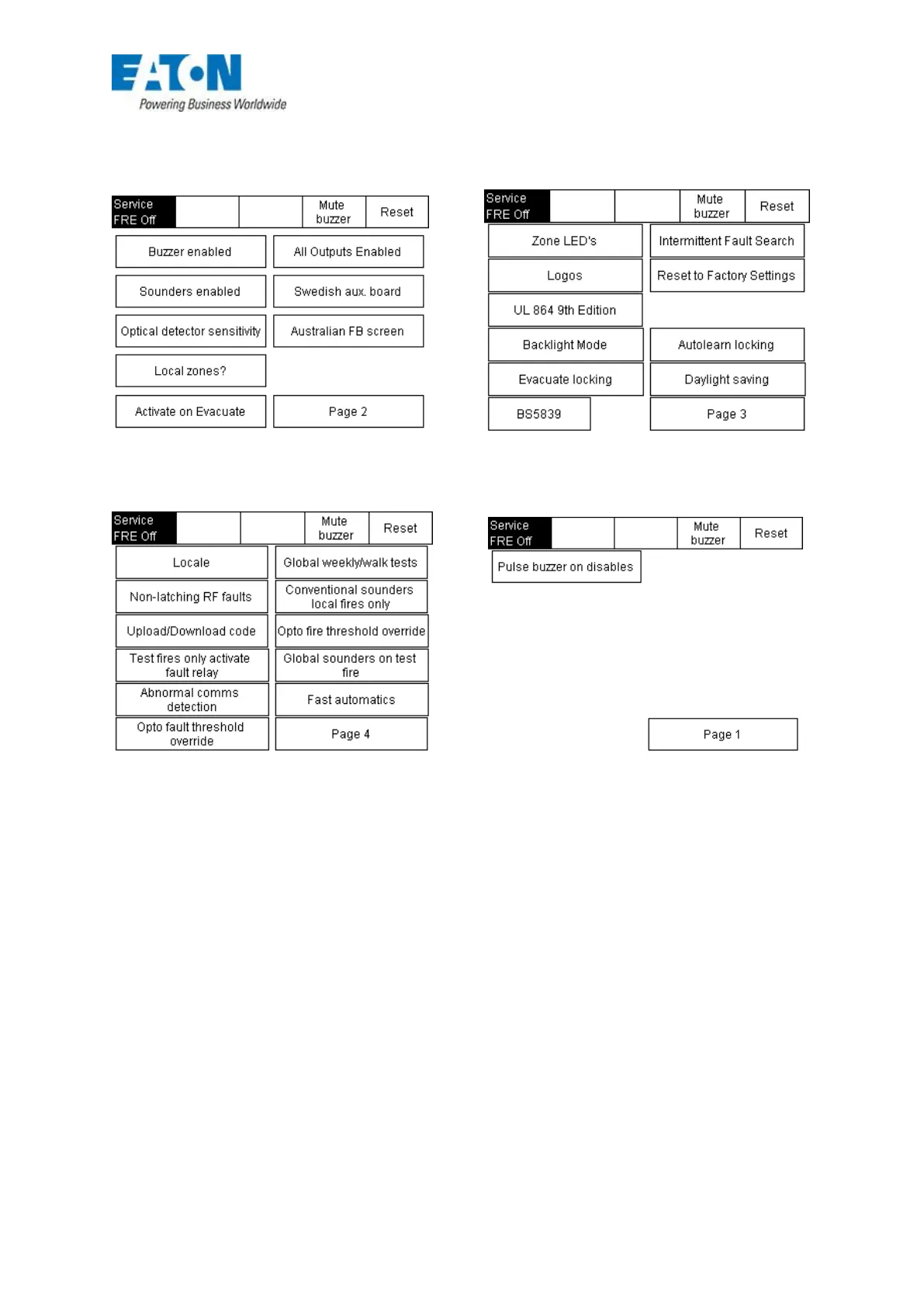
High Level Menus
FIG 25
Disable all Outputs
This menu enables the engineer to carry out a full test without any outputs operating. This function
can not be used with Weekly or Walk test features.
The outputs can be switched on and off from this menu, if however the outputs are inadvertently left
disabled when the engineer leaves site, the user can re-enable the outputs from the enable/disable
menu in 2214, or on later versions simply toggle the button in the high level menu.
On release version Jul 12 when all devices are enabled from the 130170 menu the panel will
automatically ‘Hard reset’ to ensure All devices are enabled.
Optical Detector Sensitivity
The sensitivity of the Optical detectors can be reduced by up to 70% to prevent unwanted alarms in
hot dusty environments such as the Far east and India. This feature is outside EN54 specs.








 To Next Page