67 Amended: Jan 2014
Download Analogue levels and Log to PC
A recent update to the display software (v 3.3.1 or later - Jan 2009) allows the engineer to download
the Analogue levels and history log to a PC using the HyperTerminal program.
This new feature is housed in the user menu. Proceed as follows to download the information to the
Laptop:
1. Connect Laptop to the panel via the serial port.
2. Open HyperTerminal program and apply a name in the new connection box. Click OK
3. Select Com 1 in the ‘connect to’ box. Click OK
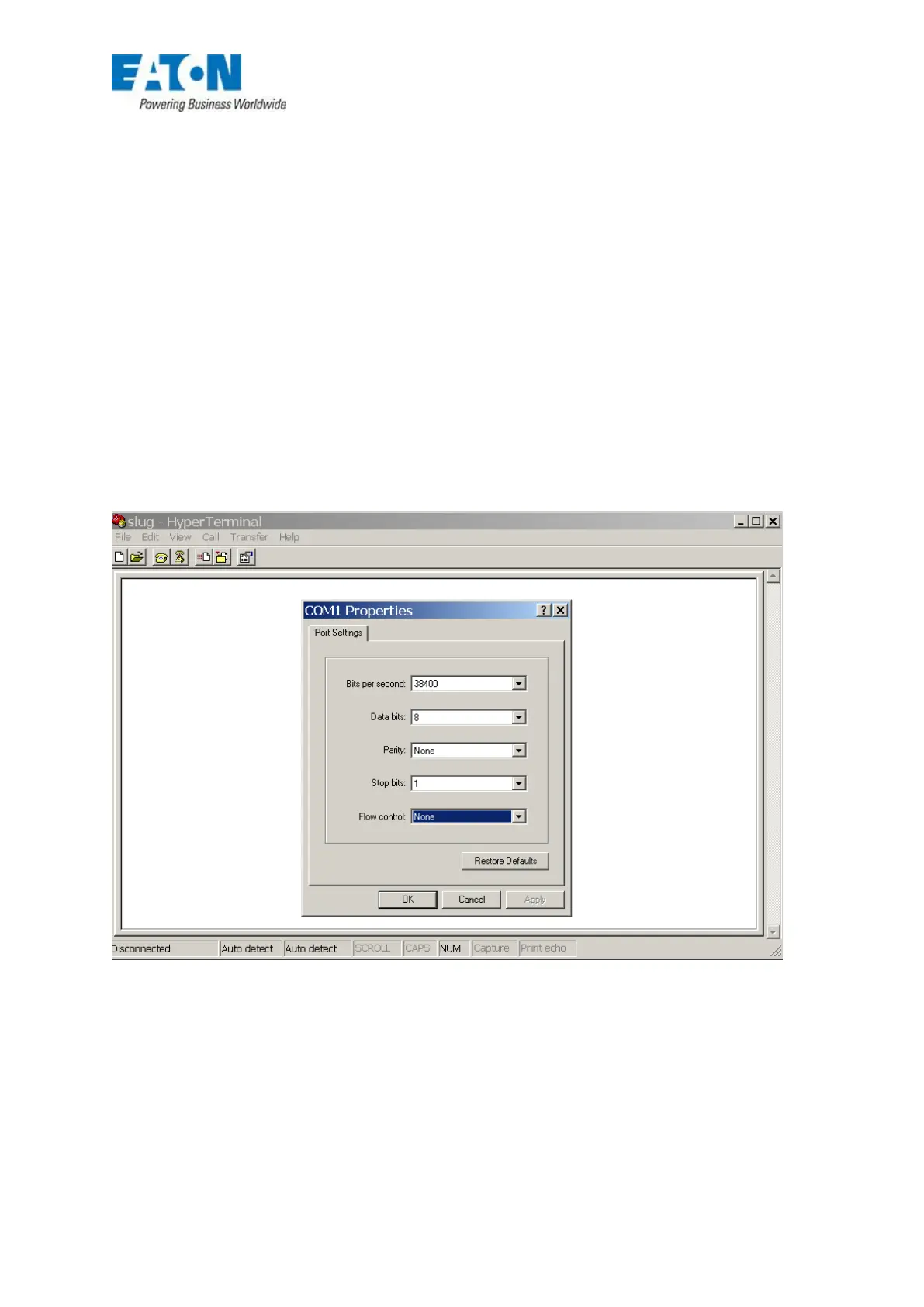
4. In the Comm 1 properties box set - 38400 baud, data bits 8, parity none, stop bits 1 and no
flow control. Data will now start scrolling down the screen area.
FIG 59






 To Next Page