68 Amended: Jan 2014
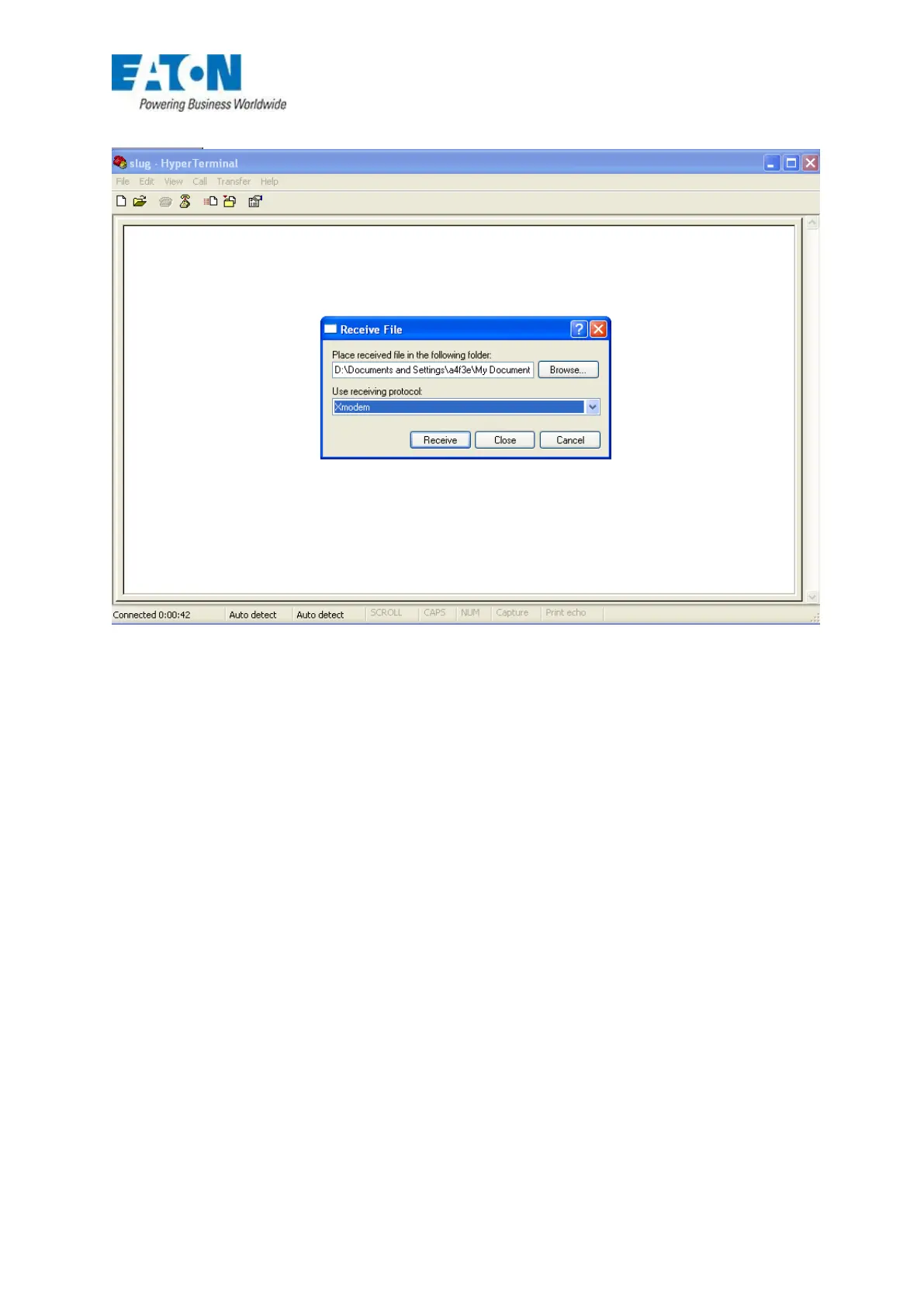
5. Select ‘Transfer’ and from the drop down box choose ‘Receive file’
FIG 60
6. In the ‘Receive file’ box use the ‘Browse’ button to select where the file is to be saved –
generally ‘My Documents’.
7. In ‘Use receiving protocol’ choose ‘Xmodem’ then hit ‘receive’.
8. When the ‘receive filename’ box appears give the file a name and click ‘OK’
9. Go to the panel and select ‘Send analogue value or Log to PC, choose a loop to be
transmitted hit ‘OK’
10. Another box will appear showing the status of the download.
11. Once the file has been downloaded then this can be accessed for reading or printing by ‘right
click’ on the file and ‘Open with’ Microsoft Word.






 To Next Page