49 Amended: Jan 2014
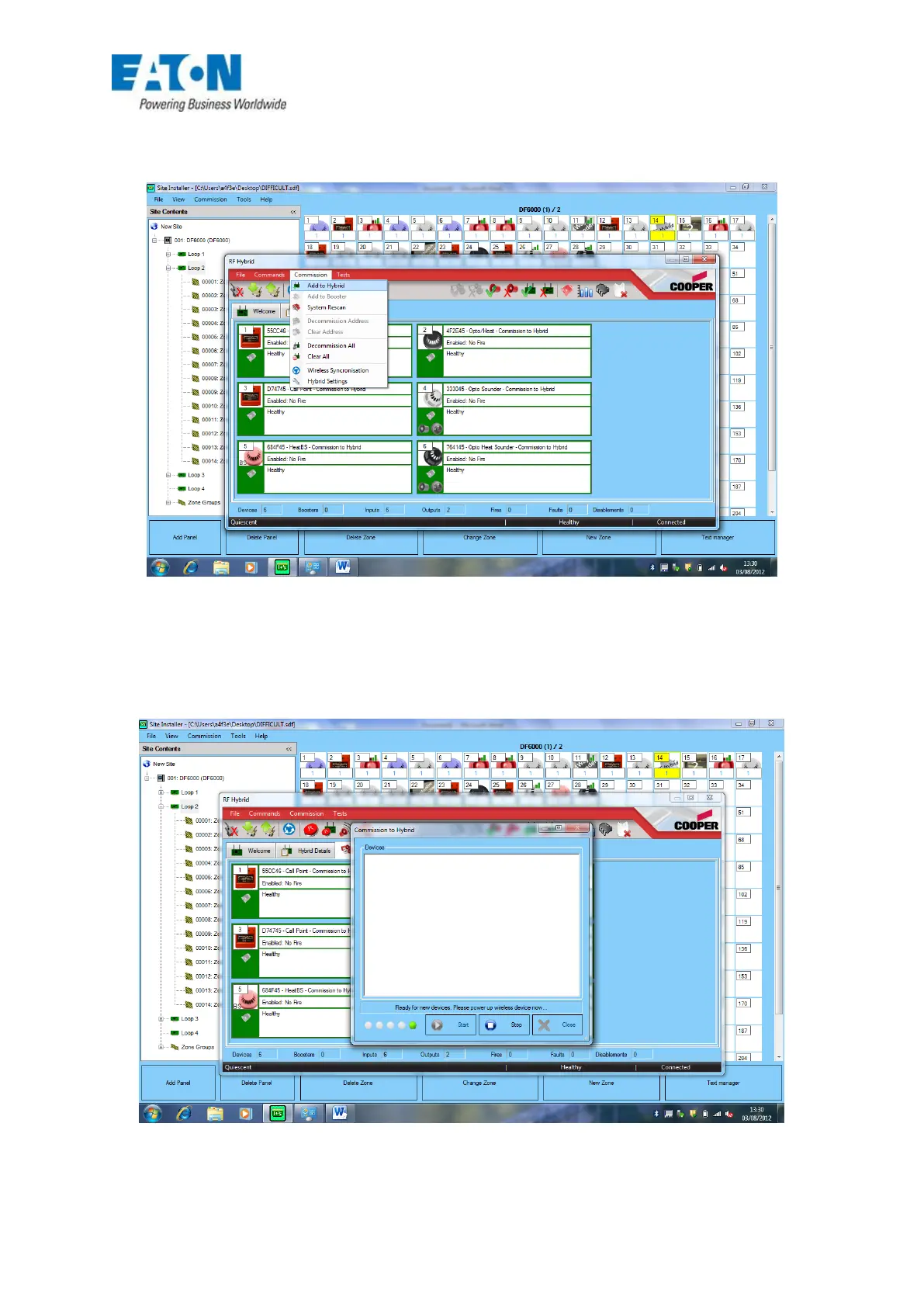
Devices can be added and removed from the hybrid individually by the PC application unlike the
delete device button on the hybrid which will delet ALL devices from the hybrid. The panel would still
need to be in the 26 v mode found in the configuration menu of the main panel.
FIG 46
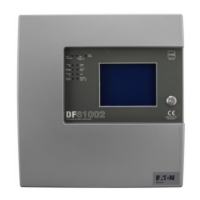
Once the hybrid has been placed into the add/delete mode then devices can be powered up in the
same way as adding direct to the hybrid.
FIG 47






 To Next Page