SMOKE DETECTOR
EATON Powerware
®
Smoke Detector User’s Guide S 164201680 Rev 1
5
8. Push and hold the test button for approximately two seconds to
test the smoke detector. The smoke detector sounds a loud
pulsating alarm.
If the alarm does not sound, replace the battery.
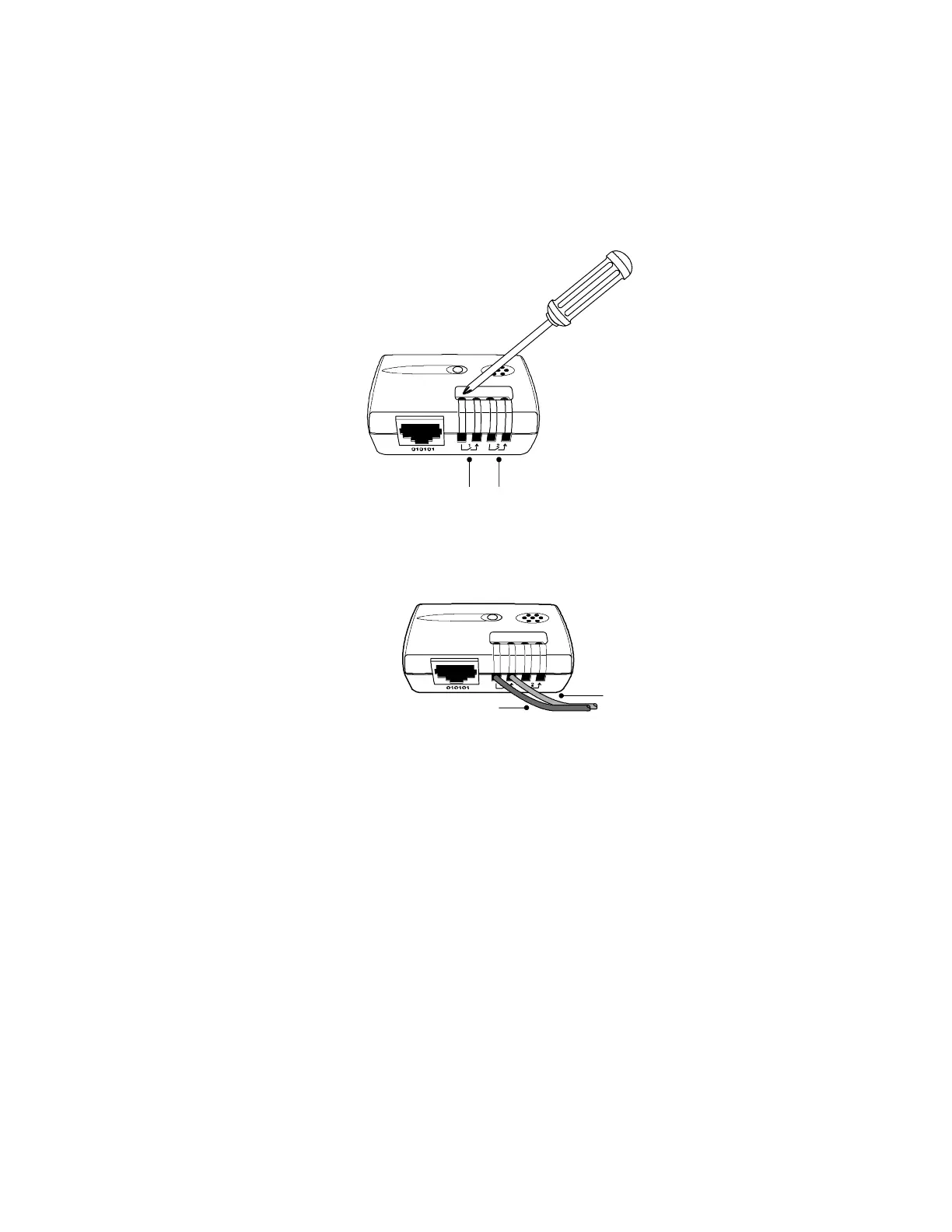
9. Loosen the screws on the TH-Module (see Figure 1).
Alarm 1 Alarm 2
Figure 1. Adjusting TH-Module Screws
10. Connect the blue and orange wires of the smoke detector to the
TH-Module alarm 1 or alarm 2 connectors, then tighten the
TH-Module screws (see Figure 2).
Blue Wire
Orange Wire
Figure 2. TH-Module with Smoke Detector Wires
11. If you are installing additional smoke detectors, repeat Steps 1
through 10.










 To Next Page