EasyManua.ls Logo

Eaton Powerware 5110 - User Manual

Eaton Powerware 5110
14 pages
Print Icon
To Next Page IconTo Next Page
Loading...
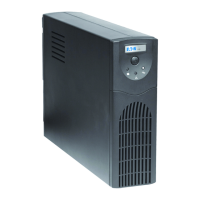
Powerware 5110 UPS
Users manual

Questions and Answers

  • S
    seanflemingAug 2, 2025
    Why is my Eaton Powerware 5110 UPS making a continuous sound and the Overload indicator is lit?
    • C
      colleen39Aug 2, 2025
      The Eaton Powerware 5110 UPS makes a continuous sound and the 'Overload' indicator lights up because the 'Battery Backup & Surge Protection' outlets are overloaded. To resolve this, reduce the amount of equipment connected to these outlets.
  • C
    Chad VasquezAug 10, 2025
    How to fix an Eaton Powerware 5110 UPS that will not turn on?
    • J
      Julie ScottAug 10, 2025
      If your Eaton Powerware 5110 UPS will not turn on: * Ensure the ON/OFF switch is activated. Also, verify that the building's circuit breaker hasn't been accidentally tripped. * If the circuit breaker on the UPS has tripped, reduce the amount of equipment plugged into the 'Battery Backup & Surge Protection' outlets. Then, reset the circuit breaker by pushing it back in.
  • S
    Sean GarnerAug 16, 2025
    What to do if Eaton Powerware 5110 UPS does not provide expected runtime?
    • W
      walshrobertAug 17, 2025
      If your Eaton Powerware 5110 UPS isn't providing the expected runtime, it could be due to the battery's age, which may prevent it from holding a full charge. To address this, charge the battery for at least 8 hours and then recheck the battery runtime. Also the battery might need to be changed.
  • S
    Shannon KimAug 25, 2025
    What to do if connected equipment loses power while connected to the Eaton Powerware 5110 UPS?
    • C
      Christine SaundersAug 25, 2025
      If your connected equipment loses power while connected to the Eaton Powerware 5110 UPS, there are several potential causes: * The 'Battery Backup & Surge Protection' outlets may be overloaded. Refer to the Indicator Table 'Powerware 5110 UPS is making a continuous sound and the Overload indictor is lit'. * The Eaton Powerware 5110 UPS may have depleted its battery. In this case, the UPS will turn off when the battery is depleted during a power outage. Allow the UPS to recharge before resuming use. * The connected equipment may be plugged into the wrong outlet. Ensure that the equipment you want to keep powered during a power failure is plugged into the 'Battery Backup & Surge Protection' outlets. * The Eaton Powerware 5110 UPS may be faulty.

Summary

Introduction to Powerware 5110 UPS

Key Features and Capabilities

Details the key features and capabilities of the Powerware 5110 UPS system, including voltage regulation and outlet types.

Product Inspection Guidelines

Instructions for checking the UPS for shipping damage upon receipt and retaining packaging.

Obtaining CE Declaration Information

Information on how to download the CE declaration for the product from the manufacturer's website.

Safety Instructions and Precautions

Critical Safety Warning

A crucial warning highlighting hazardous voltage present in the UPS even when unplugged from utility power.

General Operating Safety

A list of essential safety guidelines for the proper use, placement, and handling of the UPS unit.

Battery Connection and UPS Setup

Connecting the UPS Battery

Step-by-step instructions with illustrations on how to correctly connect the UPS internal battery.

Installation and Initial Operation

Guidance on connecting the UPS to power, plugging in devices, and initial startup procedures.

Peripheral and Software Configuration

Instructions for connecting peripherals to UPS outlets and installing the necessary management software.

Understanding UPS Indicators and Controls

On;Off;Test Switch Functionality

Explanation of the main switch's role in controlling power, performing self-tests, and detecting overloads.

UPS Power and Status Indicators

Details on the Normal (Green), Fault (Red), and Battery (Yellow) LEDs and their operational meanings.

Outlet Descriptions and Protection

Information on the different types of UPS outlets: Battery Backup & Surge Protection and Surge Protection only.

Communication Ports and Circuit Breaker

Details on phone/modem surge protection, the USB port, and the resettable circuit breaker.

Indicator Tables and Battery Replacement

LED and Audible Alarm Reference

Comprehensive tables detailing the meaning of LED indicators and audible alarms for UPS status.

Procedure for Battery Replacement

A step-by-step guide for safely replacing the UPS battery, including disposal recommendations.

Troubleshooting Common UPS Issues

UPS Fails to Power On

Possible causes and recommended actions when the UPS unit does not turn on.

Overload and Runtime Problems

Troubleshooting steps for addressing overload indicators and insufficient battery runtime.

Power Interruption to Connected Devices

Diagnosing and resolving issues where connected equipment unexpectedly loses power.

Technical Specifications

Model, Capacity, and Voltage Ranges

Technical details including model numbers, power capacity, and input/output voltage ranges.

Outlet Configuration and Protection

Information on outlet types, surge protection rating, transfer time, and communication ports.

Battery Type and Physical Dimensions

Details on battery specifications, weight, and the physical dimensions of the UPS units.

Service and Support Information

Contacting Technical Support

Regional contact phone numbers for technical assistance and guidance on necessary information to provide.

Additional Online Resources

Information on accessing further support, documentation, and product details via the manufacturer's website.

Eaton Powerware 5110 Specifications

General IconGeneral
Input Frequency50/60 Hz ± 5 Hz
Output Voltage230 V
Output Frequency50/60 Hz ± 1 Hz
TopologyLine-interactive
Operating Temperature0 to 40 °C
Storage Temperature-15 to 45 °C
Humidity0-95% non-condensing
Battery TypeSealed lead-acid
Weight12 kg
Communication InterfaceUSB
Safety ApprovalsCE, UL, cUL
Battery Recharge Time6 hours to 90% capacity

Related product manuals