SMOKE DETECTOR
EATON Powerware
®
Smoke Detector User’s Guide S 164201680 Rev 1
6
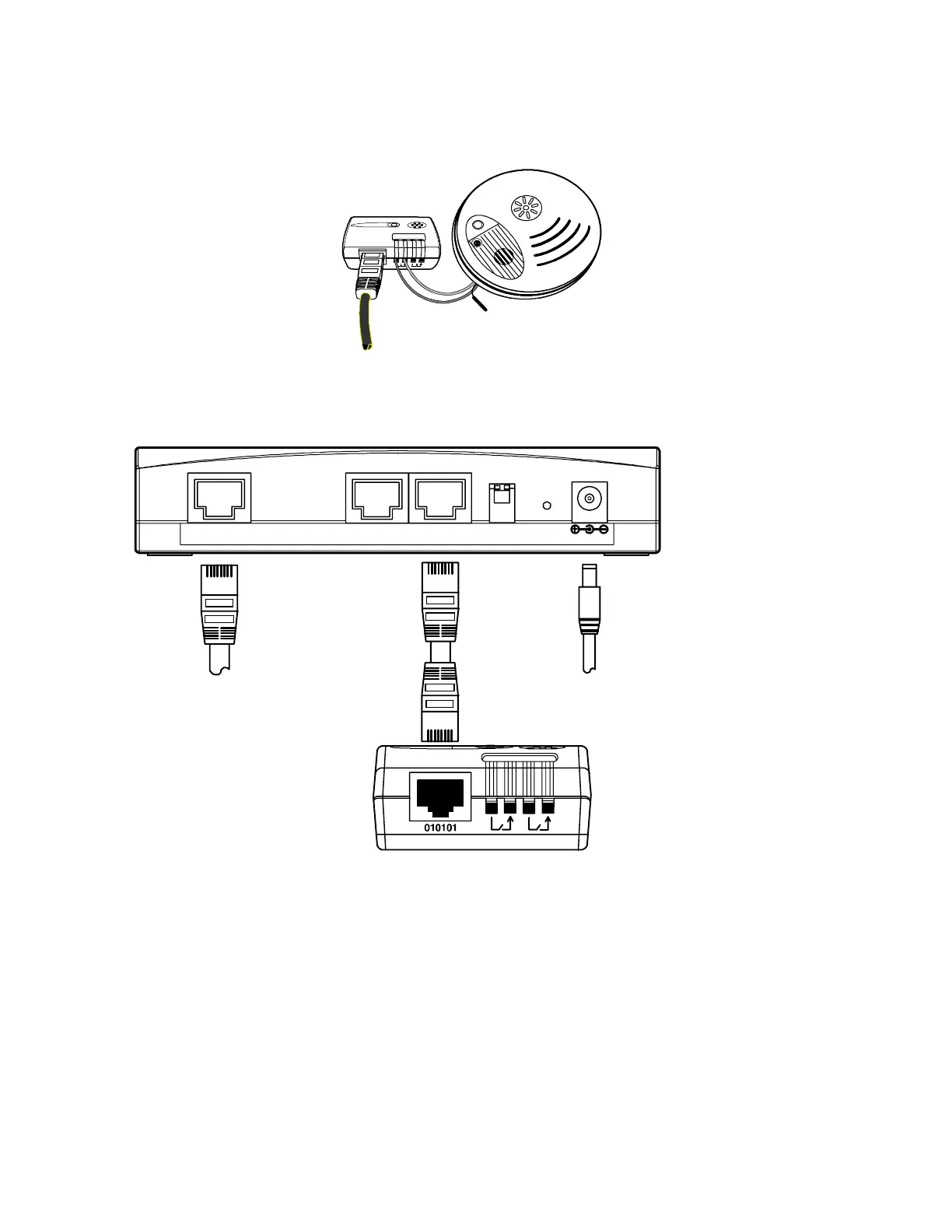
12. Connect the RJ-45 network cable to the TH- Module port labeled
“010101“ (see Figure 3).
Figure 3. Connecting the RJ-45 Network Cable
13. Connect the other end of the RJ-45 network cable to the ERM (see
Figure 4).
TH-Module
12
TH-Module-1 TH-Module-2NETWORK
RESET
12 VDC
To LAN port To Power Outlet
ERM
Figure 4. ERM and TH-Module










 To Next Page