SMOKE DETECTOR
EATON Powerware
®
Smoke Detector User’s Guide S 164201680 Rev 1
7
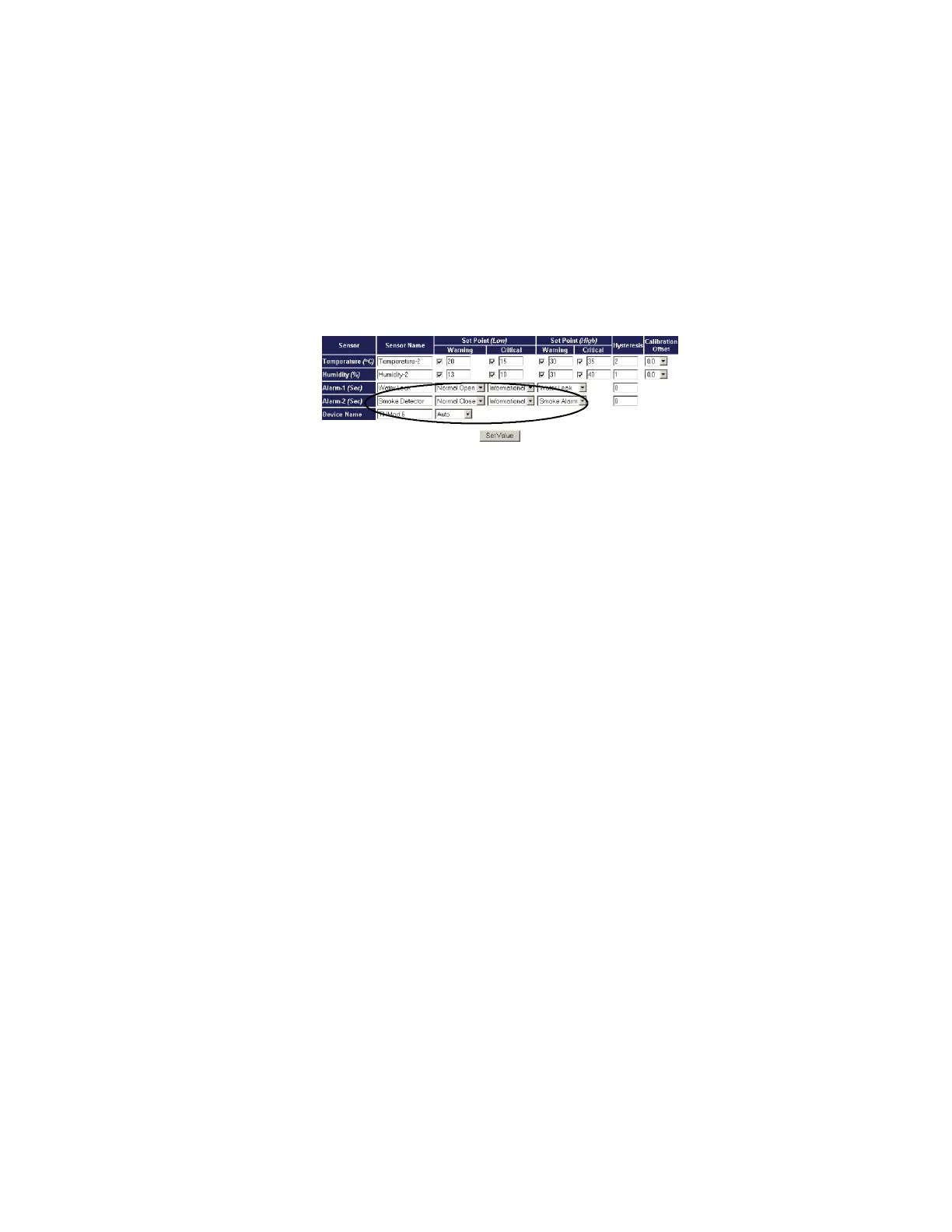
14. Verify that the ERM is connected to the network. Open the ERM
Web page and select Monitoring, then TH-Module-1 Setup or TH-Module-2
Setup
. The setup screen displays (see Figure 5).
15. Change the status of the TH-Module from “Disable” to “Auto” on
the Device Name line. Verify that the TH-Module LED
(Power/Status) is flashing.
16. Set the status of alarm 1 and/or alarm 2 to “Normal Close” and
select “Smoke Alarm.”
17. Select Set Value to confirm the smoke detector setup.
Figure 5. Smoke Detector Settings










 To Next Page