SMOKE DETECTOR
EATON Powerware
®
Smoke Detector User’s Guide S 164201680 Rev 1
8
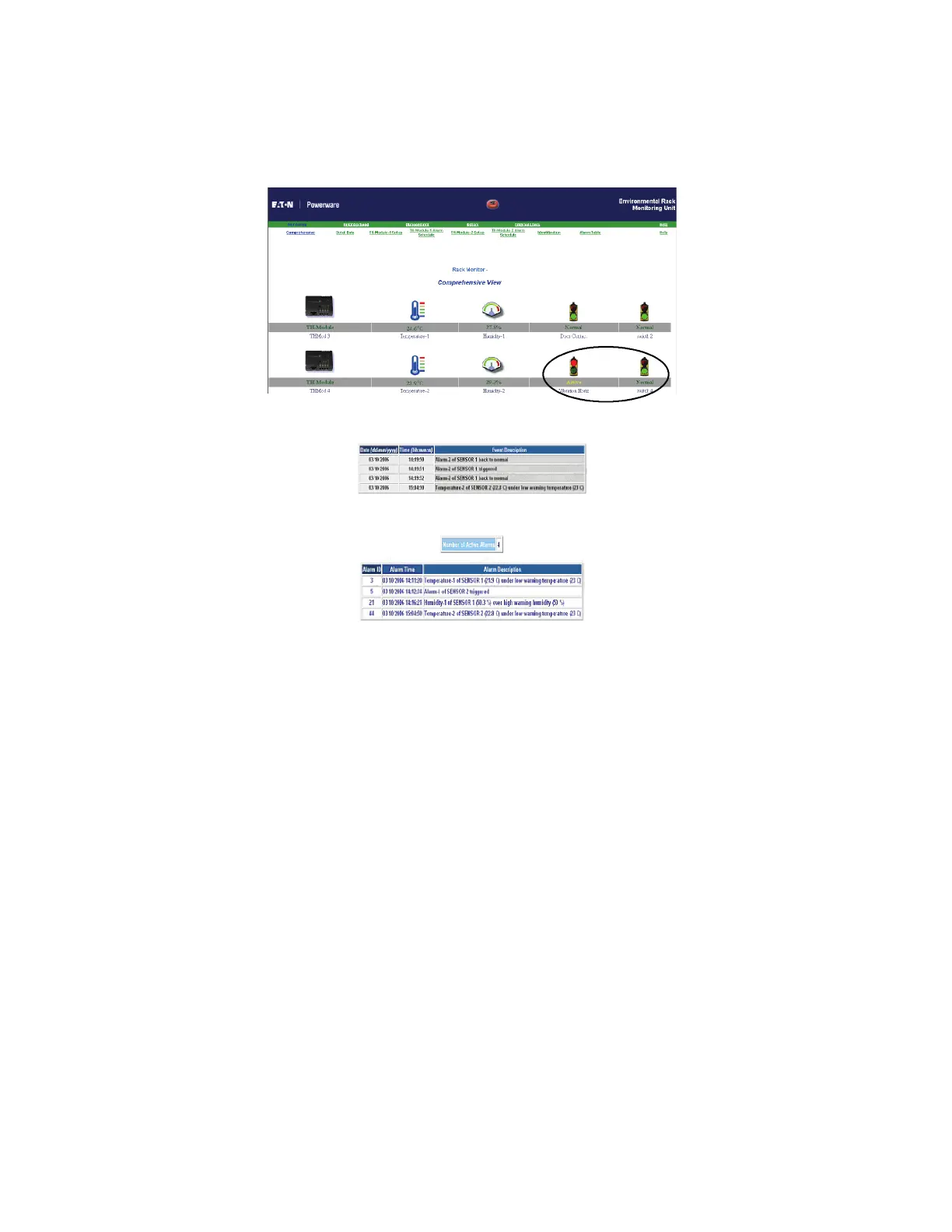
18. When the sensor detects smoke, the ERM Web page displays the
alarm. The Web page for the alarm table and sensor events also
records the alarm.
Figure 6. Comprehensive View Screen
Figure 7. Events Log Data
Figure 8. Alarm Table
Testing
Test the smoke detector weekly to assure proper operation. To test the
smoke detector you can push and hold the test button for approximately
two seconds or blow smoke directly into the smoke detector. The
smoke detector sounds a loud pulsating alarm. If the alarm does not
sound, replace the battery.
Erratic noise or low sound from the smoke detector may indicate a
defective detector. Return the smoke detector for service.










 To Next Page