
 Need help?
Do you have a question about the Eaton SVX900 and is the answer not in the manual?
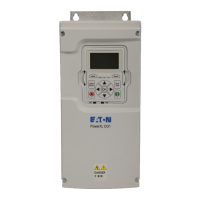
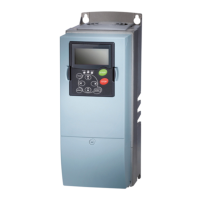
Explains the physical keypad layout and display indicators for drive operation.
Details the meaning of LCD and LED status indicators for drive operation.
Describes the function of navigation buttons and general menu traversal.
Outlines the primary menu structure (M1-M8) of the keypad interface.
Illustrates power and motor wiring connections for low and large horsepower drives.
Details the standard configuration of analog and digital input/output terminals.
Details navigation and monitoring within the Operate Menu.
Explains how to access and navigate the Programming Menu.
Covers essential drive configuration parameters in the M1 menu.
Details settings for analog and digital inputs and outputs.
Explains parameters for drive control, frequency limits, and protections.
Covers parameters related to keypad operation and control.
Lists fault codes and their corresponding error descriptions for troubleshooting.
Details monitored drive parameters available in the Standard Application example.
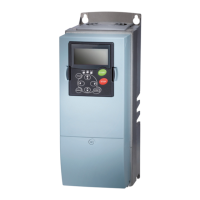
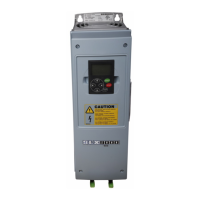
The Cutler-Hammer SVX9000 Drives from Eaton Corporation are designed for efficient motor control and system integration, offering a comprehensive set of features for various industrial applications. The device is operated primarily through a keypad, which serves as the main interface for monitoring, programming, and controlling the drive.
The SVX9000 drive provides precise control over motor speed and torque, supporting both clockwise and counterclockwise operation. It can be started and stopped via the keypad, I/O terminals, or a communications bus. The drive includes a "Ready" status, indicating it's prepared for operation, and "Run" status, showing active load control. During operation, the drive monitors various parameters such as output frequency, motor speed, current, torque, power, and voltage. It also tracks internal temperatures (unit and motor) and DC-bus voltage to ensure optimal performance and prevent overheating.
The device features a "Start-Up Wizard" to simplify initial configuration, guiding users through essential settings like minimum and maximum frequencies, acceleration and deceleration times, current limits, motor nameplate data (voltage, frequency, speed, current, power factor), and control modes (start and stop ramping). This wizard streamlines the setup process, making the drive operational quickly.
For more advanced control, the SVX9000 offers extensive programming capabilities through its "Programming Menu." This menu allows users to adjust a wide range of parameters, including those related to input signals (e.g., start/stop logic, DIN functions, analog input scaling and filtering), output signals (e.g., analog output signal selection and function, digital output functions, relay output functions), and drive control (e.g., ramp shapes, acceleration/deceleration times, brake chopper settings, DC braking parameters, and flux braking).
The drive incorporates robust protection features to safeguard both the device and the motor. These include protections against overcurrent, overvoltage, ground faults, input phase supervision, output phase supervision, undervoltage, earth faults, and thermal protection for the motor. It also monitors for stall conditions, underload, and thermistor faults. The response to these faults can be configured, ranging from warnings to immediate stops or coasting.
An "Auto Restart" function is available, allowing the drive to attempt restarting after certain fault conditions, with configurable wait times, trial times, start functions, and the number of restart attempts for specific faults (undervoltage, overvoltage, overcurrent, reference trip, motor temperature fault, external fault, underload fault).
The keypad is central to the SVX9000's usability. It features dedicated buttons for "START," "STOP," "reset," "loc/rem" (local/remote), "enter," and arrow keys (up, down, left, right).
The LCD display provides clear status indicators for "Run," "Stop," "Ready," "Alarm," "Fault," "I/O Terminal," "Keypad," and "Bus/Communications," giving immediate feedback on the drive's operational state and control source. LED indicators further enhance status visibility for "Local," "Remote," and "Fault" conditions, with steady or flashing lights indicating different states (e.g., ready for operation, active control, or fault presence).
Menu navigation is intuitive, using up/down arrows to move within a menu level and left/right arrows to move deeper into or out of the menu structure. Editing parameters involves navigating to the parameter, pressing the right arrow to enter edit mode, adjusting the value with arrow keys, and pressing "enter" to confirm.
The "Operate Menu" (M8) provides a quick way to view key numerical monitoring items, such as output frequency, motor speed, current, and temperatures. This menu can also be used to set reference values if configured for the application. The display automatically returns to the Operate Menu after 30 seconds of inactivity in other menus.
The SVX9000 includes a "Fault History" menu (M4), which stores a record of past faults, aiding in troubleshooting and diagnostic efforts. This allows maintenance personnel to review fault codes and their occurrences to identify recurring issues or understand the sequence of events leading to a problem.
The "System Menu" (M5) provides access to system-level settings and information, which can be crucial for maintenance and configuration. The "Expander Boards" menu (M6) allows for the configuration and monitoring of any installed expander boards, facilitating system expansion and diagnostics.
The monitoring menu (M7) provides real-time updates of various parameters every 0.3 seconds, which is invaluable for diagnosing operational issues and verifying performance during maintenance checks. Parameters like unit temperature, motor temperature, and DC-bus voltage can indicate potential hardware problems or operational stress.
The drive's comprehensive list of fault codes, covering everything from overcurrent and overvoltage to internal microprocessor faults and device changes, helps pinpoint the exact nature of a problem, speeding up repair and recovery times. The ability to configure responses to faults, including auto-restart attempts, can reduce downtime by allowing the drive to recover from transient issues without manual intervention.
The modular design, with clear wiring diagrams for both low and large horsepower drives, simplifies installation and replacement of components. The detailed parameter descriptions and their default values in the manual provide a clear reference for reconfiguring the drive after maintenance or replacement.
 General
| Category | DC Drives |
|---|---|
| Cooling Method | Forced air |
| Amperage | Up to 900A |
| Control Method | Digital Control |
| Communication Protocols | Modbus RTU, Profibus DP |
| Communication Interface | RS-485 |
| Enclosure Type | NEMA 1 |
| Protection Features | Overcurrent, Overvoltage, Overtemperature, Undervoltage |




 To Next Page