EBS Ink Jet Systeme GmbH D-51588 Nümbrecht, Germany, Alte Ziegelei 19-25 ++49 (0)2293/939-0 ++49 (0)2293/939-3 e-mail: mail@ebs-inkjet.de
20 20140417#2.2 edited on 2014.04.17 14
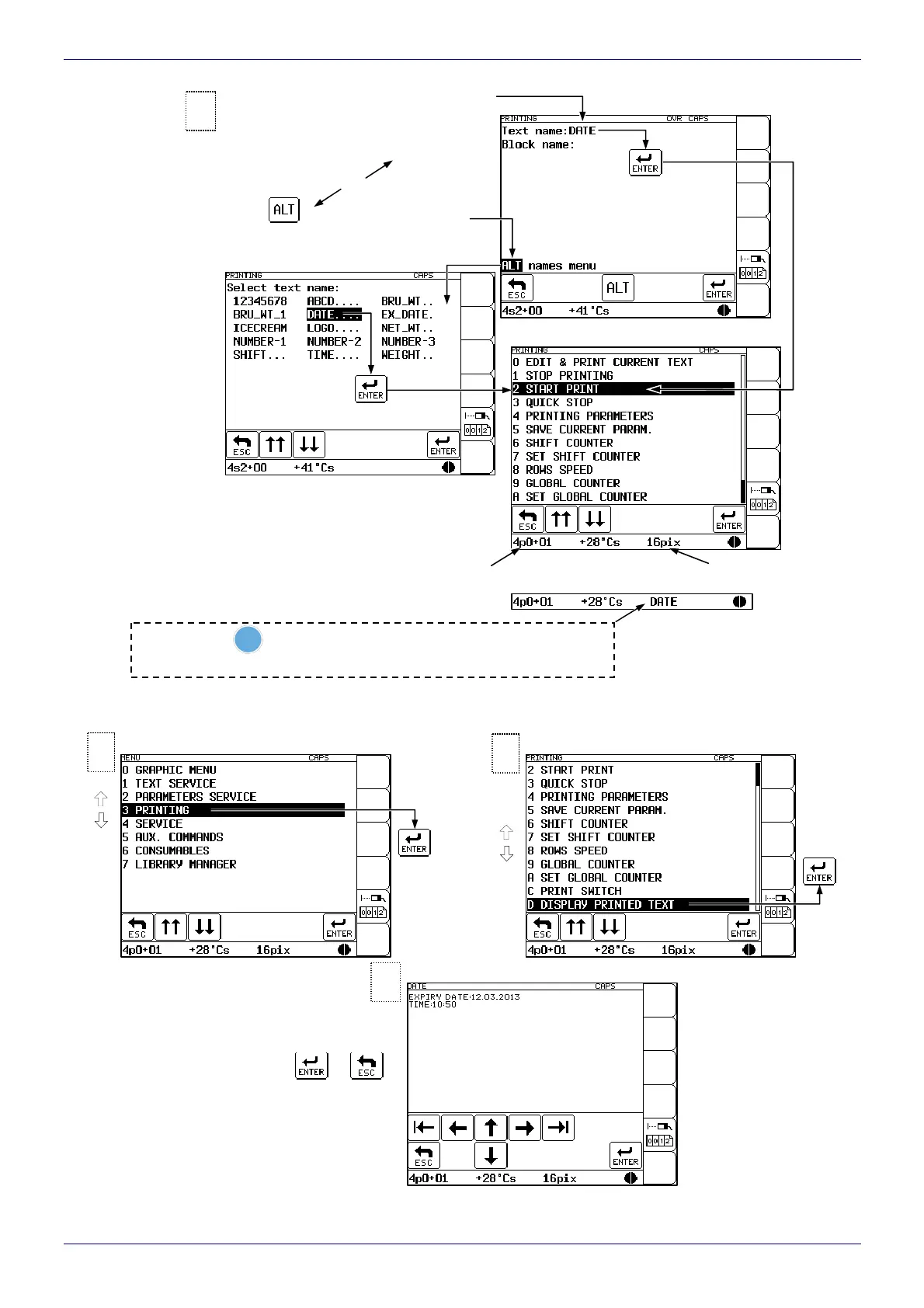
4.6.2. Viewing a File to be Printed on the Terminal Display
Press or to
return to menu
3
2
Printing menu Main menu
1
Type in the text file name (up to
8 characters - block, small letters,
digits and characters excluding . , / \ : ;
* ? ” < > | [ ] { } = +), e.g. DATE.
Press
if you wish to select
a text file from the library.
or
Text library
Printing menu
p – print
Overprint height
Return to the printing menu - the printing status
is indicated in the head status window.
3
with the
F4
key you can get the name of the text being printed
displayed in the printer status window (over 1 second) during printing



 To Next Page