EBS Ink Jet Systeme GmbH D-51588 Nümbrecht, Germany, Alte Ziegelei 19-25 ++49 (0)2293/939-0 ++49 (0)2293/939-3 e-mail: mail@ebs-inkjet.de
20 20140417#2.2 edited on 2014.04.17 9
The first character (a digit or a letter) of every MENU item corresponds to the so called hot key
(see Fig. 4.3.3.1). Wh
en this key is pressed on the keypad, the cursor bar is positioned on the required item.
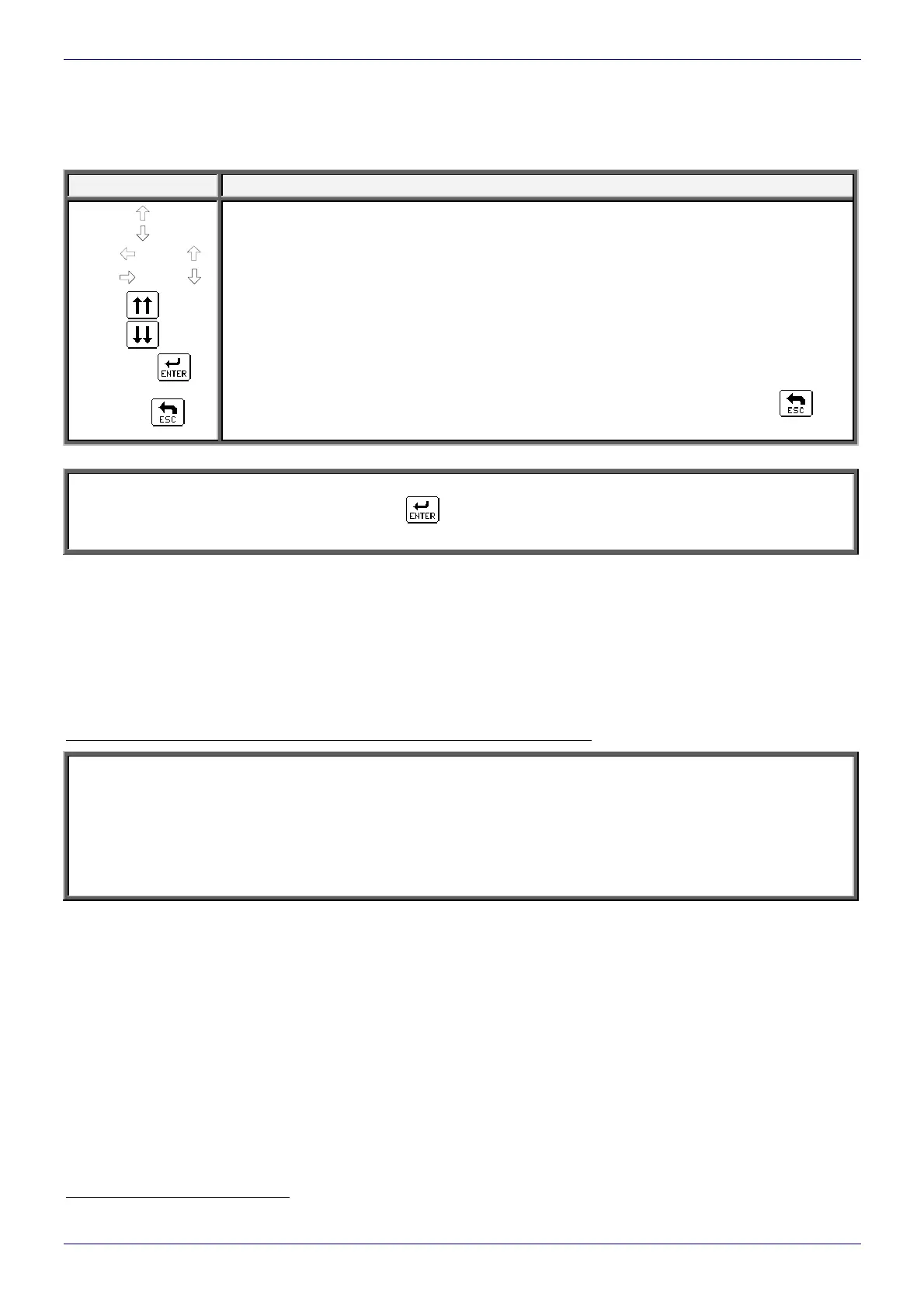
The following keys (on the alphanumerical keypad or the LCD touch screen icons) are used to move within
the MENU tree:
Keys/Icons Function
To move the cursor one menu item upwards.
To move the cursor one menu item downwards.
Y (Y )
To move the cursor to the first item.
Y (Y )
To move the cursor to the last item.
To move the cursor one menu screen upwards (PAGE UP).
To move the cursor one menu screen downwards (PAGE DOWN).
V or
To move one level downwards (to the next MENU branch) or to confirm the selected
command for execution.
U or
To move one level upwards or cancel the selected command. If you press the
icon
several times, you are always moved back to the main MENU level.
NOTE:
After a command has been confirmed with the
icon, you may not be able to cancel it. Some commands
are executed immediately.
4.4. Opening and Editing a New File
Both simple and more complex texts can be printed with EBS printers. They can contain; time markers,
the date, expiry dates (via the so-called variable fields). Barcodes (also 2D
1
Data Matrix codes) and graphics (ei-
ther built-in or created by the user with a graphics processor) can be printed. In addition, so-called text profiles
have been introduced in order to simplify the editing of a text, the adjustment of a text to a required configuration
and also the optimization of print quality and speed. For more details refer to The
BOLTMARK
®
-series Printer
User’s Manual.
Example of how to input a text containing an expiry date and the actual time)
NOTE:
The expiry date and time, which are shown on the illustrations in the following example depend on
the actual settings for date and time in the printer.
Every aspect of the printer operation procedure is described in the following example.
The profile chosen for the below given (2 lines x 7 dots) text is the optimal profile in that case, but the text
can also be created based on general application profiles (for more details refer to
The
BOLTMARK
®
-series Printer User’s Manual).
1
Only in the EBS-6800 and EBS-7200 printers, as standard (see Tab. 1.1).



 To Next Page