EBS Ink Jet Systeme GmbH D-51588 Nümbrecht, Germany, Alte Ziegelei 19-25 ++49 (0)2293/939-0 ++49 (0)2293/939-3 e-mail: mail@ebs-inkjet.de
20 20140417#2.2 edited on 2014.04.17 20
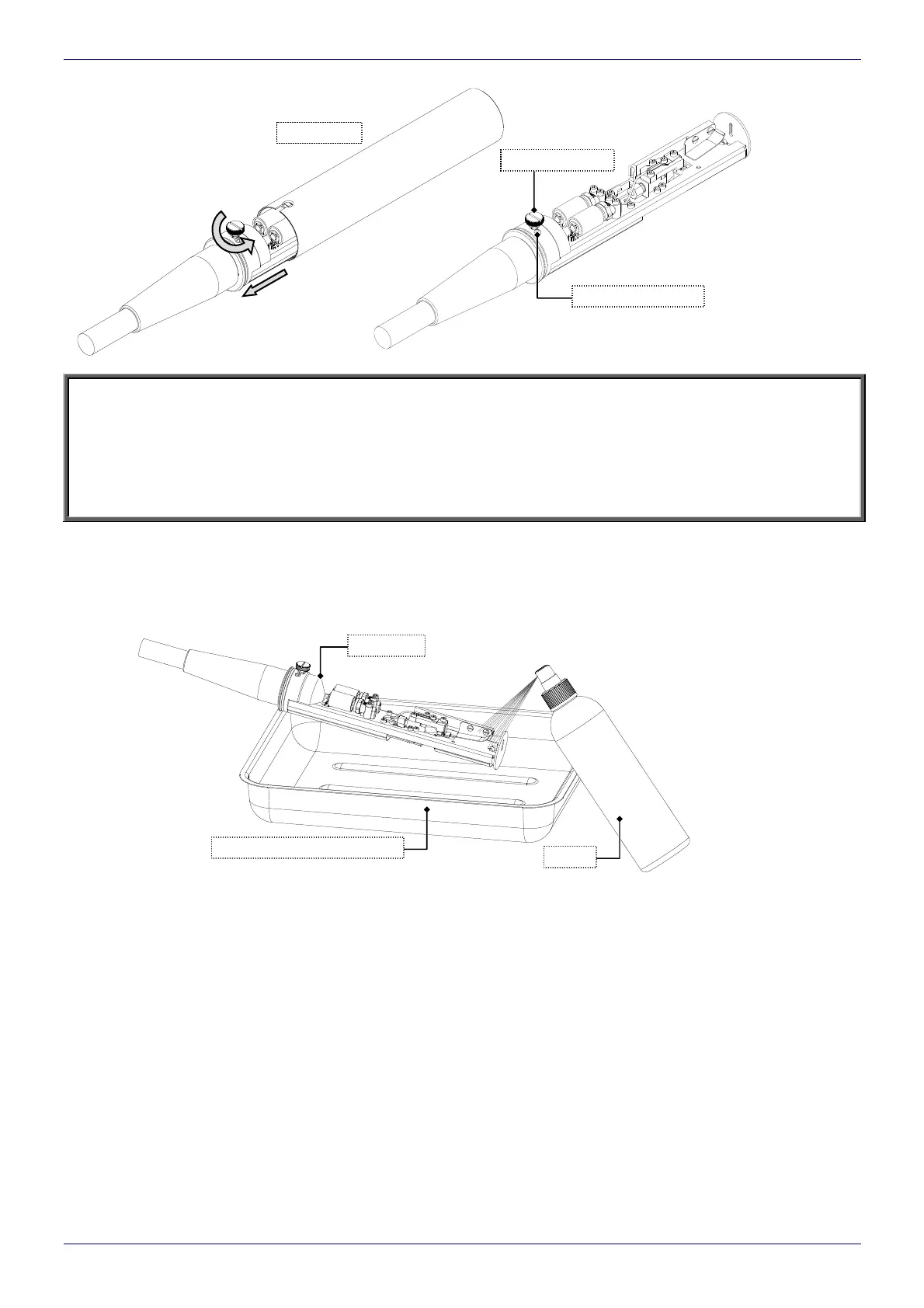
Fig. 5.3.1.1
NOTE:
Make sure that the clamping screw is screwed home properly when the head cover is being reinstalled as it
is designed to serve not only as mechanical fastening but also as an electrical connection between the cover
and the printer housing.
The print head is equipped with a sensor for detecting any removal of the cover (see
Fig. 5.3.1.1). When
the cover is removed, printing is suspended automatically and the printer moves to the cover mode. Printing
cannot be restarted until the cover is re-installed.
5.3.2. Removing Dirt from Print Head
It is recommended that the inside of the head be checked for cleanness periodically, (preferably every day)
during maintenance and then ink deposits, (if present), removed from the electrodes, the nozzle and the gutter with
a solvent spray bottle. A compressed air gun or a soft paint brush can also be used.
Fig. 5.3.2.1
print head
spray
waste solvent metal vessel
clamping screw
head cover
head open sensor



 To Previous Page