EBTRON • 1663 Hwy. 701 S., Loris SC 29569 • Toll Free: 800.2EBTRON (232.8766) • Fax: 843.756.1838 • Internet: EBTRON.com 23
GOLD SERIES GTC116 TRANSMITTER
a measurable difference!
EBTRON
IG_GTC116_R3A
FROM PART 5
1: NO PROBES
(example shown)
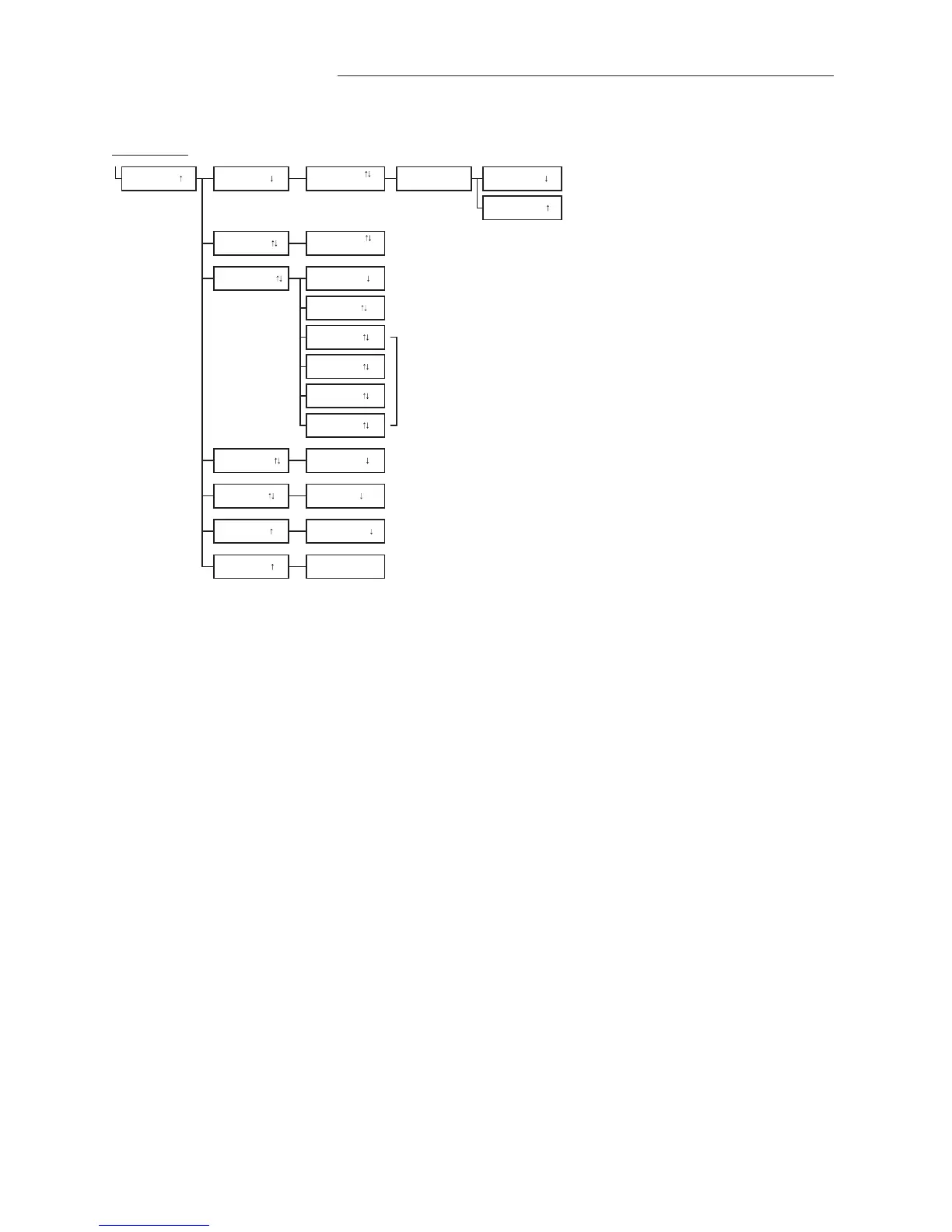
Displays unit serial number.
Displays main PCB serial number.
For sensors =1 to 9, A to G (number of sensors dependant on sensor type).
Displays historical list of last 5 trouble codes encountered and their descriptions.
Note that spurious trouble codes may self-clear during normal operation, and this feature permits viewing them even after they have resolved.
DSBL TRBL=YES
Displays active trouble codes and their descriptions. Contact EBTRON customer service for
recommended service information.
Set DSBL TRBL= YES to ignore currently displayed TRBL alarm. To disable all trouble codes,
see SETUP -> DISPLAY -> LCD TRBL.
For sensors =1 to 9, A to G (number of sensors dependant on sensor type).
For sensors =1 to 9, A to G (number of sensors dependant on sensor type).
TRBL HISTORY
SERIAL NUMBERS UNIT #######
TRBL CODES DSBL TRBL=NO
SENS VOLTS 1=H##.## T##.##
1=##.#F
BRD #####
DIAGNOSTICS
SENS VELOCITY 1=#####FPM
SENS TEMP
C3 ###### T
C4 ###### F
Displays probe serial numbers followed by a T if connected and functioning properly, and
then followed by an F if not connected or not functioning properly.
C1 ###### T
C2 ###### F
1: NO PROBES
(example shown)
PROBE TYPE
TYPE= P Type 'P' for 'P' probes; Type 'B' for Bleed sensors.
DSBL TRBL CODE?


 To Next Page