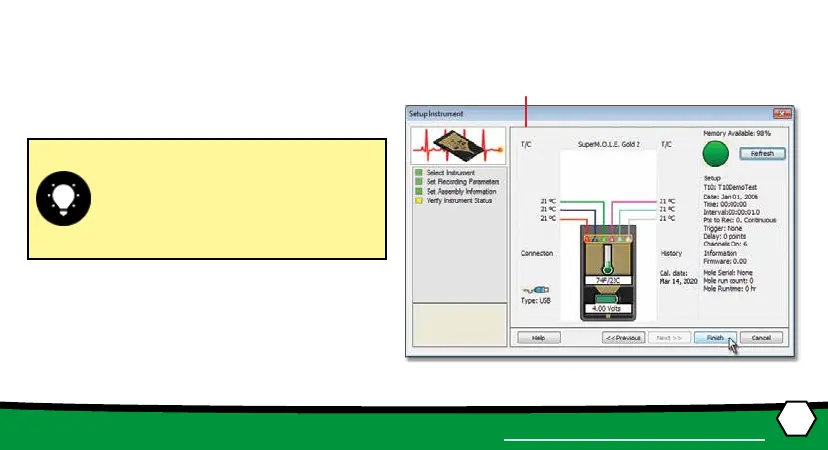
If everything is OK, the dialog box dis-
plays a GREEN sign. If there are any
items that may prevent the user from
collecng good data, they are high-
lighted and a RED sign is displayed.
⑬
⑫
18
OPERATION
SETUP INSTRUMENT
12. Verify the instrument status. This dialog box
displays the health of the M.O.L.E.® Proler such as
baery charge, internal temperature, thermocou-
ple temperatures.
13. Select the Finish command buon to complete the
Setup Instrument wizard.


 To Next Page