③
③
②
8
SETUP
SOFTWARE REGISTRATION
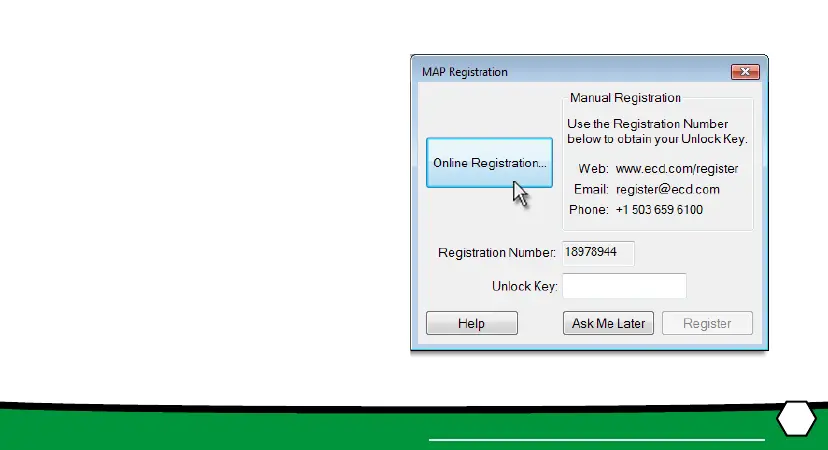
An Unlock Key can be obtained via an online
registraon form or using the contact infor-
maon supplied on the dialog box, contact
ECD.
1. On the Help menu, click Register and the
dialog box appears.
2. Select Online Registraon and enter the
required informaon on the M.O.L.E.®
MAP Soware Registraon form.
3. Enter the 16-digit Unlock Key and then
the Register command buon to com-
plete the soware Registraon.


 To Next Page