When using a SuperM.O.L.E. Gold 2,
the AutoPlay panel appears in the
lower right corner of the desktop.
This panel displays the four most
common MAP commands.
②
①
①
①
①
9
SETUP
COMMUNICATIONS
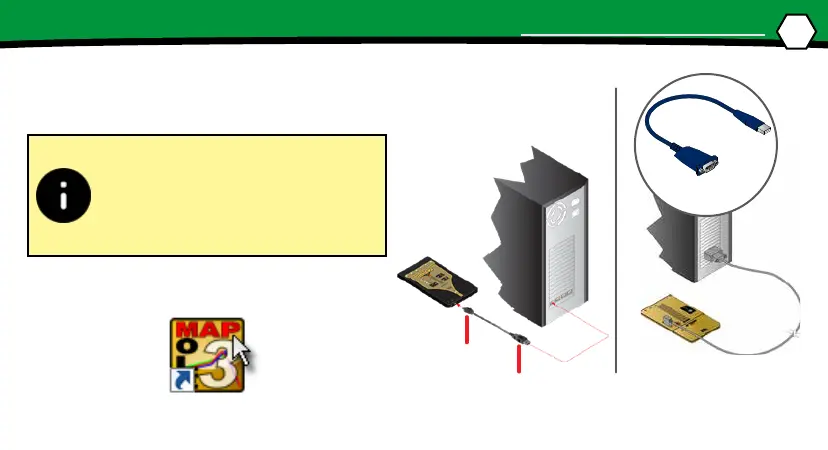
1. Plug the computer interface cable into a
computer COM Port and the other end
into the M.O.L.E.® Proler Data Port.
2. On the M.O.L.E.® menu, click the Select
Instrument command.
USB/RS-232
Adaptor
“B” mini plug
“A” plug


 To Next Page