Once a M.O.L.E.® Proler has been se-
lected, the soware automacally selects
that M.O.L.E. Proler if it used again on
the same COM port.
③
④
⑤
10
SETUP
COMMUNICATIONS
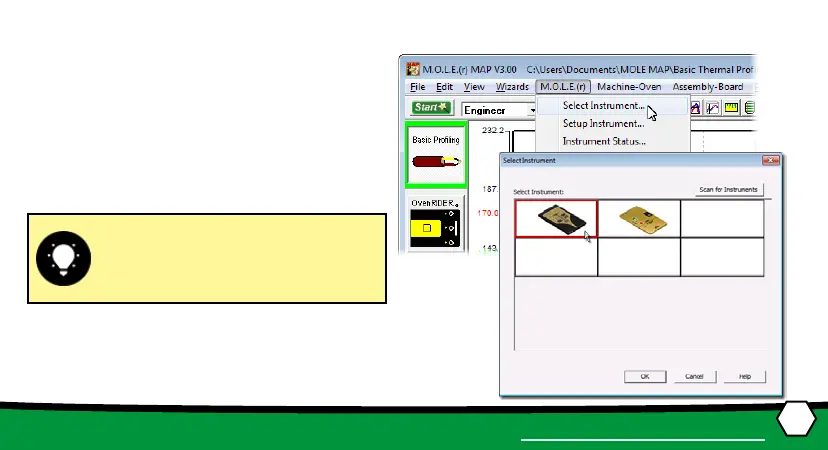
3. Select the desired instrument from the
dialog box. If there are none displayed,
click the Scan for Instruments command
buon to detect all available instru-
ments.
4. Click the OK command buon to accept.


 To Next Page