②
6
SETUP
SOFTWARE INSTALLATION
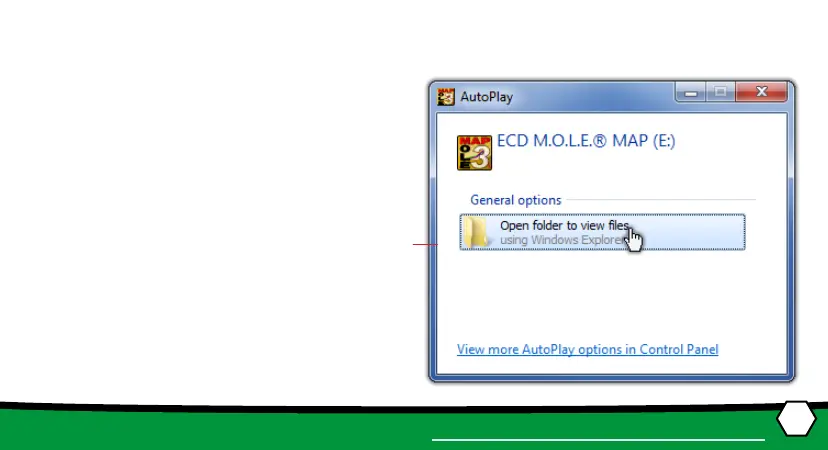
1. Insert the Flash Drive in a USB Port and
the AutoPlay menu appears.
2. Select Open folder to view les but-
ton on the AutoPlay menu to launch
Windows® Explorer. Closely follow the
instrucons for your operang system.
For detailed informaon view the Instal-
laon Help le on the Flash Drive.


 To Next Page