11
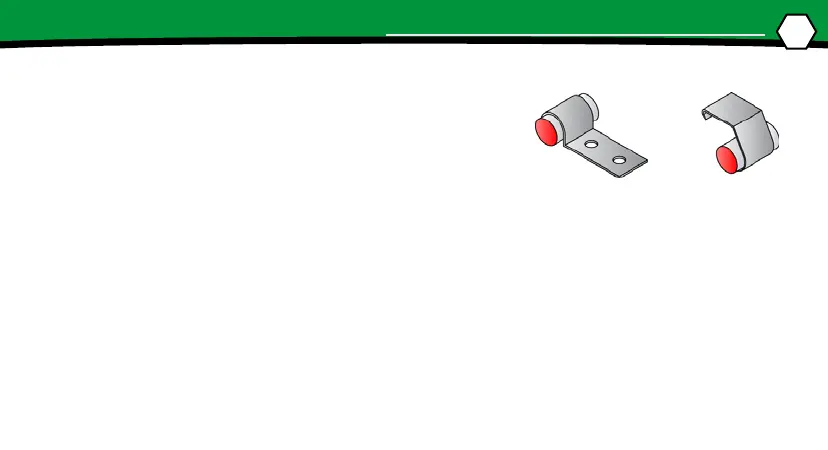
1. The zone boundary magnet kit is supplied with two dif-
ferent types of magnet clips designed to mount the mag-
nets to the reow oven rail. Reow ovens may have dier-
ent conveyor rails than the one used in these instrucons,
so determine which type will best mount the magnets in
your oven. Modicaons to the clips may be necessary to
properly mount magnets.
2. Open the top of the oven and determine where to place the start of the rst zone magnet.
3. Adjust the conveyor to match the RIDER width. (The width of the pallet is engraved on the
back edge of the pallet top.)
4. Slide the RIDER on the conveyor unl the front sensor reaches the magnet.
5. Center a magnet and clip on the rst zone boundary within 0.5” to 1.0” (1.3-2.5cm) from
the edge of the pallet and slide it past the magnet.
SETUP
ZONE MAGNET INSTALLATION


 To Next Page