If a data run (*.XMG) is saved in a dif-
ferent Environment Folder other than
the currently selected, the soware
automacally acvates the new Envi-
ronment Folder. This process does not
delete any data run les in the previ-
ously set Environment Folder and can
be quickly accessed using the Recent
Environment Folders on the File menu
or Welcome Worksheet.
③
③
23
OPERATION
DOWNLOAD DATA
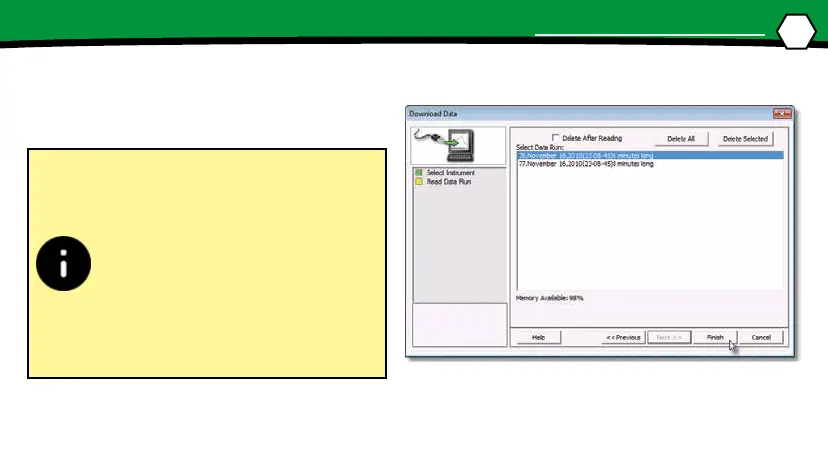
3. Select the desired data run from the M.O.L.E.®
memory list and then click the Finish com-
mand buon to complete the wizard and
read the data run from the M.O.L.E.® Proler.


 To Next Page