43
EN
Frame
handle
area
Screen
handle
area
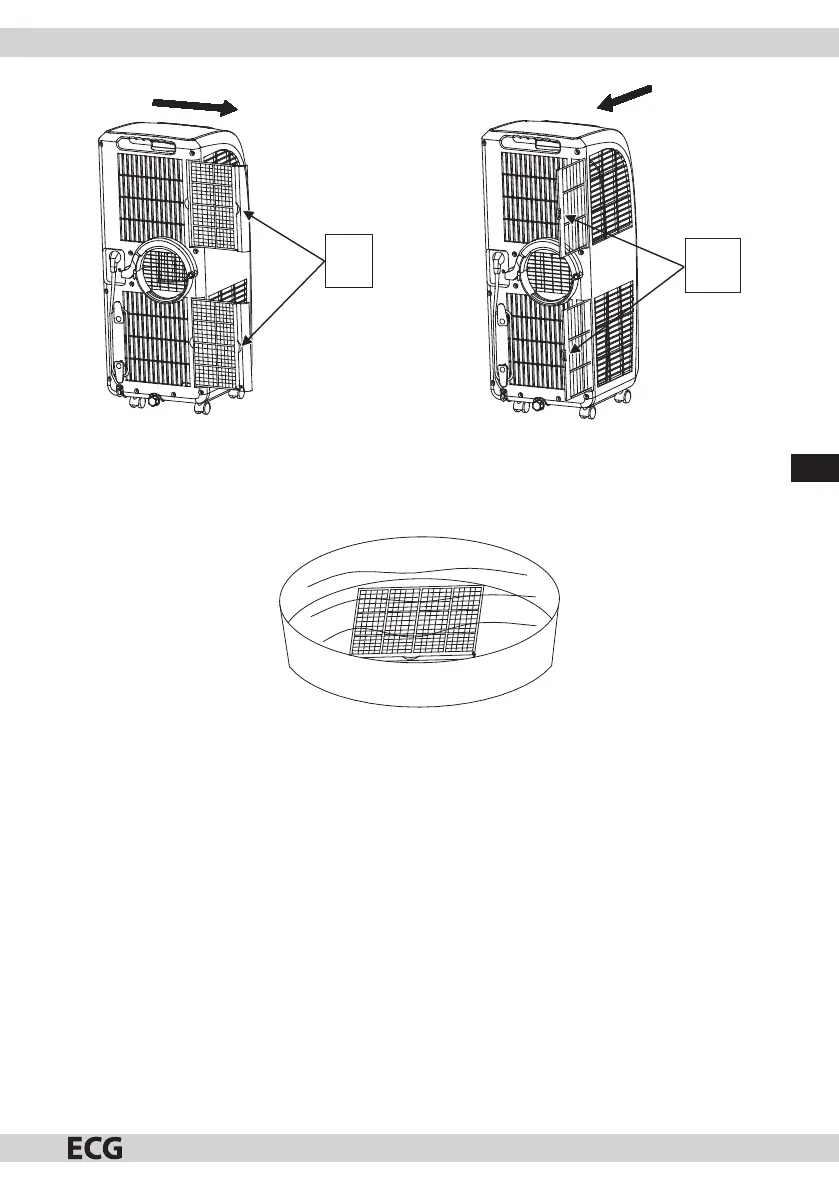
Fig. 15 Fig. 16
When cleaning, insert the evaporator and cooler lter frame, evaporator and cooler ltration screen into warm
water (with atemperature of about 40°C) with added neutral cleaning agent. Then dry in the shade (see g. 17).
Note: Pay attention that you do not damage the mesh on the lter frame and ltration screen.
Fig. 17
Installing the lter frame and ltration screen
Install the ltration screen rst followed by the lter frame.
1. When installing the evaporator and cooler ltration screen, direct the back side of the ltration screen into
the case and then evenly and gently push the ltration screen into the case. Install the ltration screen in
amanner opposite to the removal process. The ltration screen must be in place; otherwise the lter frame
cannot be installed.
2. When installing the evaporator and cooler lter frame, direct the back side of the lter frame into the case
and then evenly and gently push the lter frame into the case. Install the lter frame in amanner opposite
to the removal process.


 To Next Page