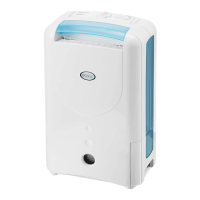
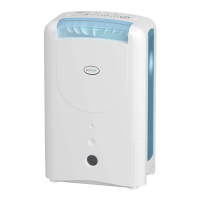
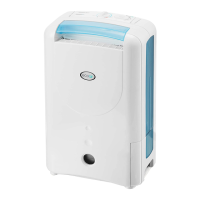
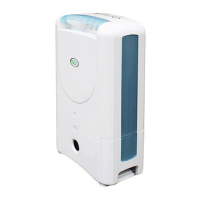
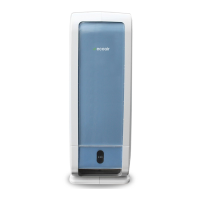
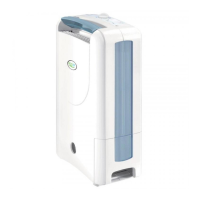
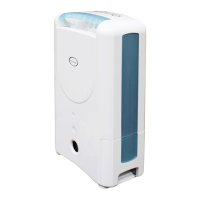
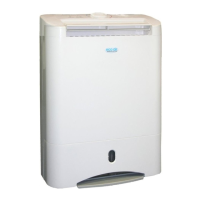
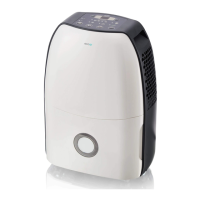
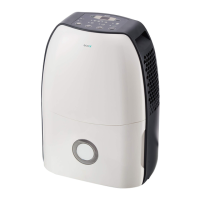
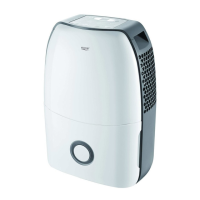
This document describes the EcoAir DD1 Simple Desiccant Dehumidifier, a household appliance designed to remove excess moisture from the air, combat dampness, mold, and mildew, and improve indoor air quality. It is suitable for domestic and similar working/residential environments but not for outdoor or industrial use.
Function Description
The primary function of the DD1 Simple is to detect and reduce humidity levels in a room to a comfortable range, ideally between 40% and 60% Relative Humidity (RH). By doing so, it helps alleviate symptoms of asthma and allergies, speeds up laundry drying, and prevents moisture-related damage to belongings and furniture. The dehumidifier uses a Zeolite desiccant material to absorb moisture from the air. When the desiccant is heated, the absorbed moisture is discharged, and the collected water is stored in a water tank or drained continuously.
Important Technical Specifications
While specific numerical specifications (e.g., extraction rate, power consumption) are not provided in the given pages, the manual highlights several operational and safety parameters:
- Operating Temperature Range: The appliance should only be operated within a specified temperature range (exact range not specified, but continuous drainage is not recommended below 1°C).
- Clearance: A minimum of 40 cm clearance around the appliance is required for proper operation and to prevent overheating.
- Power Supply: Must be plugged into a grounded 3-prong outlet with voltage matching rated specifications. Extension cables and multi-sockets are not recommended.
- Water Tank Capacity: Not specified, but the unit stops operating when the tank is full.
- Continuous Drainage Hose: Requires a hose with an inner diameter of 12mm.
- Filter: A removable filter that requires cleaning every two weeks. An outer filter replacement is recommended every 6 months.
Usage Features
The DD1 Simple offers several modes and controls for flexible operation:
- Control Panel (A1): Features a Humidistat Dial, Power ON Indicator, Water Full/Check Indicator, and Economy Turbo Switch.
- Humidistat Dial: Allows selection of different humidity levels/modes:
- POWER OFF: Turns the unit off.
- LOW (70% RH): Dries air to approximately 70% RH, suitable for maintaining a comfortable level.
- MEDIUM (50% RH): Dries air to approximately 50% RH.
- HIGH (40% RH): Quickly controls high humidity levels, drying air to approximately 40% RH.
- LAUNDRY / CONTINUOUS MODE: Continuously dries the air until manually changed. Ideal for drying clothes, placed at least 40cm away from the unit. This mode should not be used unattended for long periods.
- Economy Turbo Switch:
- ECONOMY Mode: For maximum energy saving and quiet operation, recommended for normal daily use and night use.
- TURBO Mode: For rapid dehumidification, suitable for very damp rooms (2-3 days) or laundry drying. Not recommended for normal daily use.
- 3D Louvre:
- Wide Airflow: Rotates to a wide position for broader air distribution.
- Spot Air-flow: Rotates to a specific spot position for targeted drying.
- Water Full/Check Indicator: Lights up when the water tank is full or incorrectly installed, stopping operation.
- Continuous Drainage (B1): Allows for continuous water drainage using a 12mm inner diameter hose, bypassing the need to empty the water tank. The knockout at the back needs to be removed, and the hose securely attached to the open tap and led to a drain with a downward slope.
- Automatic Operation after Power Failure: The dehumidifier will resume operation with the previously selected settings once power is restored.
Maintenance Features
Regular maintenance is crucial for the dehumidifier's efficiency and longevity:
- Filter Cleaning: The filter (A8) should be cleaned every two weeks with a brush or vacuum cleaner. Washing the filter is not recommended as it may weaken its germicidal effect.
- Filter Replacement: The outer filter is recommended to be replaced every 6 months for optimal performance and hygiene.
- Water Tank Cleaning: The water tank (A6) should be cleaned with mild detergent if necessary. Solvents, abrasives, or hot water should not be used. Care must be taken not to damage the float during cleaning.
- Appliance Cleaning: The exterior surface of the dehumidifier should be cleaned with a soft, damp cloth and thoroughly dried.
- Storage: When storing, the dehumidifier should be turned off, unplugged, allowed to drain for approximately one day, and the water tank cleaned and dried. The unit should be covered with a dust sheet and stored upright in a cool, dry place, away from direct sunlight.
- Troubleshooting: The manual provides a comprehensive troubleshooting guide for common issues such as no power, water full/check light on, noisy operation, and not collecting water, with recommended solutions. For more complex issues, users are directed to EcoAir Technical Support.
Important Safeguards
The manual emphasizes several safety precautions:
- Upright Position: Always place and store the appliance in an upright position on an even, level surface.
- No Obstructions: Ensure air inlet (A9) and air outlet (A3) are not blocked.
- No Immersion: Do not immerse or spray the appliance with water.
- No Foreign Objects: Do not insert fingers or objects into openings.
- Unattended Operation: Do not leave the appliance running or plugged in unattended for long periods.
- Power Disconnection: Always unplug before cleaning, maintenance, or when not in use.
- Cool-down Period: After turning off, allow 5 minutes before unplugging to protect internal components.
- Avoid Hazardous Environments: Do not use near combustible gases, oil, sulfur, solvents, heat sources, or excessive dust.
- Children and Pets: Supervise children and pets to prevent them from playing with the appliance.
- Damaged Power Cord: If the power cord is damaged, it must be replaced by an EcoAir Authorised Service Centre.
- Zeolite Smell: A temporary "burning" or "sour" smell may occur initially or periodically due to the Zeolite desiccant, which is normal and not harmful.
- Condensation: In cases of excessive condensation, opening windows for a few minutes may be beneficial before the dehumidifier can effectively raise the room's humidity to its set level.


 To Next Page
 General