|7
TROUBLESHOOTING
WARNING
• The equipment can be powered on only after all faults are rectified. Failing to
do so may escalate faults or damage the equipment.
For installers, to troubleshoot the system:
1. Visit and log in to the EcoFlow Pro app.
2. Retrieve the error code and in-app instructions.
3. Completely power off the entire system. Refer to the System Power-Off
section.
4. Follow the in-app instructions to solve the problems. If the equipment is
faulty, contact your dealer.
For home owners, to troubleshoot the system:
1. Visit and log in to the EcoFlow app and find the most common FAQ or contact
customer support in the Setting > Help and feedback.
2. If the problem persists, contact the EcoFlow technical support team.
PRODUCT STORAGE
The following requirements should be met if the equipment is not put into use
directly:
1. Do not unpack the equipment if you are not using it.
2. Keep the storage temperature at –30°C to 60°C and the humidity at 0%–
100% RH.
3. The product should be stored in a clean and dry place and be protected from
dust and water vapor corrosion.
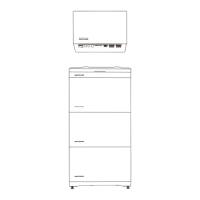
4. Do not stack the inverters to avoid personal injury or equipment damage.
5. Do not place this product near water, fire or other heat sources (heaters, direct
sunlight, gas ovens, etc.).
6. During the storage period, check the equipment periodically.
7. If the equipment has been stored for a long time (more than 6 months), it
must be checked and tested by professionals before use.
For details about battery maintenance, see EcoFlow PowerOcean LFP
Battery User Manual.
REPLACEMENT
WARNING
• Only professionals with appropriate qualifications are allowed to perform the
following activities.
• Wear proper PPE before any operations.
To replace the inverter:
1. Power off the entire system. Refer to the System Power-Off section.
2. Sequentially disconnect GRID cables, PV input cables, battery cables,
communication cables and all modules connecting to the inverter.
3. Remove the inverter or other components from the mounting bracket.
4. Install a new inverter and new components. For example, if you upgrade the
inverter of different model, the battery junction box and WIFI module might
be differnet. Refer to the new inverter's Installation Guide.
5. Power on the system and perform system commissioning. Refer to the
Installation Guide delivered with the new inverter.
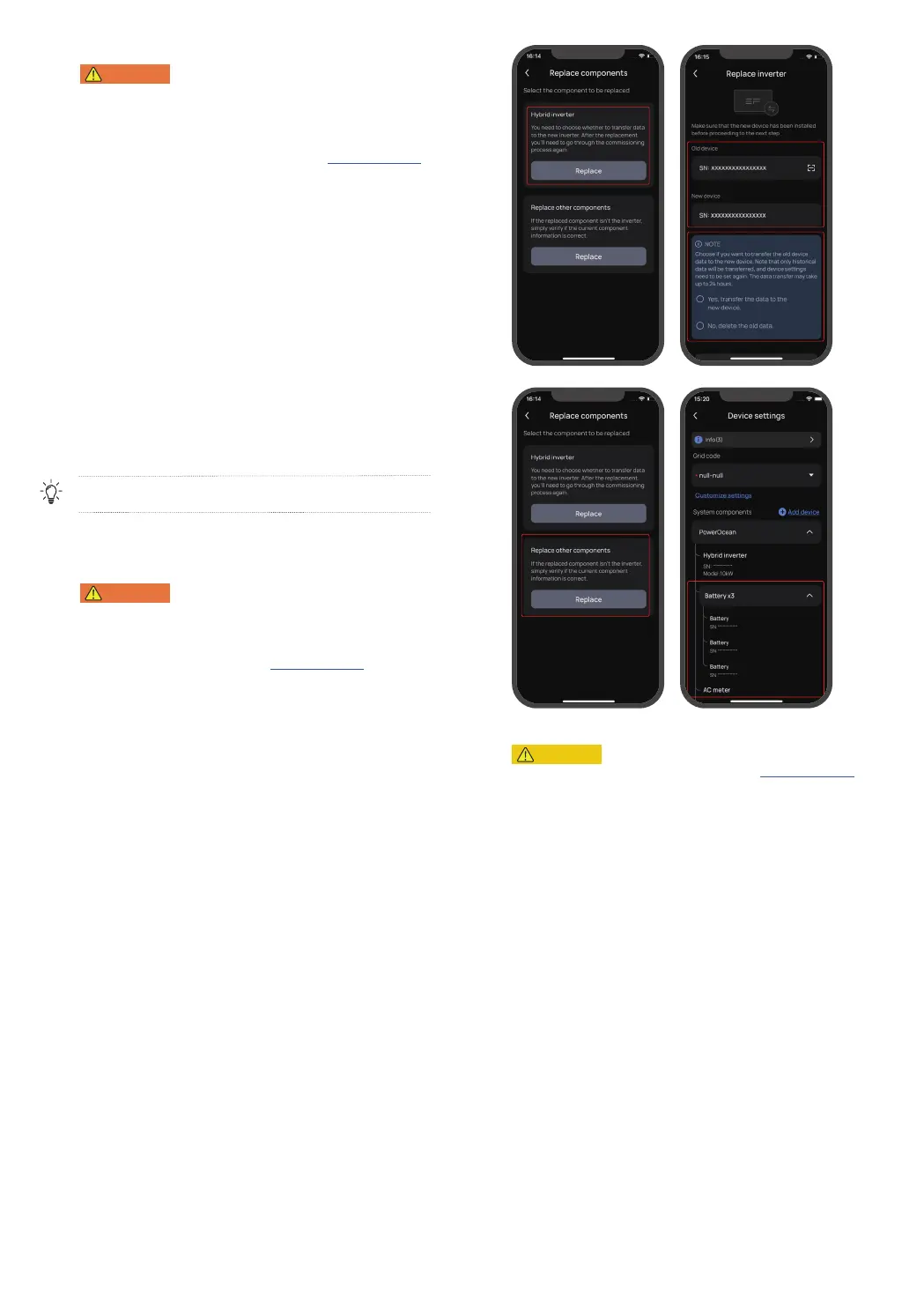
6. Transfer the device data to the new inverter or delete the previous data
Settings > Replace components in the EcoFlow Pro app.
DECOMMISSIONING
CAUTION
• Before removing a inverter, power it off. Refer to the System Power-Off
section.
To decommission the inverter:
1. Sequentially disconnect GRID cables, PV input cables, battery cables,
communication cables and all modules connecting to the inverter.
2. Remove the inverter or other components from the mounting bracket.
3. Remove the mounting bracket.
4. Pack and store the inverter properly.
If the inverter cannot work anymore, dispose of it according to the local disposal
rules for electrical equipment waste.
Hereby, our battery module has met the regulations of BattG in Germany.


 To Next Page