24|
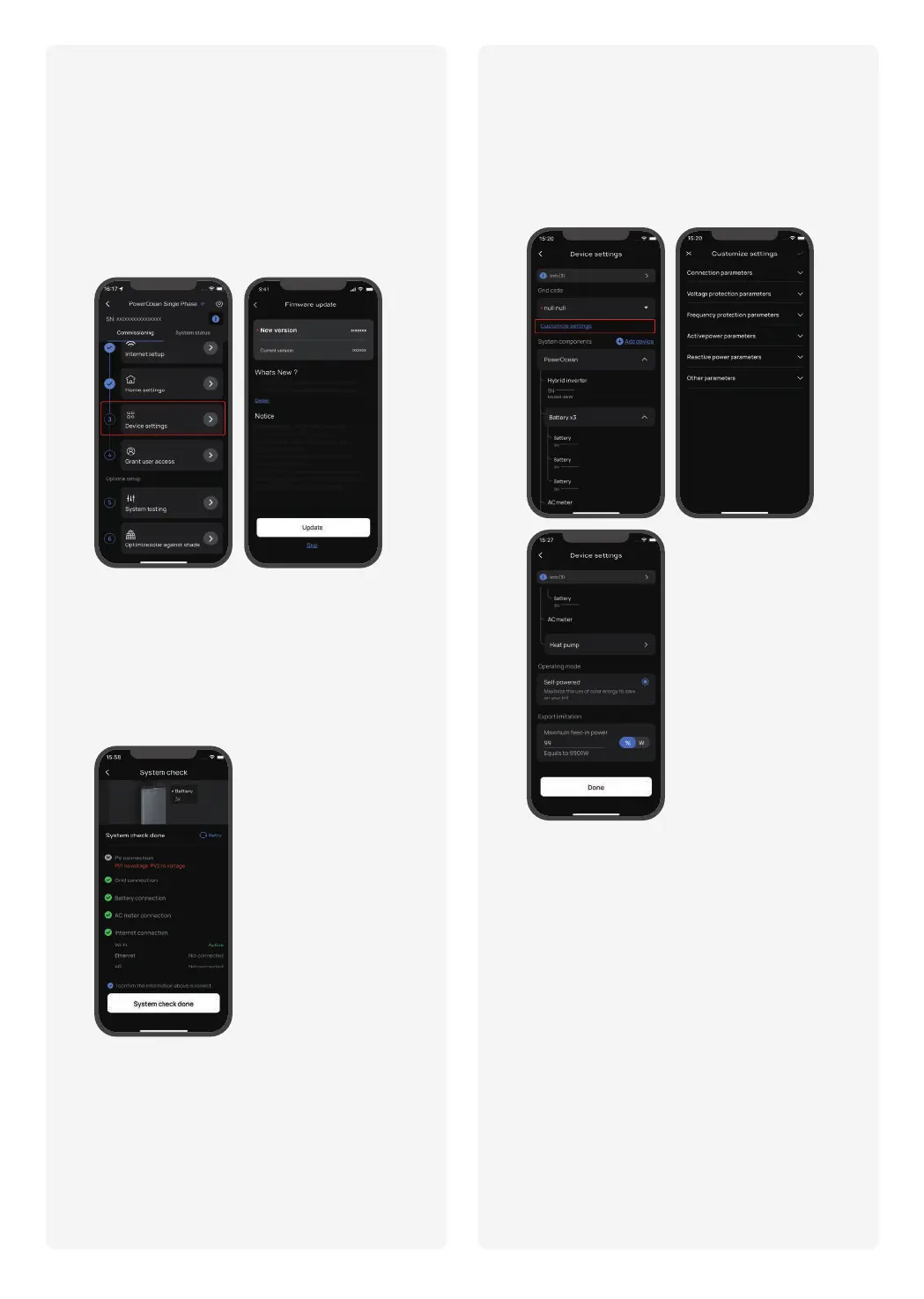
b.Set grid code, system work mode and feed-in power limita-
tion.
c.(Optional) You can also tapto set
Connection parameters, Voltage Protection parameters,
Frequency Protection parameters, Reactive Power parame-
ters and other parameters. (Please follow local regulations,
if you need to change any of these parameters, please
contact your local power organization first.)
d.Click to finish the commissioning.
a.Click to verify that the devices in the
device list match the connected devices.
If there is a firmware update available for the EcoFlow
PowerOcean system, the update page will pop up
to notify you when proceeding this step. The "Skip"
button is available for some update that is not
urgent. It is highly recommended that you upgrade
your PowerOcean firmware for seamless experience
immediately.
During the initial commissioning, there is a system
check available for the EcoFlow PowerOcean system,
allowing you to confirm all the system connections are
correct.


 To Next Page