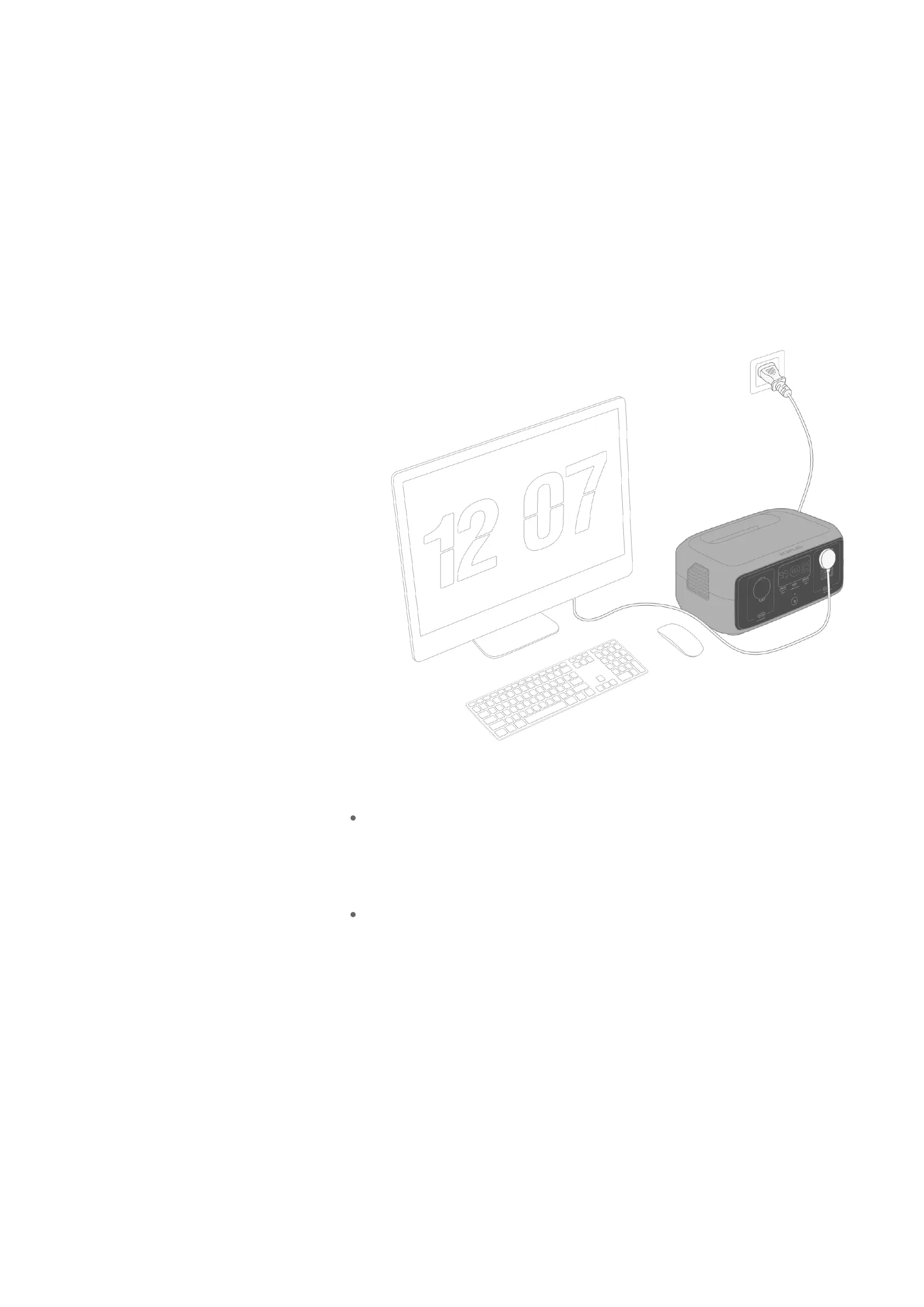
Backup for Essential Devices
You can use the power station to back up power for essential household
appliances. When a power outage occurs and appliances can no longer use
power from the grid, the power station automatically transfers its battery
power for use by connected appliances.
How do I use this feature?
1.
Connect the power station to a wall outlet to access grid power.
2.
Connect any appliances to the power station's AC output socket so the
power station can provide them with power to operate during a power
outage.
What is the transfer time?
RIVER 3 / RIVER 3 (230)
The power station supports emergency power supply (EPS) with a transfer
time within 20ms.
RIVER 3 (10 ms UPS)
The power station supports uninterrupted power supply (UPS) with a
transfer time within 10ms.
What devices can I back up power for?
Before using this feature, make sure the transfer time meets the needs of your
device. As for RIVER 3 and RIVER 3 (230), do not connect them to any device
that requires an uninterrupted power supply (such as desktops, NAS servers,
data servers and workstations).
It's recommended that you power only one device (with maximum power
<300W) at a time to avoid triggering overload protection.








 To Next Page