EasyManua.ls Logo

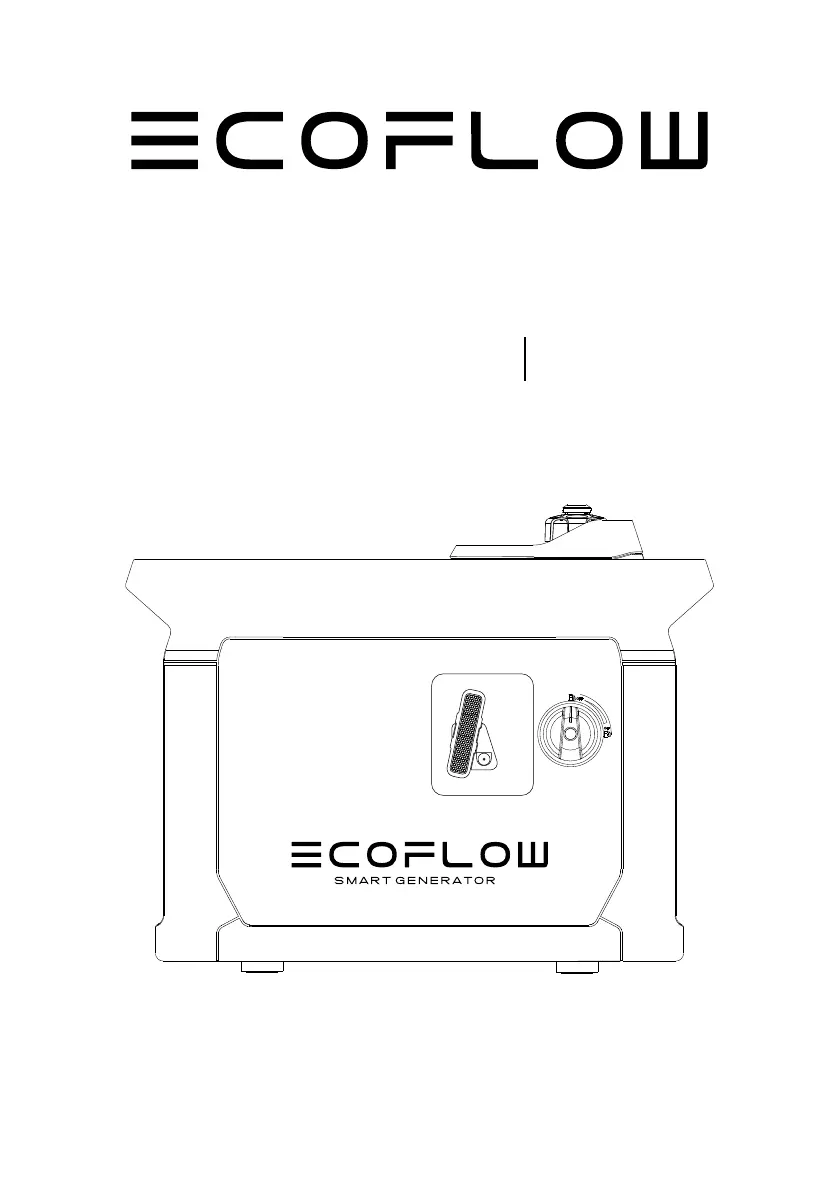
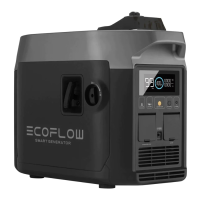
EcoFlow Smart Generator - User Manual

EcoFlow Smart Generator
28 pages
Print Icon
To Next Page IconTo Next Page
Loading...
EcoFlow
Smart Generator
User Manual

Questions and Answers

  • T
    Theresa GarciaJul 27, 2025
    What to do if my EcoFlow Smart Generator has no output?
    • A
      Austin BrownJul 27, 2025
      If your EcoFlow Portable Generator has no output, it might be due to AC overload protection. To resolve this, remove the problematic load, then shut down and restart the generator.
  • A
    audrey79Jul 31, 2025
    Why does the over-temperature icon stay on my EcoFlow Portable Generator?
    • J
      Janet HolderAug 1, 2025
      If the icon stays on on your EcoFlow Portable Generator, it indicates over-temperature protection. Inspect the air inlet, move the generator from the high-temperature environment, or decrease the load.
  • E
    Elizabeth JohnsonAug 5, 2025
    What does it mean when the DC overload icon flashes on my EcoFlow Smart Generator Portable Generator?
    • B
      Bill LeeAug 5, 2025
      If the icon flashes on your EcoFlow Portable Generator, it means DC overload protection is active. This is often due to load-related issues. Remove the problematic load, then shut down and restart the generator.
  • W
    William WallaceAug 9, 2025
    Why is the battery over-temperature icon on my EcoFlow Portable Generator staying on?
    • U
      uhessAug 9, 2025
      If the icon stays on your EcoFlow Portable Generator, it indicates a battery over-temperature issue. Check the air inlet or move it from the high-temperature environment, or reduce the load.
  • C
    Carrie RileyAug 13, 2025
    What does it mean if the CO icon stays on my EcoFlow Smart Generator Portable Generator?
    • C
      Christopher BradleyAug 13, 2025
      If the icon stays on on your EcoFlow Portable Generator, it means that the CO exceeding specified standard values. Turn off the generator and improve ventilation.
  • V
    Vanessa GlennAug 18, 2025
    Why does the oil alert indicator stay on my EcoFlow Smart Generator Portable Generator?
    • B
      Brendan PhillipsAug 18, 2025
      If the oil alert indicator stays on for your EcoFlow Portable Generator, it could be due to low engine oil level. Add engine oil to resolve this issue. The engine oil alarm system may turn off the engine.
  • A
    Amanda HuffmanAug 22, 2025
    Why is the battery icon staying on my EcoFlow Smart Generator?
    • D
      Deanna BurnettAug 22, 2025
      If the icon stays on on your EcoFlow Portable Generator, it could indicate a lack of battery power or a damaged battery. Try pulling by hand to start it or replace the battery.

Summary

Safety Guidelines

Safety Warning

Explains danger, warning, and caution symbols and their respective meanings for user safety.

Safety Instructions

Provides general safety instructions for operating the generator to prevent accidents.

Important Labels

Highlights important safety and operational stickers affixed to the generator.

Quick Start

Before You Use the Product

Details essential preparation steps before operating the generator, including refueling and oil checks.

Appearance Description

Identifies and labels the external components and ports of the generator.

Display Screen Icons

Explains the meaning of various icons displayed on the generator's screen for user information.

Using the Product

Outlines procedures for operating the generator, covering startup, connections, and app usage.

Maintenance and Servicing

Maintenance Schedule

Provides a schedule for regular checks and servicing of generator components for optimal condition.

Spark Plug Maintenance

Details how to check and adjust the generator's spark plug for proper engine function.

Carburetor Adjustment

Explains carburetor adjustment, particularly for high-altitude performance.

Engine Oil Replacement

Guides on how to safely drain and refill the engine oil for the generator.

Air Filter Servicing

Instructions for cleaning and maintaining the air filter element.

Fuel Filter Strainer Cleaning

Steps to clean the fuel filter screen to ensure proper fuel flow.

Muffler Cleaning

Guidance on cleaning carbon deposits from the muffler for efficient operation.

Storage and Transportation

Draining Fuel for Storage

Procedures for safely draining fuel from the generator for long-term storage.

Storing the Generator

Steps to protect the generator from corrosion and aging during storage.

Rechargeable Battery Storage

Guidelines for managing the rechargeable battery during storage periods.

Use After Storage

Recommended servicing procedures before using the generator after a period of storage.

Transportation Guidelines

Safety precautions and instructions for transporting the generator.

Faults and Troubleshooting

Troubleshooting Common Errors

A guide to identify and resolve common issues like starting problems or output failures.

Communication Failure

Explains causes and resolutions for communication failures between devices.

Parameters and Specifications

Generator Specifications

Lists key technical specifications of the complete generator unit.

Engine Specifications

Details specifications related to the generator's engine.

Package List

Included Accessories

Lists all items included in the product package.

Circuit Diagram

System Circuit Overview

Presents the electrical schematic and component connections of the generator.

Warranty Statement

Warranty Rights and Obligations

Explains the owner's responsibilities and rights under the emissions warranty.

Manufacturers Warranty Coverage

Details the duration and scope of the manufacturer's emissions control system warranty.

Owners Warranty Responsibilities

Outlines the owner's duties regarding maintenance and proper use for warranty validity.

Defects Warranty Requirements

Specifies conditions and requirements for warranty claims related to defects.

Emission Warranty Parts List

Lists specific engine parts covered under the exhaust and evaporative emissions warranty.

EcoFlow Smart Generator Specifications

General IconGeneral
Fuel typeLiquefied Petroleum Gas (LPG), Petrol
Noise level67 dB
Rated power1800 W
Cooling typeAir
Maximum power1900 W
Rated voltage230 V
Ignition systemManual/Electronic
Rated frequency50 Hz
Fuel consumption- l/h
Fuel tank capacity4 L
AC outlets quantity1 AC outlet(s)
Number of cylinders1
Engine number of strokes4
Continuous operating time @ maximum power @ rated voltage3.5 h
Castor wheelsNo
Product colorBlack
Oil tank capacity0.38 L
Carrying handle(s)Yes
Weight and Dimensions IconWeight and Dimensions
Depth597 mm
Width300 mm
Height475 mm
Weight30500 g

Videos

How to use the EcoFlow Smart Generator

Related product manuals