21
ENG
CONTROL VALVE PROGRAMMING AND COVER DRAWING MANUAL
This manual is the intellectual property of Ecoso. Copying and reprinng is prohibited. © 2021
DIAGNOSTICS
When desired, all programming and informa�on in Diagnos�cs may be reset to defaults when the valve is installed in a
new loca�on. To reset to defaults, press NEXT and ▼ simultaneously to go to the Auto/Manual screen. Press ▲ and ▼
simultaneously to reset programming and diagnos�c values to defaults. Screen will return to User Display.
RETURN TO
NORMAL MODE
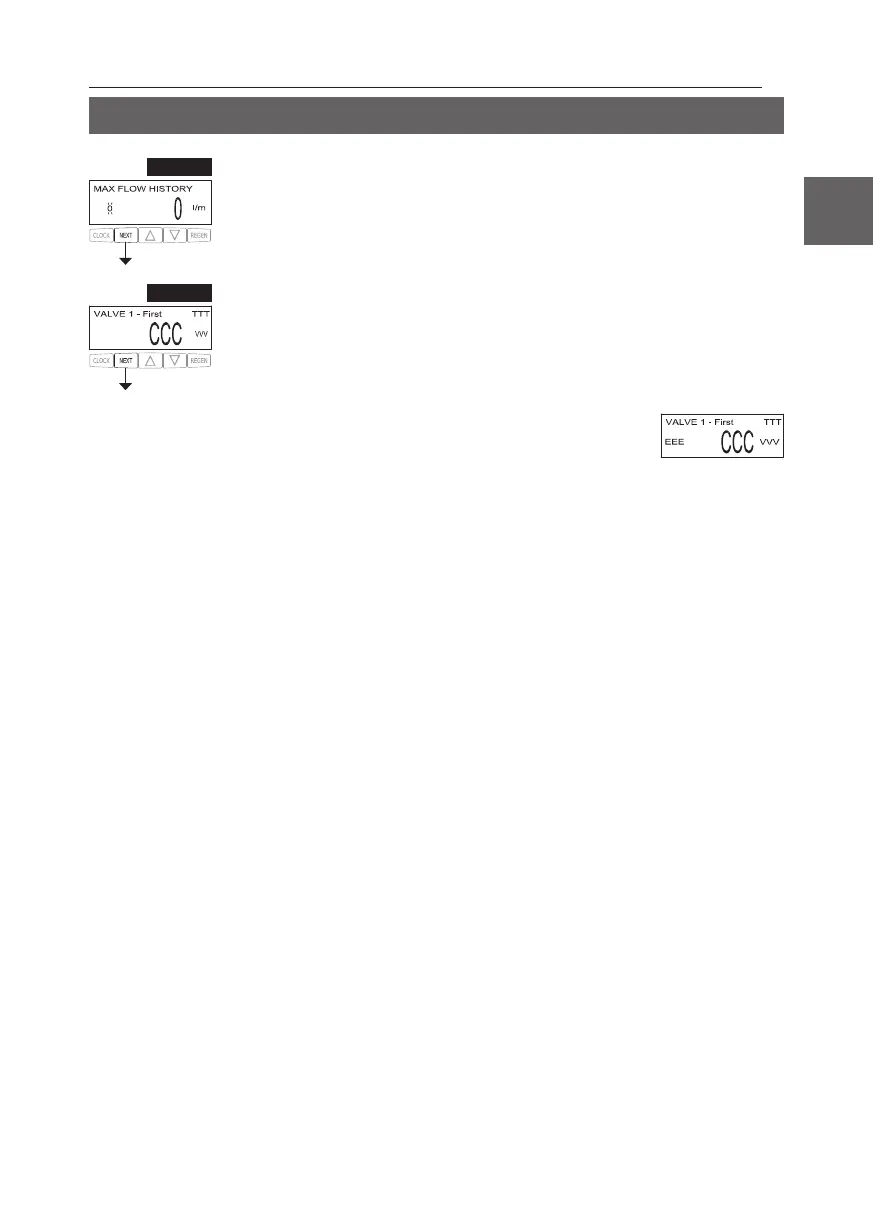
STEP 8D – MAV Drive History: Displays the drive �me histories of all ac�ve MAV drives. Use
▲ or ▼ to review the history of all ac�ve MAV outputs. TTT – measured MAV drive �me; VVV –
measured MAV drive voltage; CCC – total number of drives (in or out); “+” indicates piston drive
out of MAV; “-“ indicates piston drive in to MAV. If a MAV is replaced, it is recommended that the
diagnos�cs screen for that MAV be cleared. That is done by selec�ng the + or – screen for that MAV.
Press and hold ▲ and ▼ for about 3 seconds. Failure to do this may result in inconsistent MAV
opera�on.
When a MAV error occurs, the Drive History will automa�cally be reset.
To view previously recorded history, press and hold CLOCK and ▲. The
display will be similar to the normal MAV drive history display, with the
addi�on of EEE – MAV error code present at the �me of reset. If the display
shows “---”, there was no MAV error before the reset.
Press NEXT to exit Diagnos�cs. Press REGEN to return to previous step.
STEP 7D – Flow rate, maximum last seven days: Use ▲ or ▼ to display the maximum fl ow rate in
liters per minute that occurred in each of the last seven days. This display will equal zero if a water
meter is not installed. Press NEXT to go to Step 8D. Press REGEN to return to previous step.
STEP 7D
STEP 8D


 To Next Page