12
The strings that appear on the display go from UT05 to PR40. A setting from a program corresponds
to each string.
3.7.1 Description Of The Strings
UT05: This parameter shows the switch ON time of Programme 1.
UT06: This parameter shows the switch OFF time of Programme 1 (this must be at least 60 minutes
after UT05)
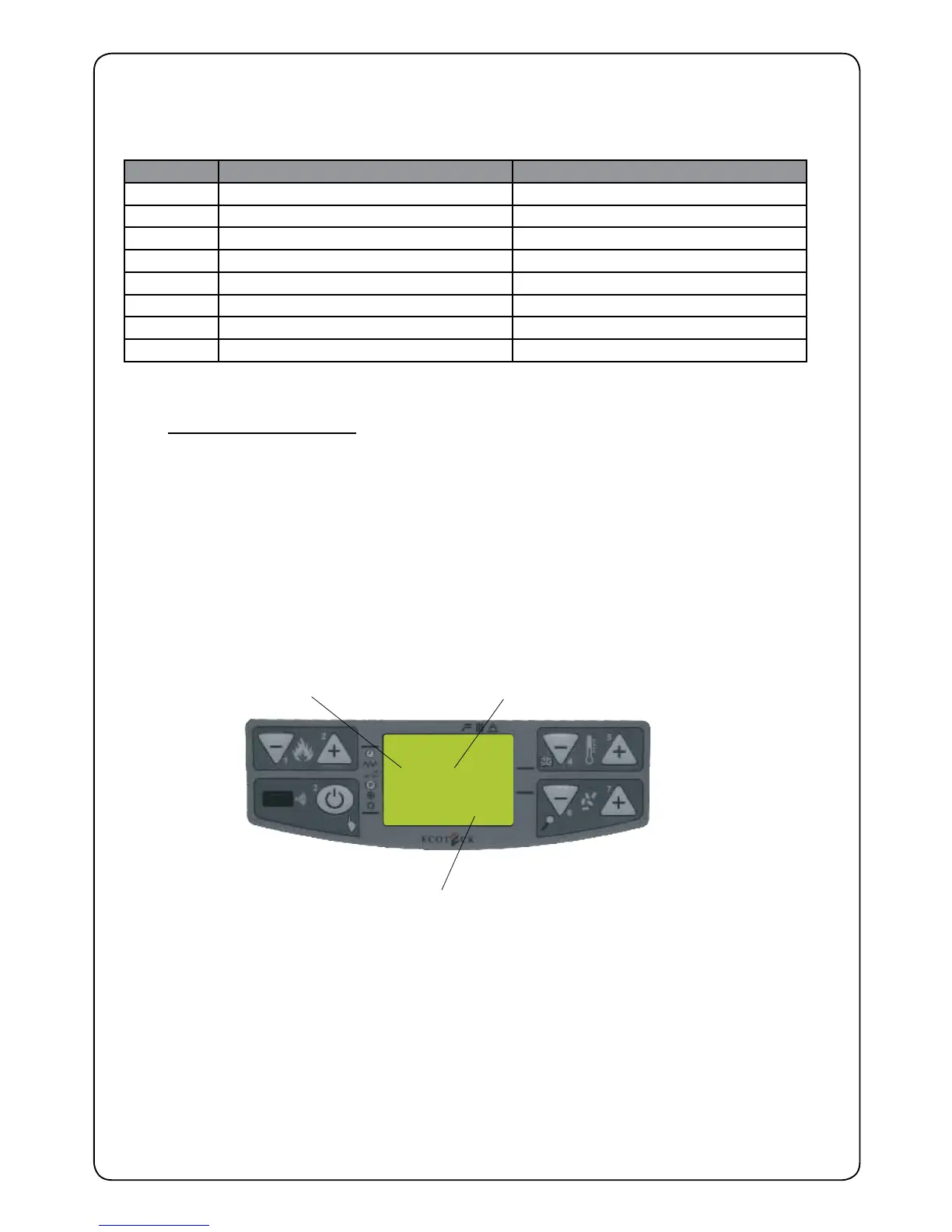
UT07: With this parameter we set which day you want Program 1 and 2 to be active.To set this
parameter, proceed as follows: set with button P5 the days desired (Monday is 1, Tuesday is
2, etc) and with button P4 select ON or OFF; if you select OFF the programming set will not
be activated on the days desired; if you select ON the programming will be valid. At the and
of this setting, press P6 to go to next programme.
PR36 Parameter shows the operting power when PROGRAM 1 is being executed
UT09 This parameter shows the time PROGRAM 2 comes on.
UT10 This parameter shows the time PROGRAM 2 goes off (it must be at least 60 minutes after
UT05)
UT011 This parameter we decide on which days we want PROGRAM 2 to be on.
PR40 This parameter shows the operating power when PROGRAM 2 is being executed.
Strings Description Values that can be set
UT05 START PROGRAM 1 From 00:00 to 23:50 at steps of 10’
UT06 STOP PROGRAM 1 From 00:00 to 23.50 at steps of 10’
UT07 DAYS ON 1 Between on/off for days 1 to 7
PR36 POWER PROGRAM 1 From 1 to 5
UT09 START PROGRAM 2 From 00:00 to 23:50 at steps of 10’
UT10 STOP PROGRAM 2 From 00:00 to 23:50 at steps of 10’
UT11 DAYS ON 2 Between on/off for days 1 to 7
PR40 POWER PROGRAM 2 From 1 to 5
UT07
ON 1
IGNITED 1
DAYS
ON - OFF
YAD DERIUQER
INDICATION
Figure 6.


 To Next Page