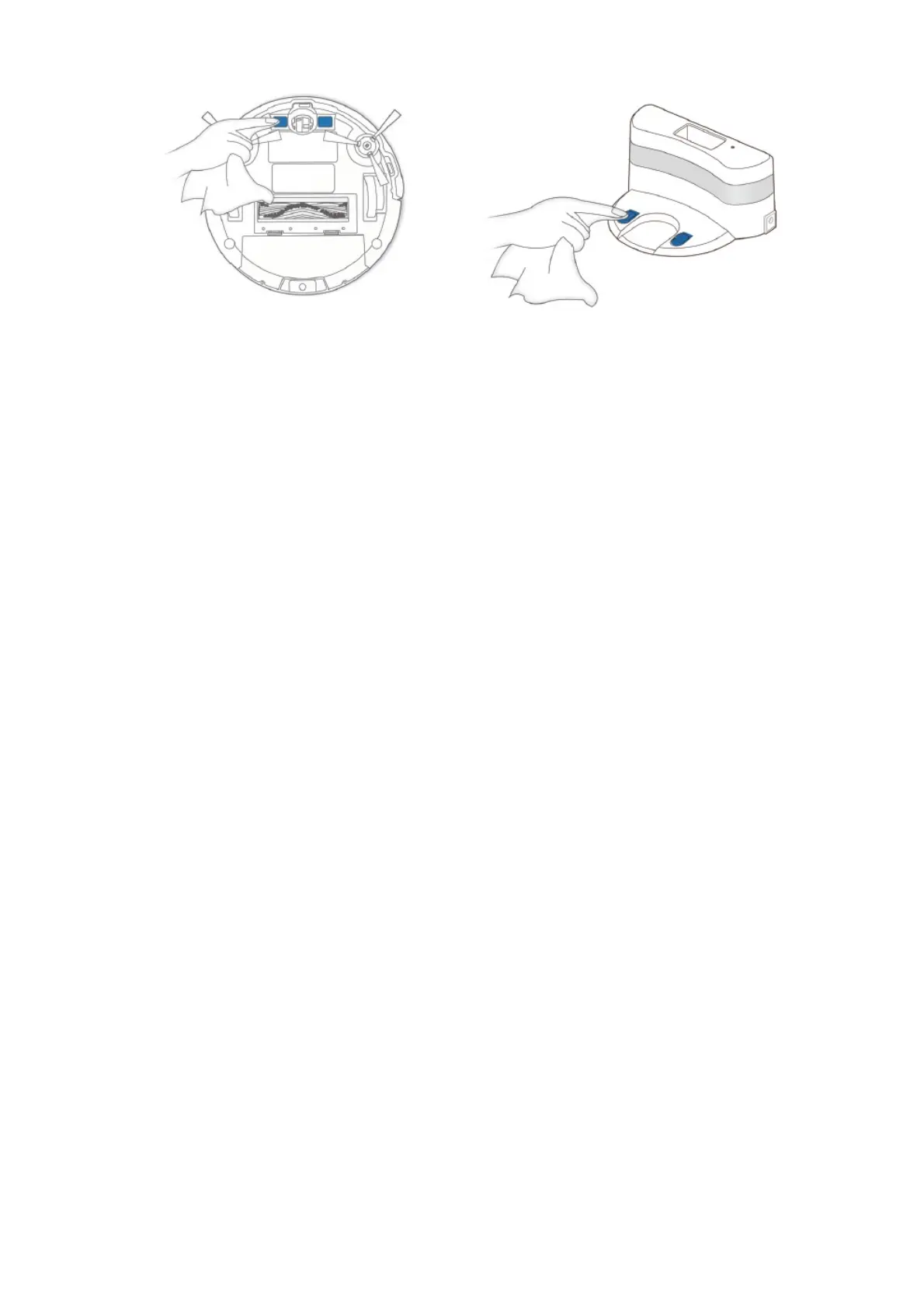
Note: Before cleaning the robot’s Charging Contacts and Charging Dock Pins, turn the robot OFF and unplug the
Charging Dock
Regular Maintenance
To keep DEEBOT running at peak performance, perform maintenance tasks and replace parts with the following
frequencies
Robot Part Maintenance Frequency Replacement Frequency
Side Brush Once every 2 weeks Every 3-6 months
Main Brush Once per week Every 6-12 months
Sponge Filter/ High
Efficiency Filter
Once per week Every 3-6 months
Universal Wheel Anti-
Drop Sensors Bumper
Charging Contacts
Charging Dock Pins
Once per week /
A Multi-Function Cleaning Tool is provided for easy maintenance. Handle with care, this cleaning tool has sharp
edges.
Note: ECOVACS manufactures various replacement parts and fittings. Please contact Customer Service for more
information on replacement parts
Indicator Light and Alarm Sounds
DEEBOT will tell you something is wrong with an alarm indicator light and sounds. More detailed support is available
through the ECOVACS App and online website.
Indicator Light













 To Next Page