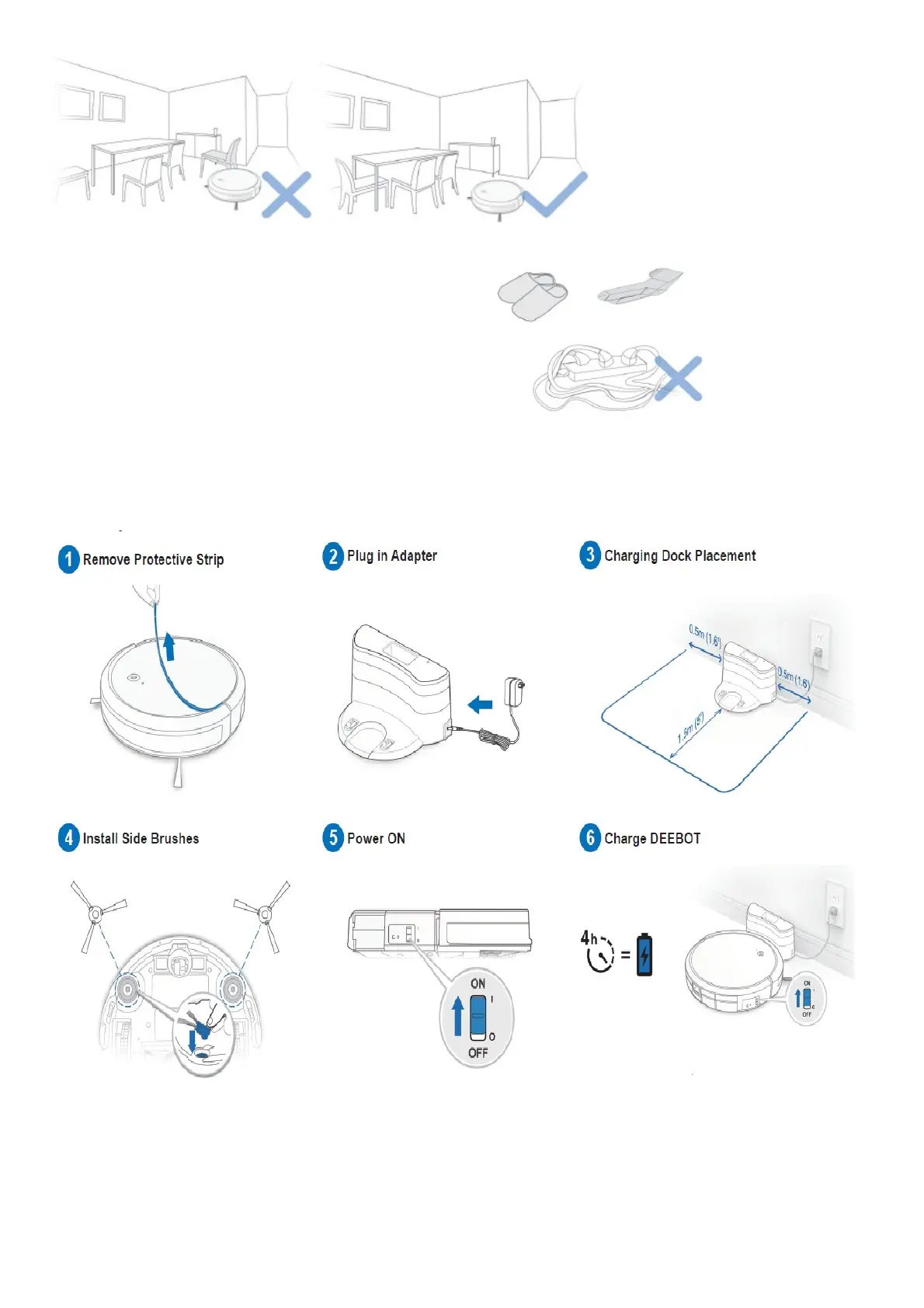
Tidy up the area to be cleaned by
putting furniture, such as chairs, in their proper place Remove
power cords and small objects from the floor that the robot could be obstructed by.
Operating and Programming
Preparation
Note: When DEEBOT completes the cleaning cycle or when battery power gets low, DEEBOT automatically returns
to the Charging Dock to recharge itself.
Selecting Cleaning Mode
AUTO Cleaning Mode













 To Next Page