3. Operating and Programming
* DM82 can be directed to move forward, left and
right, and turn around, by using the Direction
Control Buttons and MAX Button on the Remote
Control when it is Paused. DM82 does not clean
when Paused.
* If DM82 is Paused for more than 45 seconds it goes to sleep to save battery power, the AUTO Mode
ButtonontherobotdoesnotashandbuttonsontheRemoteControlaredisabled.TowakeupDM82,
press the AUTO Mode Button on the robot or the START/PAUSE Button on the Remote Control.
4
Start
M A X
AM
PM
AM
PM
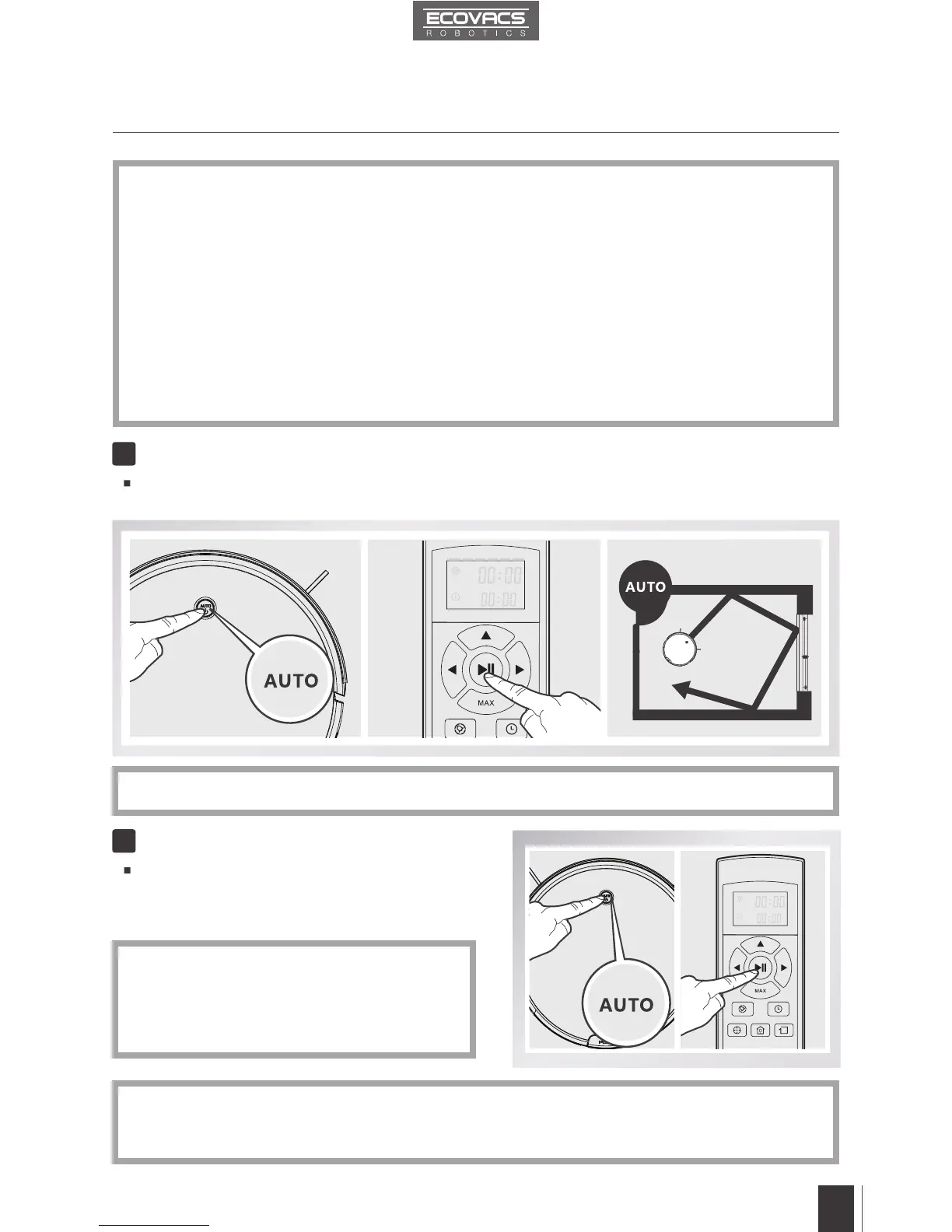
Press the AUTO Mode Button on DM82 or the START/PAUSE Button on the Remote Control..
DM82 starts to work immediately in AUTO Cleaning Mode.
* To choose another Cleaning Mode, please refer to section 3.3 Cleaning Mode Selection for details.
Pause DM82 by pressing the AUTO Mode Button
on DM82 or the START/PAUSE Button on the
Remote Control.
5
Pause
MA X
AM
PM
AM
PM
Remove DM82’s battery if the robot will not be used for a long time. In case of battery leakage,
please remove the battery and wipe the battery slot clean while wearing protective gloves.
If battery is fully discharged or not used for a long time, its capacity may decrease and need to be
reactivated.
To reactivate the battery: Place the robot on the Charging Dock by hand, remove after charging
for 3 minutes; repeat 3 times, then charge normally for 3-5 hours.
DM82 uses a long life battery and does not require frequent replacement. To replace the battery,
contact Customer Service or follow the below instructions:
a. Unscrew the Battery Cover Screws, remove Battery Cover.
b. Remove the battery and disconnect the fastener.
c. Connect the fastener on the new battery. Insert the new battery, reassemble the Battery
Cover and screw in the Battery Cover Screws.
*
*
*
*











 To Next Page