When creating a map for the rst time, please follow Robot to help
eliminate some minor issues. For example, the Robot may get stuck
under low furniture. Take following solutions for reference. Solve the
issue as below.
① Lift up the furniture if possible.
② Cover the bottom of the furniture, to prevent Robot from entering.
③ Set up Virtual Boundary via the App to prevent the Robot from
entering.
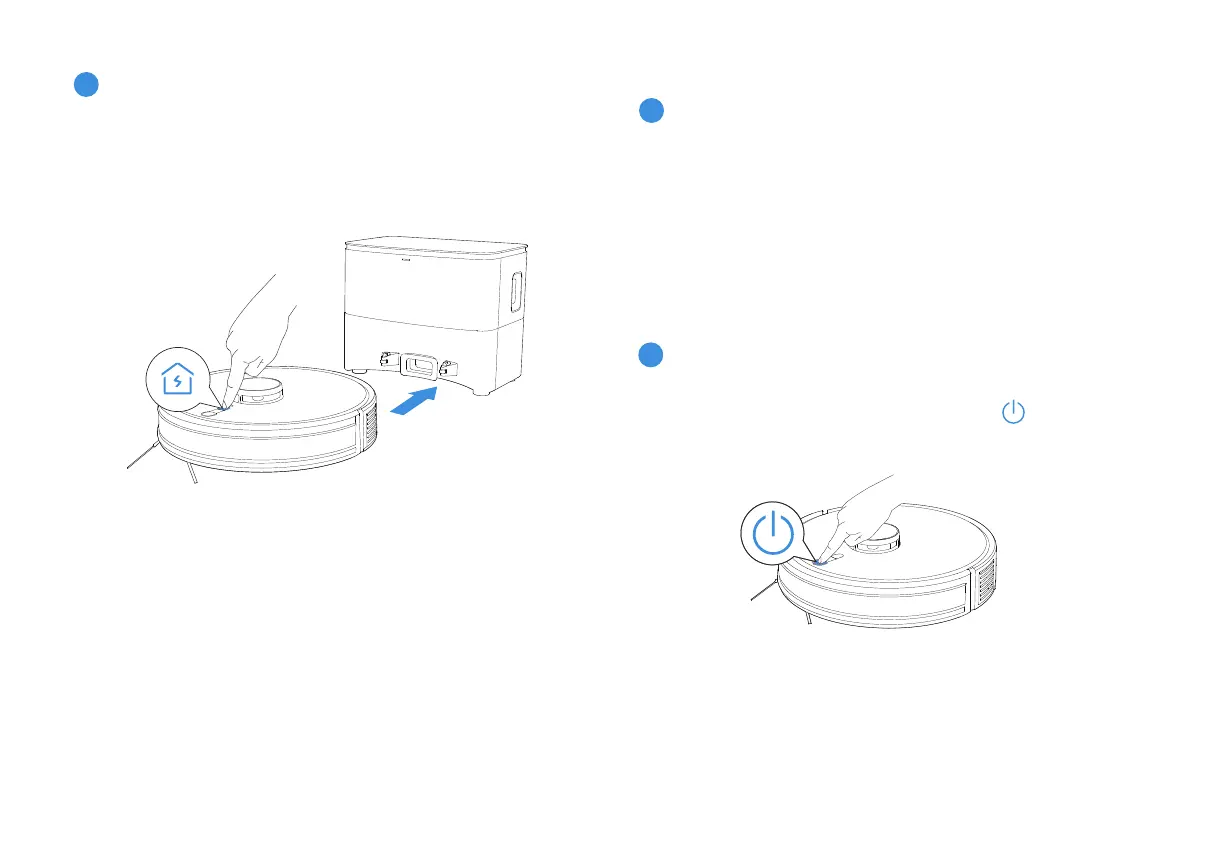
Before rst vacuuming, please make sure the Robot is in the
Auto-Empty Station and fully charged. Short press to start cleaning
and create a map at the same time.
EN∣16
Charging
4
Short press the Charging button to make Robot return for charging.
* It is recommended that Robot start cleaning from the Station.
Do not move the Station while cleaning.
2.5 Start Cleaning
2
Start Cleaning
1
Create a map













 To Next Page