23
Installing the Motherboard
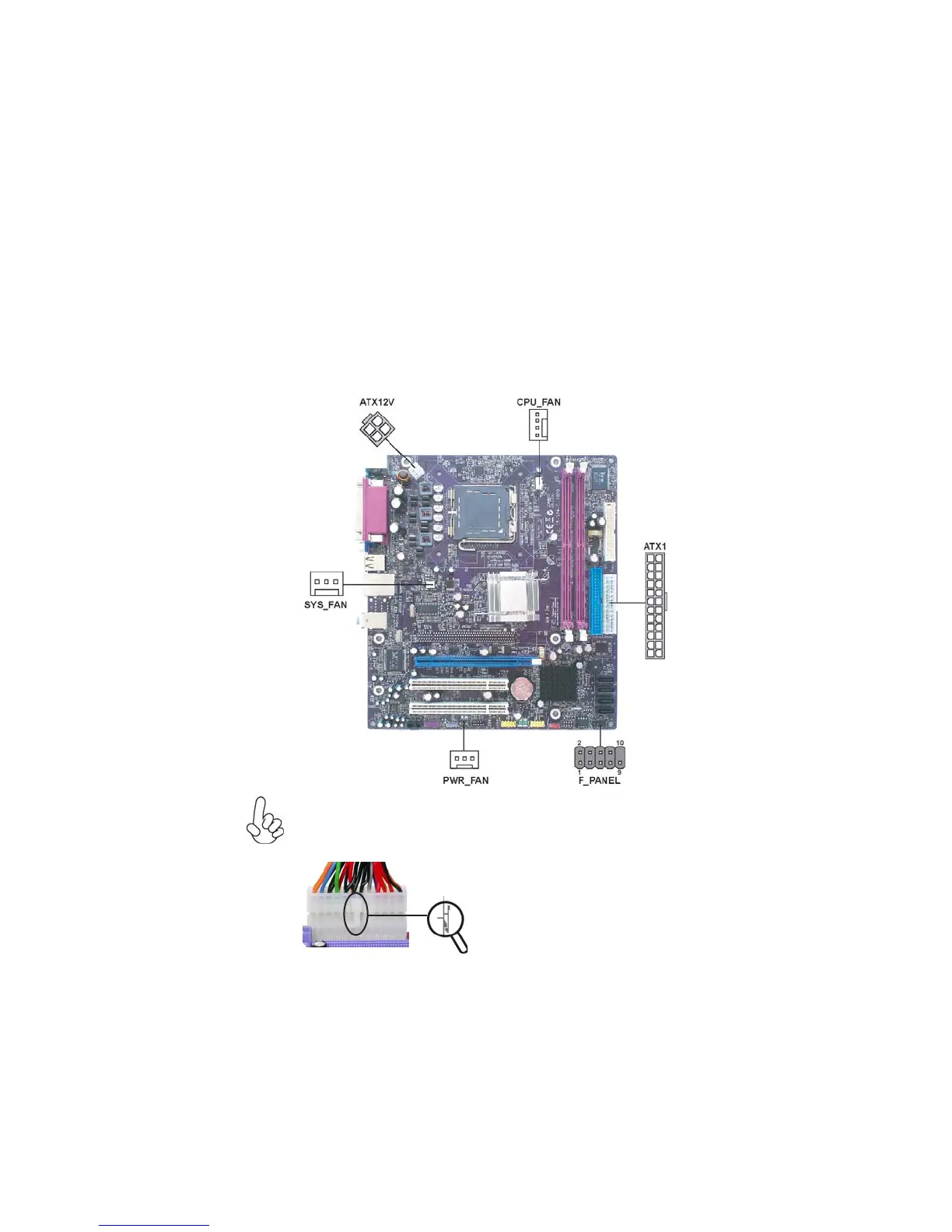
Connecting Case Components
After you have installed the motherboard into a case, you can begin con-
necting the motherboard components. Refer to the following:
1 Connect the CPU cooling fan cable to CPU_FAN.
2 Connect the system cooling fan connector to SYS_FAN.
3 Connect the case switches and indicator LEDs to the F_PANEL.
4 Connect the standard power supply connector to ATX1.
5 Connect the auxiliary case power supply connector to ATX12V.
6 Connect the power fan connector to PWR_FAN (optional).
With ATX v2.x power supply, users please note
that when installing 24-pin power cable, the
latches of power cable and the ATX1 match
perfectly.
Connecting 24-pin power cable
24-pin power cable
The ATX 24-pin connector allows you to connect to ATX v2.x power supply.


 To Next Page
 Loading...









