EasyManua.ls Logo

Eden C1P2FXBT - Control Unit Operation; Menu Navigation and Key Functions

Eden C1P2FXBT
28 pages
Print Icon
To Next Page IconTo Next Page
To Previous Page IconTo Previous Page
Loading...
Technical manual C1P2FXBT – V1.7 p 14/28
Using the menus
The control unit has a configuration menu. To access it, press one of the four buttons below the
display.
To navigate the menus, use the “+” and “-” keys. To go back to a menu, use the “V” key. To
quit, press “C” and then “V”.
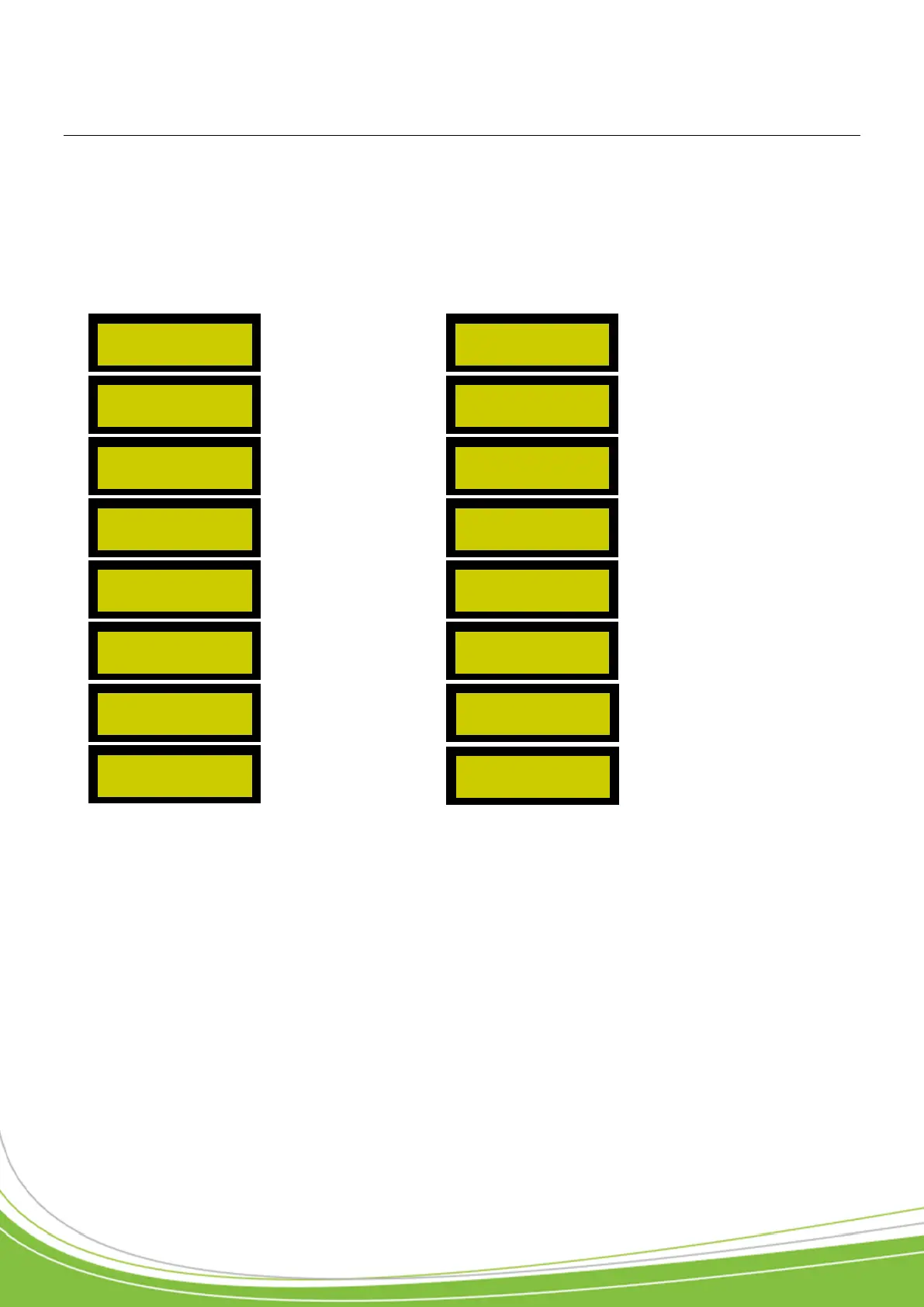
1) Main menu
P. 35
P. 39
P. 36
P. 39
P. 36
P. 40
P. 37
P. 40
P. 37
P. 40
P. 37
P. 40
P. 37
P. 40
P. 37
P. 40
USER MANAGEMENT
CONFIGURE
READER 1
VIEW EVENTS
CONFIGURE
READER 2
CONTROL DEVICE
MANAGEMENT
DEVICE TIME
PERIODS
CONTRAST
ADJUSTMENT
USER ACCESS
PERIODS
CLOCK ADJUSTMENT
PUBLIC HOLIDAYS
COMMUNICATION
MODE
CONFIGURE
SITE CODES
CONTROL UNIT
INFO
CONTROL UNIT
CONFIGURATION
DISTRIBUTOR CODES
QUIT MENU?