6
4.1.2 Setup Cons(tellation), FEC, FFT, Guard Interval, RF Level, Audio Bit
Rate. Audio Format.
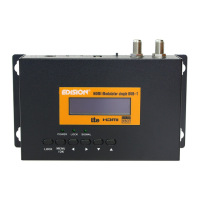
Pressthe“MENU/OK”button.Thenuse“ “(Left)or“ “(Right)buttonto
select the desired setup item. Use “ “(UP) or “ “(DOWN) button to set the
correctvalue.Press“MENU/OK”buttontwotimestocompleteandsavethesetup.
4.1.3 Output program “Name” Setup
Press“MENU/OK”button.Thenuse“ “(Left)or“ “(Right)buttontoselect
“Name”option.Press“ “(UP)andfirstcharacteronleftsidewillflicker.Youcan
use“ “(Left)or“ “(Right)buttontochangethecharacter.Tostopediting,
press“ “(UP)buttonOrpress“ “(DOWN)buttontoeditanothercharacter.
Use“LOCK”buttontodeletetheflickeringcharacter.‘LOCK’buttonalsofunctions
as“Space”button.Toendediting,press“MENU/OK”buttontwotimesandsave
the “Name” field that you edited. To select other parameters, press “ “(UP)
buttontoend“Name”editingfunctionanduse“ “(Left)or“ “(Right)button
to choose other programming options.


 To Next Page