24 Version of July 30th, 2021
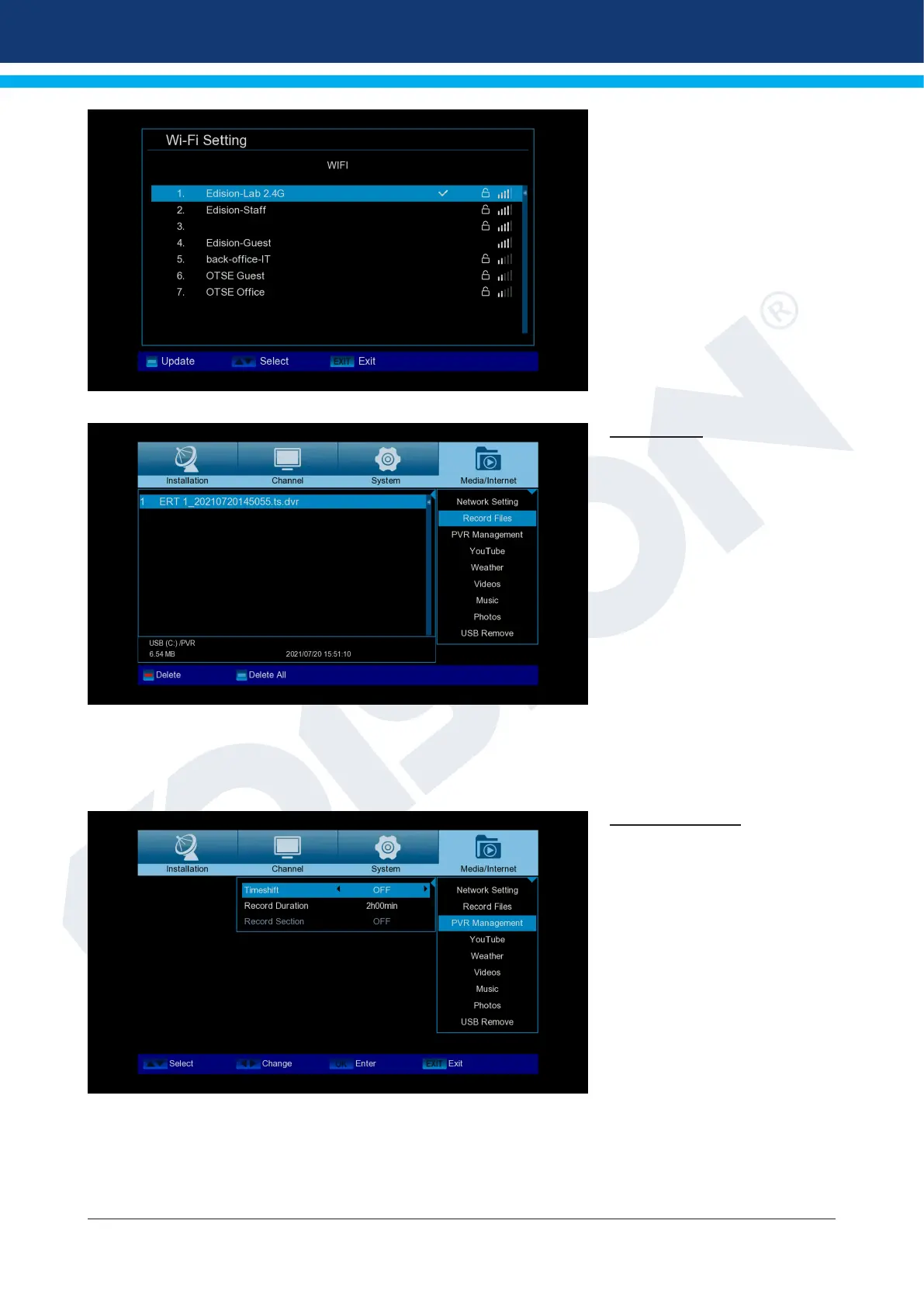
Step 2. Select SSID and set the
WiFi password
Record Files
Basic information: This menu is
only available if you have con-
nected a suitable USB data stor-
age device recognized by the
receiver. Otherwise you will not
have access to this menu.
Menu functions and settings:
File Backup: Specify the le
name for the backup here. Press
the button
OK to display a letter and num-
ber eld, and use the arrow
buttons and the OK button to
specify the name of the backup
le. Delete the last character using the arrow keys to scroll to the <- ‘area in the letter eld and press the OK
key. Conrm your entry by going to the OK eld and pressing the button
“OK” on the remote control. You can exit the input window with the EXIT key.
PVR Management
Note: The A specic menu item
is available if a USB memory
device with a recording speed
greater than 25M Bit/min is rec-
ognized, which is recognized
by the receiver. In addition, this
menu item is locked if one or
more entries are made.














 To Next Page