
 Need help?
Do you have a question about the Edision Piccollino and is the answer not in the manual?
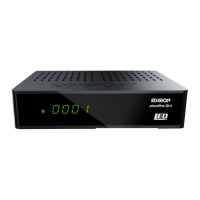
Overview of the receiver's front panel components.
Overview of the receiver's back panel connectors.
Initial steps for connecting and powering up the receiver.
Select the user interface language.
List of the receiver's technical specifications.
Display program schedules and program recordings.
Guides through the process of installing satellite channels.
Procedure for updating the receiver's software via USB.
Schedule up to 8 time-controlled recordings.
Manage and create recordings using USB memory.
Configure Time Shift and encrypted reception settings.
 General
| Tuner Type | DVB-S2 |
|---|---|
| Power Supply | 12V DC |
| Conditional Access | CI Slot |
| Connectivity | HDMI, USB, S/PDIF |
| Type | Satellite Receiver |
| Features | EPG |
| Video Decoding | MPEG2, MPEG4, H.264 |
| Audio Decoding | MPEG-1 Layer I/II, MP3, AAC |
| Power Consumption | 10W |
| Weight | 0.2 kg |
| Video Resolution | 1080p |













 To Next Page