11
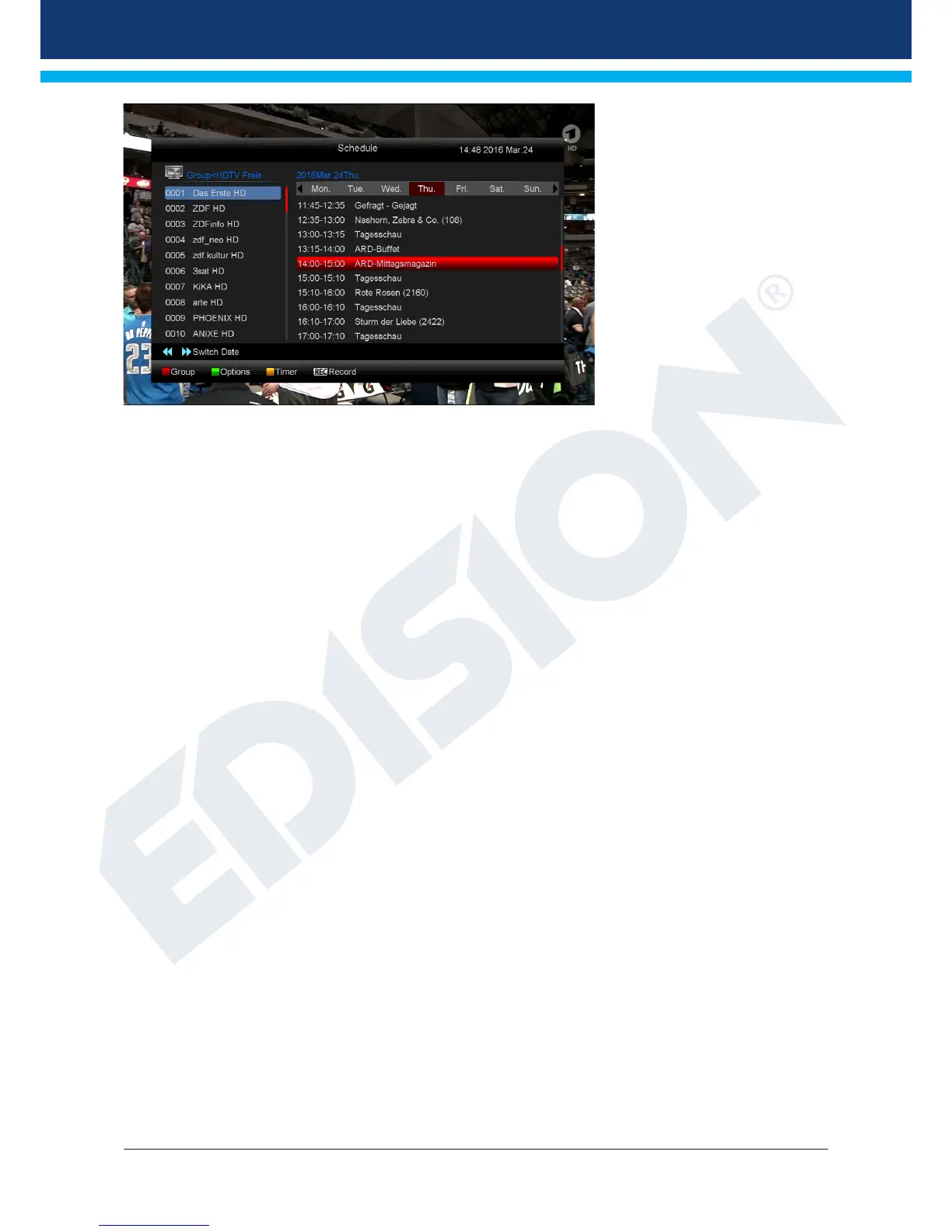
The following functions and
buttons can be used in all
modes:
The red button displays an
overview of the existing channel
lists (groups). Use the arrow
buttons to navigate through this
overview and the OK button to
set the channel list to be used by
EDIVISION.
The green button calls up
a menu allowing to switch
between the different views of
EDIVISION by using the up/
down arrow buttons and the OK
button.
The yellow button calls up a Popup Timer Menu. Select the ‘VCR’ item to program time-based events (e.g.
recordings). Select the item Timer List to see the programmed events.
If you want to make a recording on a certain date in the future, select the item 'USB/HDD Recorder'. Use the
up/down arrow buttons in the following window to navigate between the menu items and the left/right arrow
buttons and OK button to set the values. The following settings can be made in the menu ‘Timer’.
Timer number: Calling up the timer menu automatically switches to the next (available) programmable timer.
Use the left/right arrow buttons the OK button and the up/down arrow buttons to switch between timers. Up
to 8 different events can be programmed.
Timer mode: Set the recording mode here. Choose whether the recording is carried out once, daily,
weekly or monthly.
Timer service: Set the service entry 'Recording TV channel' here for a TV recording and 'Recording
Radio channel' for a radio recording.
Station: Set the channel here.
Date: Set the start date of the recording here.
Start time: Set the start time here.
Duration: Set the duration of the recording here (recording length).
After making changes and in order to keep them, conrm with 'Yes' in the appearing window dialogue. Exit
the timer menu with the EXIT button.
Note: An error message appears under certain circumstances. As a rule, an incorrect start time or start date
was given. Check the information!
Also note that a recording is only possible if a corresponding USB memory device is already connected to
the receiver.
Exit 'EDIVISION' by pressing the EXIT button.














 To Next Page