27
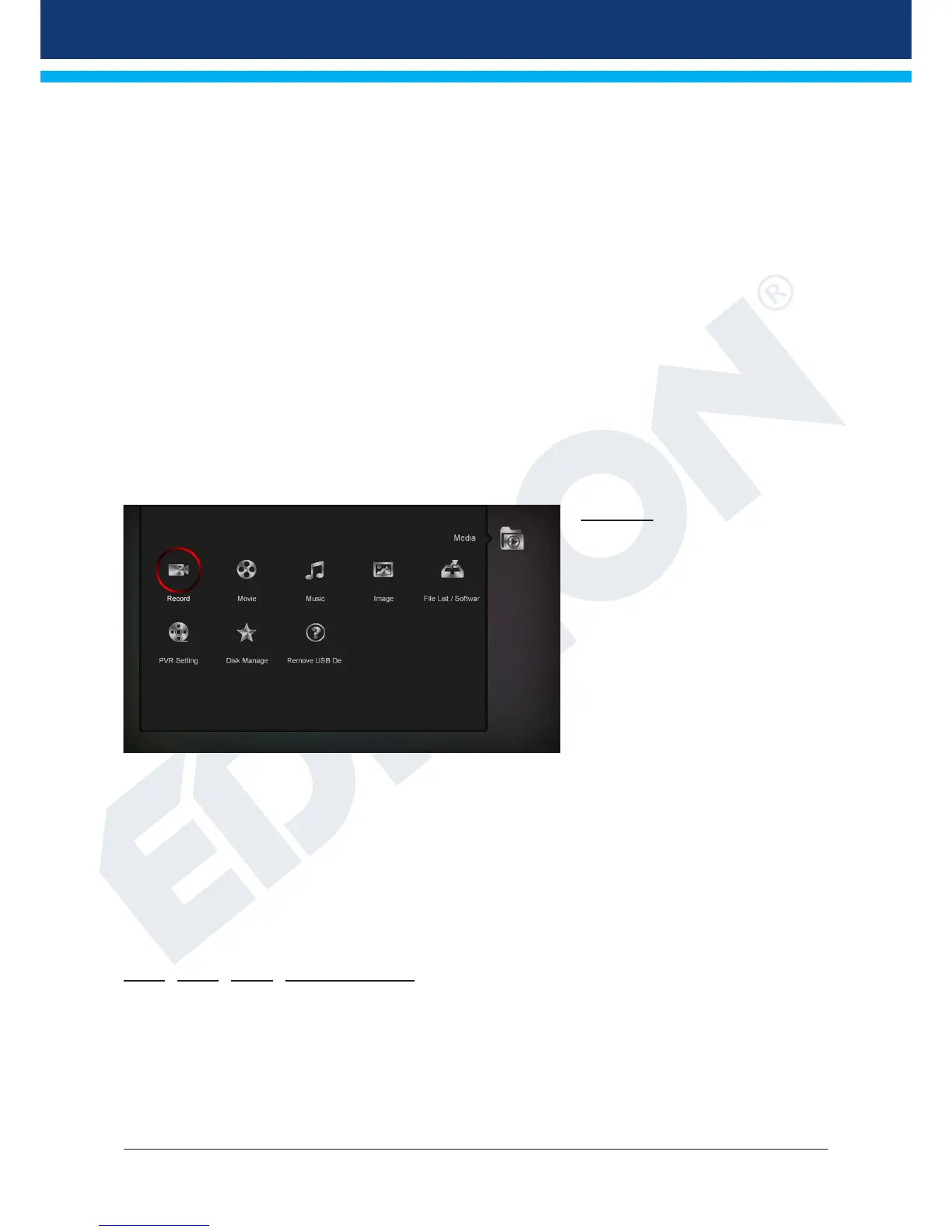
►Media
► Recording
► Movie
► Music
► Image
► File List / Software
► PVR Setting
► Disk Management
► Remove USB Device Safely!
Recording
Tip: This menu is only available if
you have connected a suitable USB
memory unit, which is recognised by
the receiver. Otherwise you do not
have access to this menu.
Menu functions and settings:
Backup le: Select here the name
of the le for which a backup is to
be created. Press the OK button to
display a letter and digit eld. Use
the arrow buttons and the OK button
to enter the name of the backup le.
In order to delete the last character, move to the ‘<-’ item with the arrow buttons and press the OK button.
Conrm the entry navigating to the OK eld and pressing the ‘OK’ button on the remote control. Use the EXIT
button to exit the input window.
Backup to USB/HDD: Use the up/down arrow buttons to navigate to this menu item and press the OK
button to start the backup process.
You can exit the ‘Backup to USB/HDD’ menu and the sub menus pressing the EXIT button.
Movie Music Image File List / Software
Key point: This menu displays les and folders on the USB memory device. The detected image les are
displayed on the top right as a preview image; the detected MP3 les can be played.
Note: This menu item is locked when one or more recordings are in process.














 To Next Page