►Settings
► Software Upgrade
► Language
► A/V Control
► Ethernet Setting
► Time Settings
► Timer
► Parental Control
► Miscellaneous settings
► Default Setting
► Information
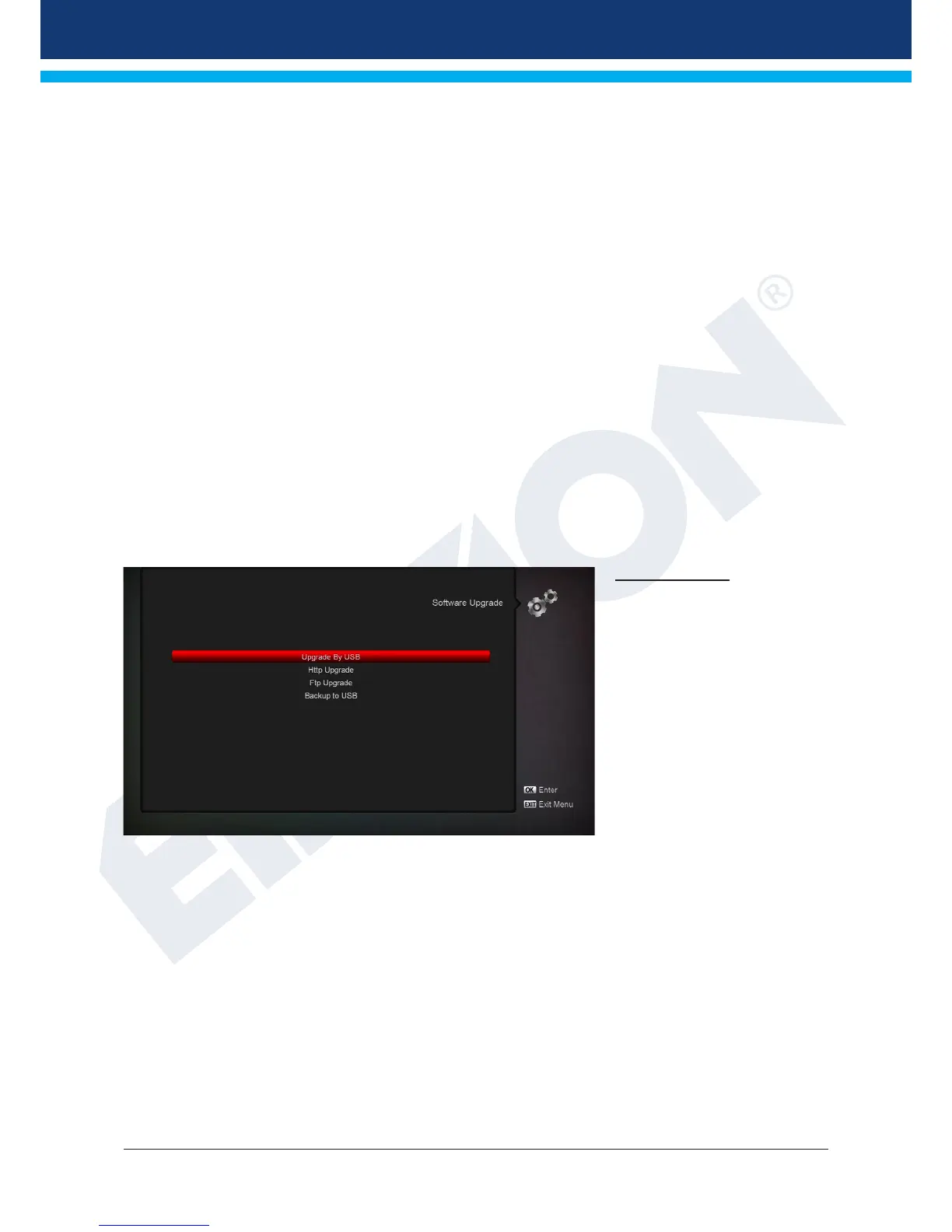
Software update
Key point: This menu is
available only if a suitable
USB memory unit, which is
recognised by the receiver, has
been connected. Otherwise
you do not have access to this
menu.
Another requirement for the
‘USB/HDD Update’ is for the
corresponding software le to be
located in the USB memory unit.
This le with ‘.abs’ le extension
can be downloaded from the
website ‘www.edision.gr’ through a computer with internet connection:
http://www.edision.gr
Save the downloaded le to the USB memory unit and plug this unit into the USB port of ‘piccollino’.
Note: The update speed via USB might depend on the data format in the USB memory. It is recommended
to previously format the USB memory through item ‘HDD Formatting’ in the ‘USB’ menu / ‘Memory Device
information’ (start formatting using the yellow button) and then save the Software le (.abs) in it.














 To Next Page