►Menu: Program
► Service
► Installation
► Settings
► Conditional Access
► Media
► Application
► Game
► Edivision
► Service
► Organizing Services
► Organizing Favourites
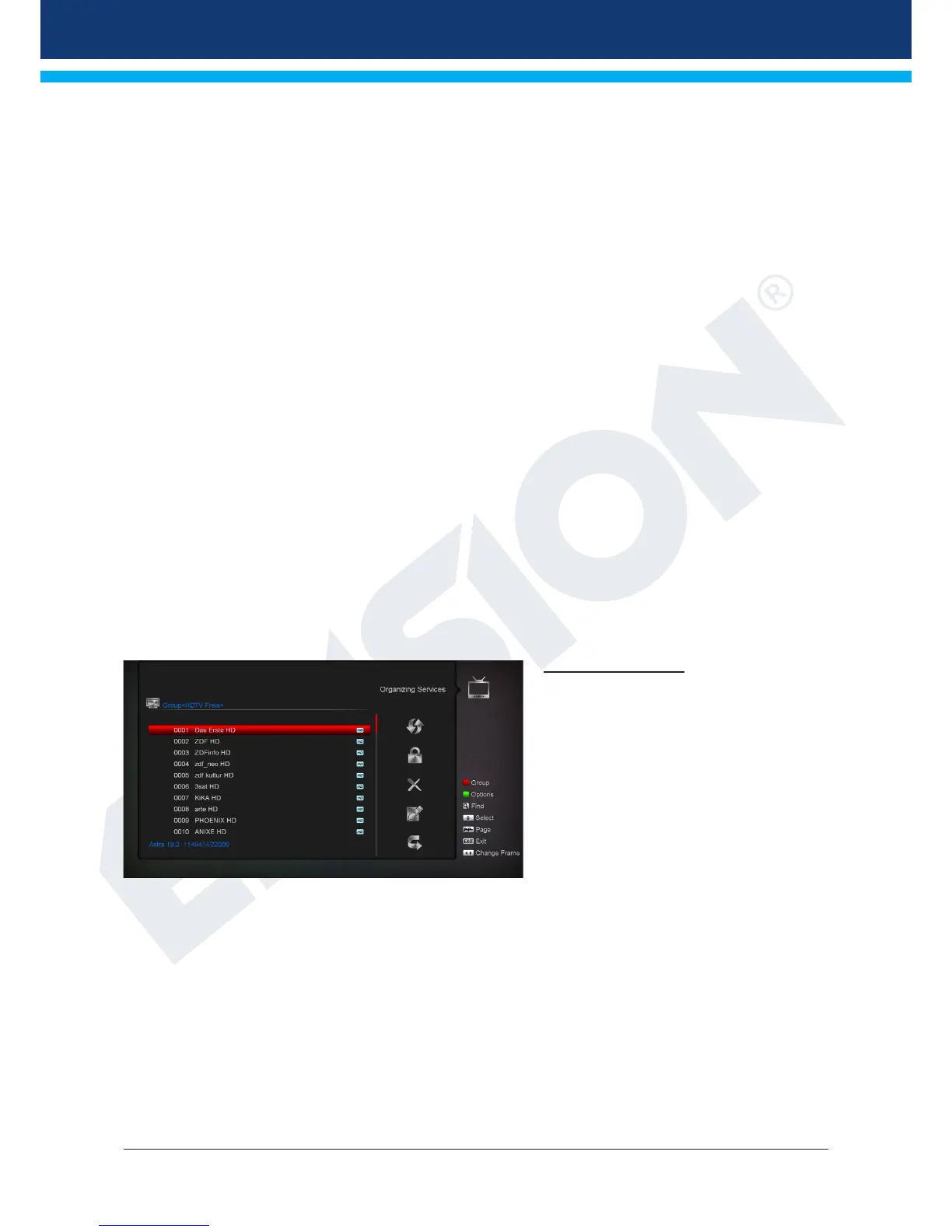
Organizing Services
In this menu you can congure your
channel lists for TV or radio channels.
Notes: Check the operation mode of the
receiver. In order to edit a radio channel,
the receiver must be in Radio mode. Using
the TV/Radio button allows switching from
one mode to another.
Tip: In the left column of the menu window,
you can nd the list of channels in the
current channel list, and on the right side
the symbols for ‘Move’, ‘Lock’, ‘Delete’, ‘Rename’ and ‘Skip’.
Menu functions and settings:
Use the left/right arrow buttons to move from one column to another in the menu and the up/down arrow
buttons to move the cursor up or down in the relevant column.
You can select one or more channels in the left column pressing theOK button.
The red button allows you to view a summary of all lists/channel groups and select accordingly. The current
list is displayed in the title-bar of the window.














 To Next Page