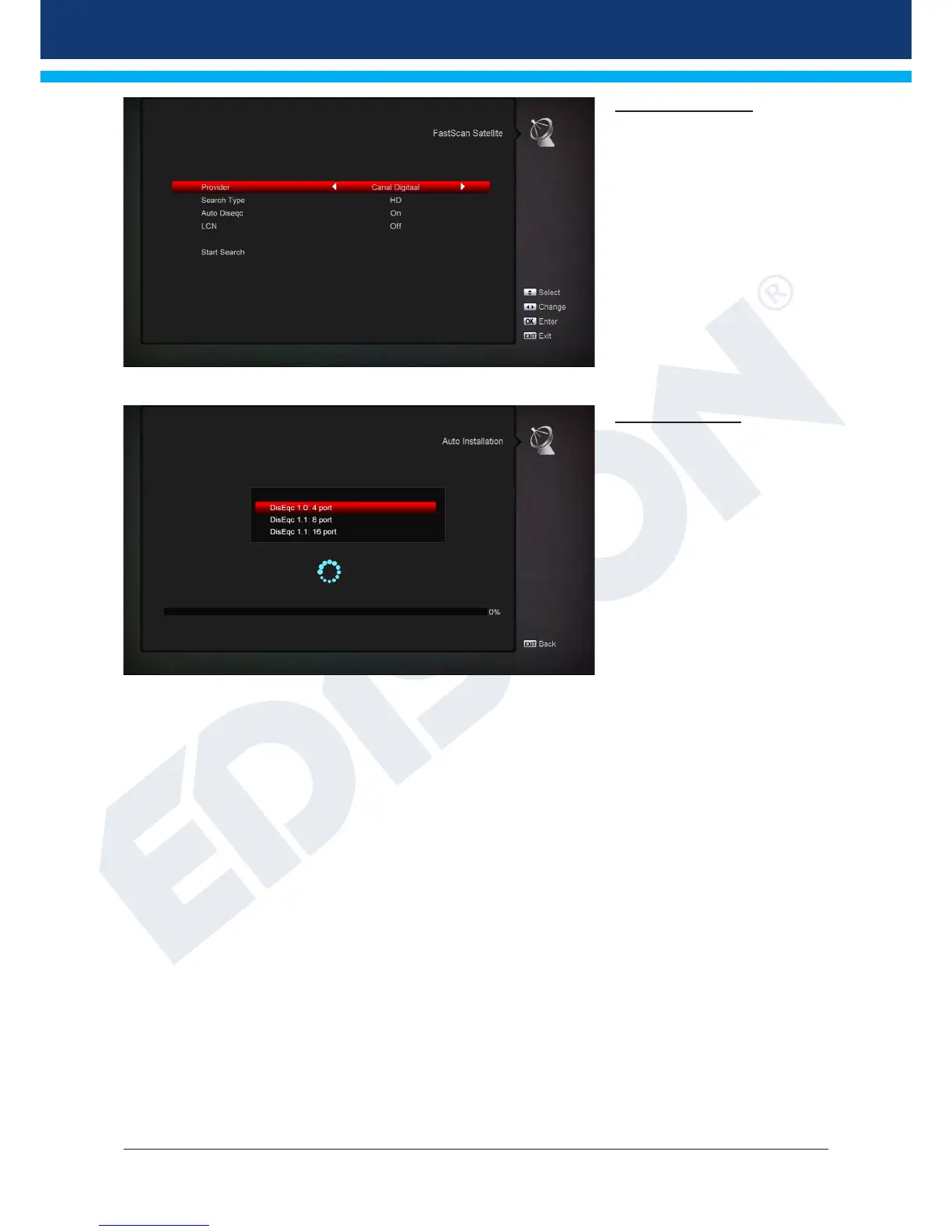
FastScan Satellite
Dene the scan of TV and
radio channels using the preset
frequencies of the service
providers.
Select the type, DiseqC, LCN &
press Start Scan.
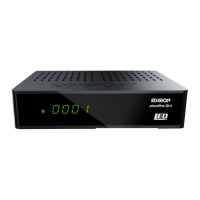
Auto Installation
Here you can automatically set
the value for DiSEqC. Select
DiSEqC 1.0 4port, DiSEqC 1.1
8port or DiSEqC 1.1 16port and
press OK.














 To Next Page