18 Version of July 30th, 2021
►Settings
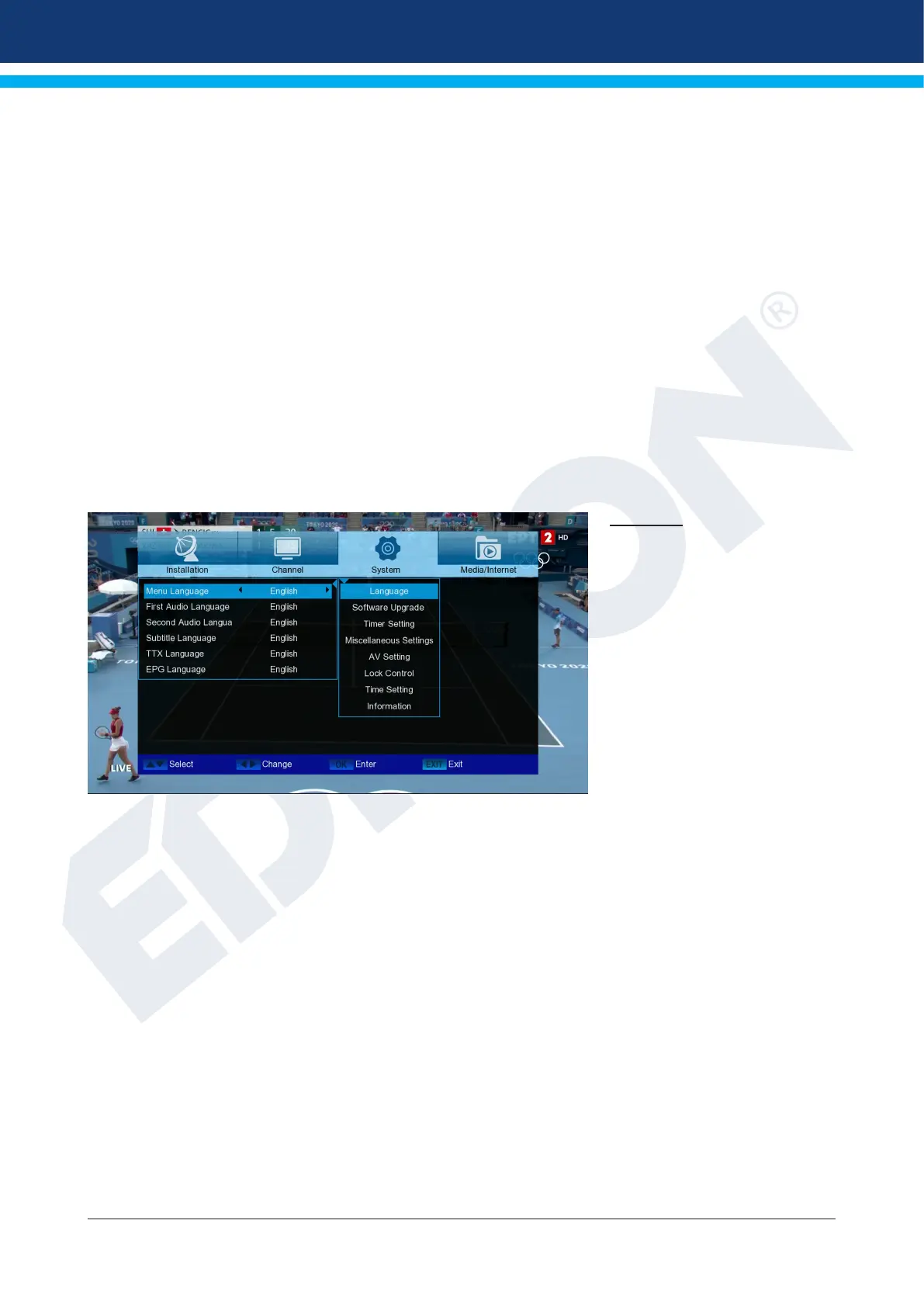
► Language
► Software Upgrade
► Timer setting
► Miscellaneous Settings
► A/V settings
► Lock Control
► Time Setting
► Information
Language
Menu functions and settings:
Menu language:
Here you select the language in
which the menus are displayed.
First audio language: Select
the audio language for the rst
channel here.
Second audio language:
Select the audio language for
the second channel here.
EDIVISION: Specify the language in which the EDIVISION (EDV) online program guide
will be displayed (The language must be supported by the program provider).
Language subtitles: Set the language in which the information will be displayed here subtitles
(Language should be supported by the program provider).
Teletext: Set the language in which the Teletext / Videotext information will be displayed
here (The language must be supported by the program provider).
Exit the “Language” menu by pressing the OK button.














 To Next Page