Version of July 30th, 2021 21
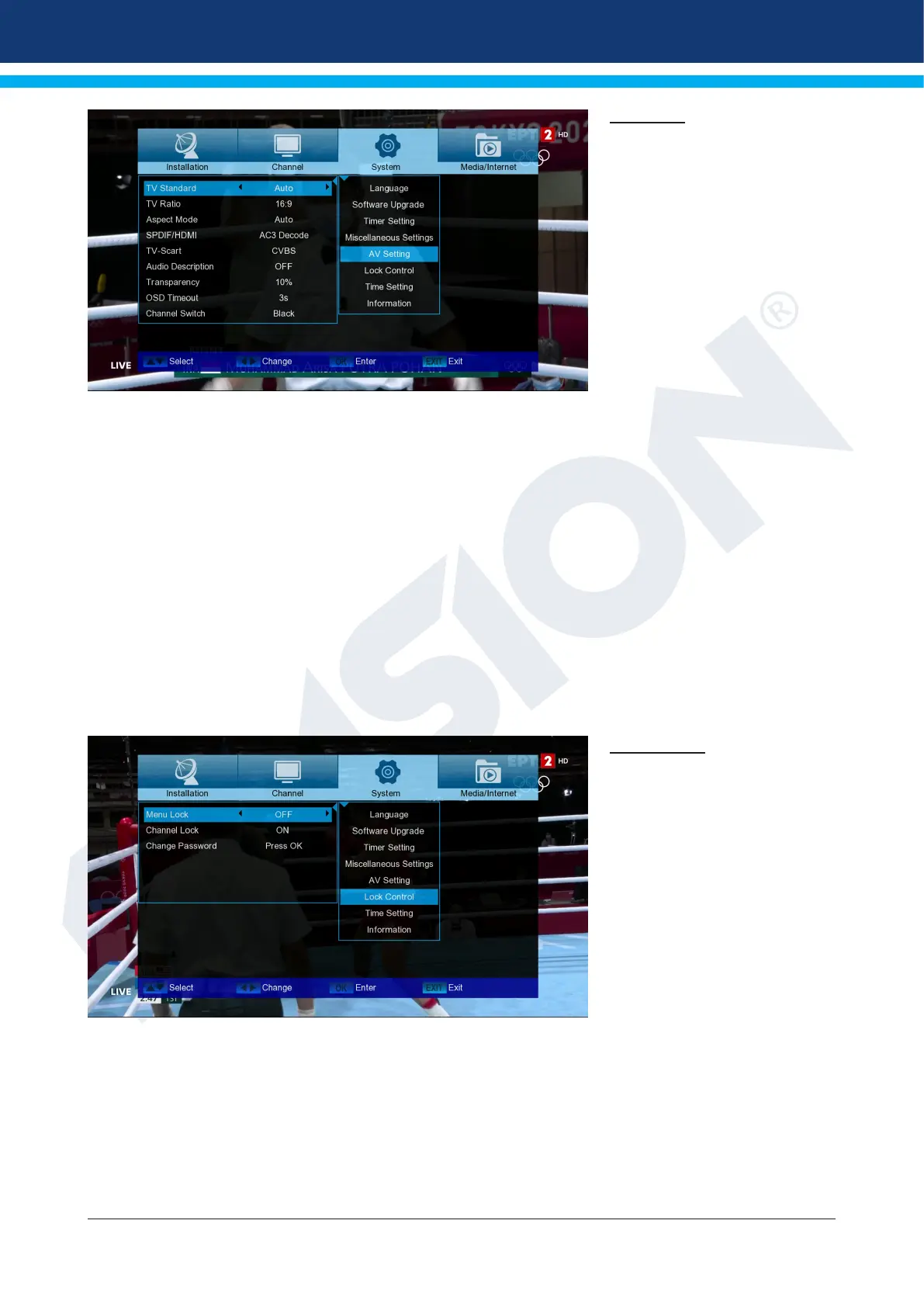
AV setting
TV Standard:
The options Auto, 576i, 576p,
720p_50, 720p_60, 1080i_50,
1080i_60, are available,
1080p_50 and 1080p_60.
TV Ratio:
Adjust here the aspect ratio of
the image to be displayed (4:3
or 16:9)
Aspect Mode: Choose between (Automatic, Letter Box, Pan Scan)
SPDIF/HDMI: Here you can adjust the function of the digital Audio output.
TV-Scart: Here you can set between (CVBS, RGB)
Audio Description: Choose between (ON, OFF)
Transparency: Adjust the transparency of the frame on the screen
OSD Timeout: Set Menu duration from 3 to 10 seconds
Channel Switch: Choose between (Freeze, Black)
Exit the “AV Settings” menu by pressing the EXIT key.
Lock Control
This menu is only available after
entering a PIN code. The default
password (PIN) is: 0000.
Menu Lock:
Here you can choose whether
you want to allow or deny ac-
cess to the menu. If you have
selected ‘On’ at this point, ac-
cess to the menu is only allowed
with enter a PIN code. Excludes
channel bar, EDIVISION and fa-
vourite lists.
Channel Lock: Here you can specify whether channels can generally be locked or not.
Change Password: Here you can choose a new password.
Password Verication: Repeat the new password here.
Exit the “Minor Protection” menu by pressing the EXIT key.
The EXIT key exits the timer menu. If you have made changes and you want to save them, conrm your se-
lection with ‘Yes’ in the dialog box that appears.














 To Next Page